Originally published: 18 July 2024
Last updated: October 2026
Quick answer:
SEO optimisation for WordPress comes down to four jobs, done in this order. First, make sure Google can crawl and index the pages that matter (search engine visibility switched on, Post name permalinks, a clean XML sitemap, no accidental noindex). Second, make the site fast and fully usable on a phone, because Google ranks the mobile version of your site. Third, give every important page one clear topic, a specific title tag, a single H1, compressed images with useful alt text, and internal links from related pages. Fourth, stop publishing near-duplicate posts: one strong page per topic outranks five thin ones. An SEO plugin such as Rank Math helps with the settings, but it does not do the thinking for you.
Who this guide is for
This is for UK business owners and marketers who run a WordPress website and want it to bring in more enquiries from Google. It is written as a working checklist rather than theory. Each section tells you what to check, where to find it in WordPress, and what good looks like.
It replaces several shorter articles we previously published on on-page SEO checklists, image optimisation, internal linking, mobile optimisation and mobile-first indexing. Those topics belong together, because on a real website they affect each other, so they are now covered in one place.
For reference, this website runs on WordPress with Rank Math SEO for titles, sitemaps, schema and redirects, WP Rocket for caching, and ShortPixel for image compression. The menu paths below use Rank Math, but Yoast and SEOPress have equivalent settings.
Step 1: Make sure Google can crawl and index your site
No amount of content work helps a page that Google cannot index. These checks take about 20 minutes and catch the problems we see most often on small business sites.
Check the search engine visibility setting
Go to Settings > Reading in WordPress and make sure Discourage search engines from indexing this site is unticked. Developers tick this box while a site is being built, and it is surprisingly common for it to stay ticked after launch.
Use Post name permalinks
Go to Settings > Permalinks and choose Post name. This gives clean addresses such as /seo-optimisation-for-wordpress/ rather than /?p=4798 or addresses with dates in them. If your site is already established with a different structure, do not change it without setting up redirects for every existing URL first.
Check your XML sitemap and submit it
Rank Math creates a sitemap at yourdomain.co.uk/sitemap_index.xml. Open it and check that it lists your posts and pages, and does not list things you do not want in Google, such as tag archives, attachment pages or thank-you pages. Then submit it in Google Search Console under Indexing > Sitemaps.
Read the Pages report in Search Console
In Search Console, open Indexing > Pages. This shows how many of your URLs are indexed and, more importantly, why the rest are not. The reasons that matter most:
- Crawled, currently not indexed: Google has read the page and decided it is not worth showing. This is usually a content problem, often because several pages on your site cover the same topic. See Step 5.
- Discovered, currently not indexed: Google knows the page exists but has not crawled it yet. Better internal links to the page usually help.
- Excluded by noindex tag: fine for thank-you pages and tag archives, a problem if it is a service page.
- Not found (404): a page that used to exist has gone. Redirect it to the closest live page.
- Duplicate without user-selected canonical: two URLs show the same content and you have not told Google which one to use.
To check a single page, paste its URL into the inspection bar at the top of Search Console. It tells you whether the page is indexed, when Google last crawled it, and which version Google treats as the main one.
Tidy up the technical basics
- Your whole site loads on https://, and the http and www versions redirect to one address.
- Deleted or renamed pages have a 301 redirect to the closest relevant page. In Rank Math, use Rank Math > Redirections.
- The 404 monitor (Rank Math > 404 Monitor) does not show pages that people or Google keep requesting.
- Tag archives, author archives and media attachment pages are set to noindex unless they have a real purpose. In Rank Math this is under Titles & Meta.
- Each page has a self-referencing canonical tag. Rank Math adds this automatically. Only override it if you know why.
Step 2: Make the site fast, especially on mobile
Since 2024, Google crawls and ranks websites using the smartphone version of each page. This is called mobile-first indexing. In practice it means the mobile version of your site is the version that counts. If content, links or structured data are missing on mobile, Google treats them as missing altogether.
Know the three Core Web Vitals targets
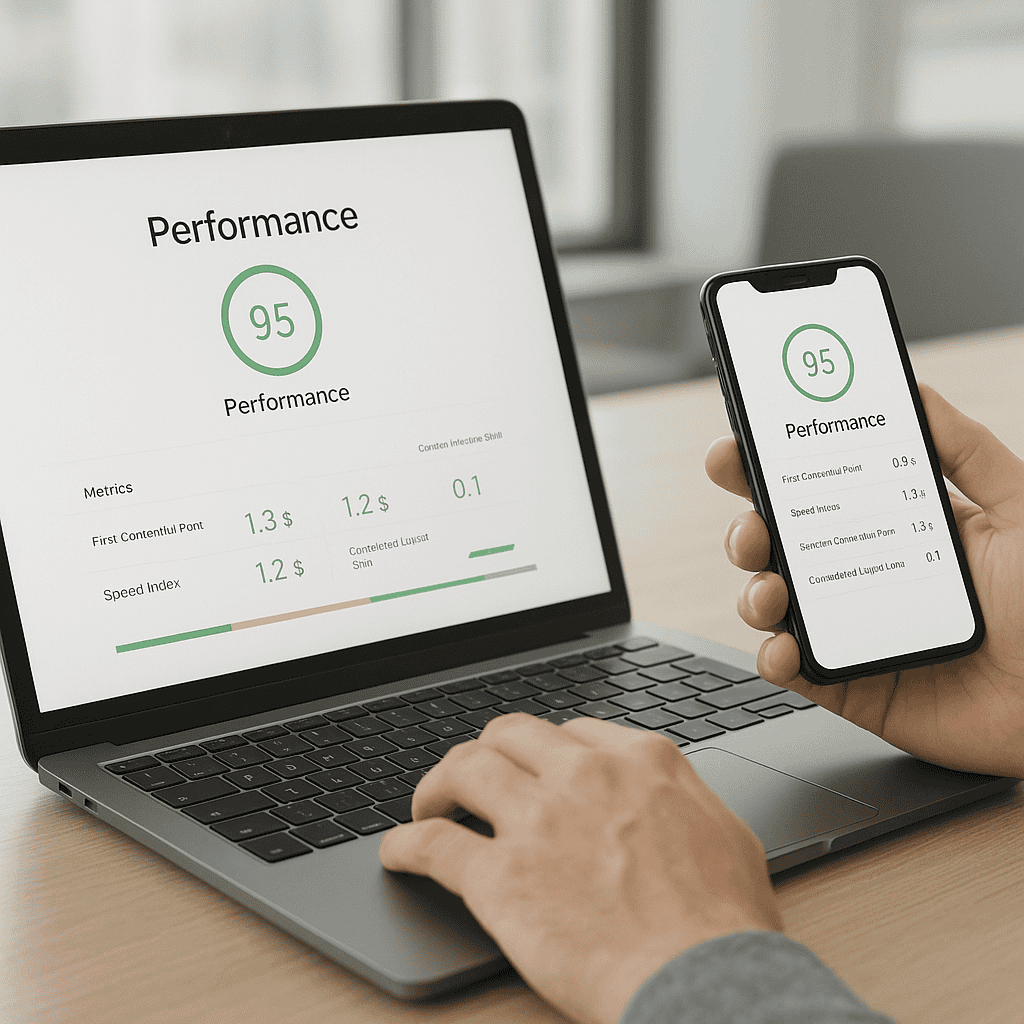
Google measures page experience using three Core Web Vitals. Check them for your own site in Search Console under Experience > Core Web Vitals, or for a single page at PageSpeed Insights. The targets for a good score are:
| Metric | What it measures | Good score | Usual WordPress cause when it fails |
|---|---|---|---|
| Largest Contentful Paint (LCP) | How quickly the main content appears | 2.5 seconds or less | Large hero image, slow hosting, no caching |
| Interaction to Next Paint (INP) | How quickly the page responds to a tap or click | 200 milliseconds or less | Heavy page builders, too many scripts, chat widgets |
| Cumulative Layout Shift (CLS) | How much the page jumps around while loading | 0.1 or less | Images without dimensions, late-loading banners and cookie bars |
Use the field data (labelled as real user data) where it is available. The lab score out of 100 is useful for diagnosis but is not what Google uses for ranking.
Fix speed in this order
- Hosting. If the server takes more than about 0.6 seconds to respond (shown as Time to First Byte in PageSpeed Insights), no plugin will fully fix it. Cheap shared hosting is the most common cause.
- Caching. Install one caching plugin, such as WP Rocket or LiteSpeed Cache, and use page caching. Do not run two caching plugins at once.
- Images. Usually the biggest single win. See Step 3.
- Scripts. Remove tracking pixels, sliders, chat widgets and embedded feeds you do not actively use. Delay the rest until the user interacts with the page.
- Theme and page builder. A lightweight block theme loads far less code than a multipurpose theme with a heavy page builder. Change this when you next redesign rather than mid-campaign.
Make the mobile version easy to use
- Text is readable without zooming, at 16 pixels or larger for body copy.
- Buttons and links are big enough to tap, around 48 by 48 pixels, with space between them.
- Your phone number is a tap-to-call link, and the main call to action is visible without a long scroll.
- Forms ask only for what you need. Every extra field loses enquiries on a phone.
- Pop-ups do not cover the content when someone arrives from Google. Google specifically discourages intrusive interstitials on mobile.
- The mobile menu includes the same important pages as the desktop menu, so internal links are not lost on mobile.
- Content you hide on mobile behind tabs or accordions is still in the page’s HTML. Content removed from the mobile version entirely will not be indexed.
Test on a real phone, not only in a desktop browser. Open your five most important pages on your own mobile data connection and try to make an enquiry from each one.

Step 3: Optimise images for speed and search
On most of the WordPress sites we audit, images account for more of the page weight than everything else combined. Fixing them is quick and the effect on load times is immediate.
Resize before you upload
Upload images at roughly the size they will be shown. A full-width hero image rarely needs to be more than 1,920 pixels wide, and an image in the body of a blog post rarely needs more than 1,200 pixels. Phone photos straight from the camera are often 4,000 pixels wide and 4 to 8 MB, which is many times more than needed.
Use the right format and compress it
| Format | Use it for | Notes |
|---|---|---|
| WebP | Most photos and graphics | Much smaller than JPEG at similar quality. Supported by all current browsers. |
| AVIF | Photos where every kilobyte matters | Smaller again than WebP, but slower to generate. |
| JPEG | Photos, as a fallback | Fine if compressed properly. |
| PNG | Screenshots and graphics that need transparency | Large for photos. Avoid for photographs. |
| SVG | Logos and simple icons | Scales to any size with a tiny file. |
A compression plugin such as ShortPixel, Imagify or Smush can convert to WebP and compress automatically on upload. As a rough guide, aim for hero images under 200 KB and in-content images under 100 KB.
Get loading behaviour right
- Lazy loading (images loading only as they scroll into view) is built into WordPress and suits images further down the page.
- Do not lazy load the main image at the top of the page. It is usually the element Google uses to measure LCP, and delaying it makes the score worse. Most caching plugins let you exclude the first image or two.
- Make sure images have width and height set. WordPress does this for images added through the editor. Missing dimensions are a common cause of layout shift.
Write alt text and file names that help
Alt text describes the image for people using screen readers and gives Google context. Describe what is in the image in plain words, and mention the topic where it fits naturally. For example, Kitchen fitter measuring worktops in a Kilmarnock home is useful. Kitchen fitter Kilmarnock best kitchen fitter Ayrshire is keyword stuffing and helps nobody. Purely decorative images can have empty alt text.
Rename files before uploading, using short descriptive words separated by hyphens, such as kitchen-worktop-fitting.webp rather than IMG_4471.jpg.
Step 4: Optimise each important page
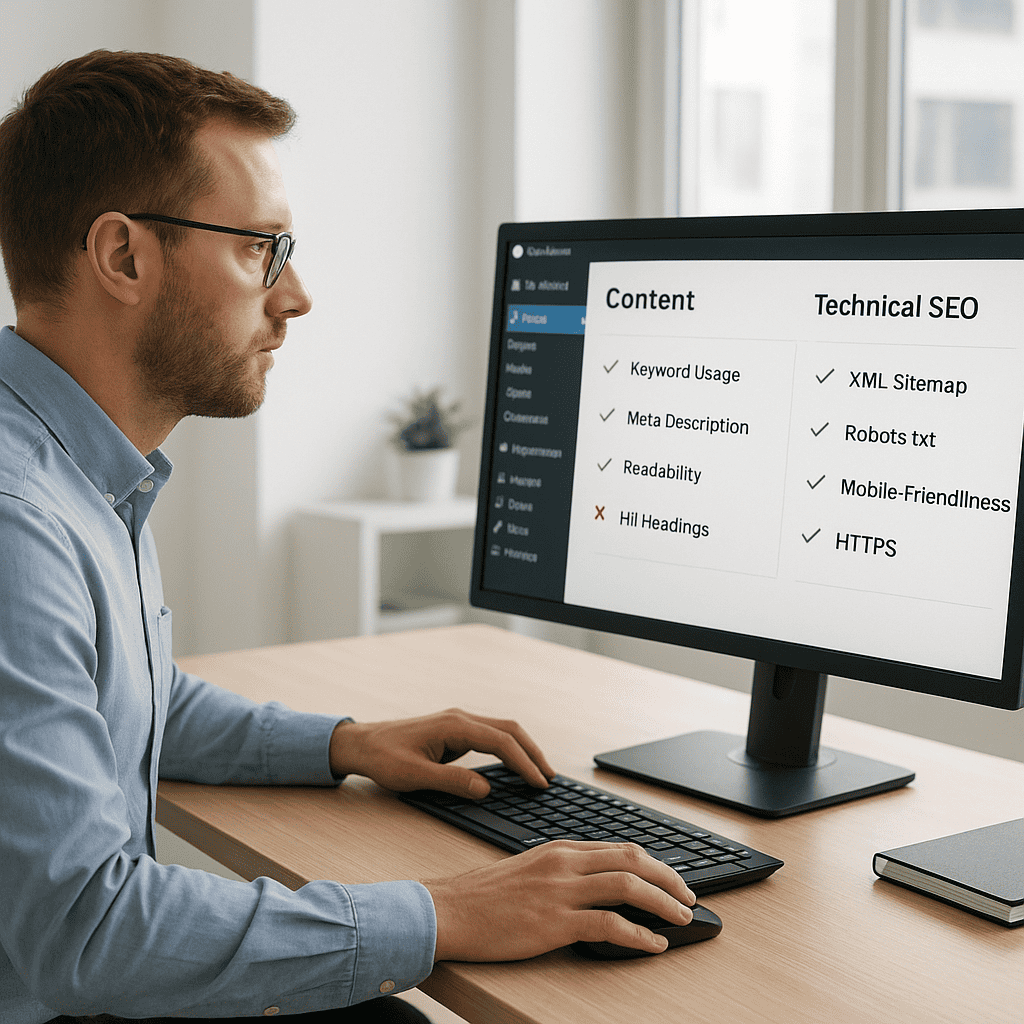
Once the site is technically sound, work page by page, starting with the pages that make you money: service pages, location pages and your strongest guides. Use this checklist for every one of them before and after publishing.
The on-page checklist
| Element | What good looks like | Where to edit it |
|---|---|---|
| Topic | One main search phrase per page, not shared with any other page on the site | Your content plan |
| Title tag | Main phrase near the start, specific benefit or location, about 50 to 60 characters | Rank Math box below the editor, Edit Snippet |
| Meta description | A plain summary that makes someone want to click, about 120 to 155 characters, unique to the page | Rank Math, Edit Snippet |
| URL slug | Short, lower case, hyphenated, contains the main phrase | Post settings, URL |
| H1 | Exactly one, matching the topic. In most themes this is the page title | Page title field |
| H2 and H3 headings | Describe each section, in logical order, used for structure not for styling | Heading blocks |
| Opening paragraph | Answers the main question or states what you offer within the first two or three sentences | Editor |
| Images | Compressed, sensibly sized, with useful alt text | Media library and image block |
| Internal links | At least two or three links in from related pages, and links out to the next useful page | Editor |
| Call to action | One clear next step, such as call, book or request a quote | Editor |
| Schema | Article for posts, LocalBusiness or Organisation sitewide, FAQ where there are genuine questions | Rank Math, Schema tab |
Write titles people want to click
The title tag is the blue link in Google. It is still one of the strongest signals of what a page is about, and it decides whether people click. Compare these two for the same service page:
- Home | Services | Smith Electrical
- Electrician in Kilmarnock | Rewires, Fuse Boards and EICRs | Smith Electrical
The second tells both Google and the searcher exactly what the page offers and where. Check in Search Console under Performance for pages with lots of impressions but a low click-through rate. Those are the titles to rewrite first.
Match what the searcher actually wants
Search the phrase you are targeting and look at what already ranks. If the top results are service pages with prices, a 3,000-word blog post will struggle to compete, and the reverse is also true. Shape the page to match: a service page should say what you do, who it is for, the areas you cover, rough prices or how pricing works, proof such as reviews and examples, and how to get in touch. Our guide to keyword research for SEO explains how to find and choose these phrases.

Step 5: Build internal links and avoid competing pages
This is the step most WordPress sites get wrong, and it is often the reason pages sit in the Crawled, currently not indexed list.
Why internal links matter
Internal links are links from one page on your site to another. They help Google find pages, understand which pages are most important, and see how topics relate to each other. A page with no internal links pointing to it (an orphan page) is hard for Google to find and is treated as unimportant.
A simple internal linking process
- List your money pages: the service and location pages you most want to rank.
- For each one, find three to five related blog posts or pages. A quick way is to search Google for site:yourdomain.co.uk followed by the topic.
- Add a link from each of those pages to the money page, inside the main text where it is genuinely useful to the reader.
- Use descriptive anchor text, such as our website SEO service, rather than click here. Vary the wording rather than repeating the exact keyword every time.
- Every time you publish something new, link to it from at least two existing related pages, and link from it to the relevant service page.
- Check the result in Search Console under Links > Internal links. Your most important pages should be near the top of that list.
One page per topic
Keyword cannibalisation happens when several pages on the same site target the same search. Google then has to choose between them, often indexes only one, and may rank none of them well. It is very common on blogs that publish frequently, because similar titles get written months apart: a WordPress SEO checklist, then a guide to on-page SEO, then a post on WordPress optimisation tips.
To check for it, search Google for site:yourdomain.co.uk plus the topic. If you see three or four of your own pages covering the same thing, combine them:
- Choose the strongest page, usually the one with the most impressions in Search Console or the best links.
- Move anything genuinely useful from the weaker pages into it, and rewrite it so it reads as one complete guide.
- Set the weaker pages to draft and add a 301 redirect from each old URL to the page you kept, using Rank Math > Redirections.
- Update any internal links that pointed at the old pages.
- Request indexing for the updated page in Search Console using URL inspection.
That is exactly what we did with this guide, which brings together five previous articles on overlapping topics.
Step 6: Keep your plugin setup lean
Plugins are one of WordPress’s strengths, but every one adds code, updates and potential conflicts. For SEO, you need one plugin for each job:
- One SEO plugin such as Rank Math, Yoast or SEOPress. Running two leads to duplicate title tags and schema.
- One caching or performance plugin.
- One image optimisation plugin.
- A security plugin and a backup solution, which protect rankings indirectly because a hacked or broken site loses them quickly.
Once a quarter, go to Plugins and ask of each one: is it still used, is it updated, and does something else already do this job? Deactivate and delete anything that fails. Our list of WordPress plugins for business websites covers the ones worth having.
Step 7: Measure what matters and review regularly
Rankings on their own do not pay the bills. Track these instead:
- Search Console, Performance: impressions, clicks and average position for your important pages and phrases. Compare the last three months with the previous three months.
- Search Console, Pages: the number of indexed pages, and whether the not-indexed list is shrinking.
- Google Analytics 4: enquiries from organic search, set up as key events such as contact form submissions and phone clicks.
- Core Web Vitals: whether your pages are passing on mobile.
Changes to existing pages typically take a few weeks to be reflected in Google, and merges and redirects can take one to two months to settle fully. Make changes, note the date, and judge them over that kind of timeframe rather than day to day.
If you would rather check your own site against this guide step by step, our DIY SEO audit for a business website walks through it. For businesses that also want to appear in the map results, read our guide to local SEO for Ayrshire businesses.
When to get help
Most of this guide can be done in-house with a few hours a month. It is worth bringing in help if your site is being redesigned or moved to a new domain, if traffic has dropped suddenly, if Search Console shows a large number of pages not indexed, or if your service pages are not appearing for the searches your customers use.
Steve Welsh Marketing works with UK businesses on WordPress SEO, from technical fixes through to content and internal linking. See our Website SEO service or get in touch to talk through your site.
Questions
FAQs
-
What does SEO optimisation for WordPress include?
It covers making sure Google can crawl and index your pages, improving speed and mobile usability, optimising each page’s title, headings, content, images and internal links, adding schema markup, and avoiding several pages competing for the same search. The aim is more relevant visitors and more enquiries, not just more traffic.
-
What should I check first on a WordPress site?
Check Settings, Reading to make sure search engines are not being discouraged, then open the Pages report in Google Search Console to see which pages are indexed and why the others are not. These two checks find the most serious problems quickly.
-
Do WordPress SEO plugins improve rankings by themselves?
No. Plugins such as Rank Math or Yoast make it easier to manage titles, sitemaps, redirects and schema, but rankings depend on the quality and focus of your content, site speed, internal links and how well each page matches what searchers want. A green plugin score does not guarantee a page will rank.
-
What is mobile-first indexing?
It means Google uses the smartphone version of your website to decide how to index and rank it. If content, links or structured data appear on desktop but not on mobile, Google treats them as missing. Make sure your mobile pages contain the same content and are fast and easy to use.
-
How do I optimise images for speed and SEO in WordPress?
Resize images to roughly the size they are displayed, convert them to WebP, and compress them, ideally under 200 KB for hero images and 100 KB for in-content images. Write descriptive alt text and file names, lazy load images further down the page, but do not lazy load the main image at the top.
-
How many internal links should a page have?
There is no fixed number. Your important pages should each have several links from related content using descriptive anchor text, and every new post should link to at least one relevant service page and be linked to from two or more existing pages. Pages with no internal links are hard for Google to find.
-
Why does Search Console say my pages are crawled but not indexed?
Google has read the pages and decided they are not worth showing. The most common causes are thin content and several pages covering the same topic. Combining overlapping pages into one stronger page, then redirecting the old URLs, is usually the most effective fix.
-
How long does WordPress SEO take to work?
Technical fixes and page updates usually start to show in Search Console within a few weeks. Larger changes, such as merging pages and redirecting old URLs, can take one to two months to settle. SEO is cumulative, so steady improvements over several months make the biggest difference.

Steve Welsh is a digital marketing consultant and founder of Steve Welsh Marketing, helping businesses improve search visibility, attract better leads, and grow through practical, results-focused marketing.
More about Steve →