Steve Welsh MarketingKilmarnock · Ayrshire · UKCall NowBook a free call

Category: Google Business Profile Posts

  • Google Ads vs Google Business Profile: Which Is Better for UK Businesses?

    Google Ads vs Google Business Profile: Which Is Better for UK Businesses?

    Quick Answer

    If you are comparing google ads vs google business profile, the main difference is speed versus long term local visibility. Google Ads is paid search, so it can put your business in front of searchers quickly, but you pay for each click. Google Business Profile is a free listing that helps you appear in Google Maps and local results, and it can drive enquiries without cost per click. For most UK businesses, the best choice depends on budget, competition and how quickly you need leads. Steve Welsh Marketing can help you decide which channel, or mix of both, suits your goals.

    Intro

    If you are comparing Google Ads vs Google Business Profile, you are really deciding how you want your business to be found on Google and how quickly you need results.

    Both can help generate leads, calls, enquiries and sales, but they work in very different ways. Google Ads gives you paid visibility at the top of search results. Google Business Profile helps you appear organically in Google Maps and local search results. One is driven by budget and bidding. The other is driven by relevance, trust, proximity and profile quality.

    For many UK businesses, especially local service providers, trades, clinics, retailers and professional firms, this is not just a marketing question. It affects lead quality, cost per enquiry, visibility in your target area and long term return on investment.

    In this guide, we will break down the difference between the two, when each works best, what they cost, and how to decide which option fits your business goals. We will also look at when using both together makes the most commercial sense.

    1-Google Ads vs Google Business Profile: Which Should Your Business Use?

    What is the difference between Google Ads and Google Business Profile?

    At a basic level, Google Ads is a paid advertising platform and Google Business Profile is a free business listing that supports local search visibility.

    That sounds simple, but the impact on your marketing strategy is significant. One gives you immediate exposure if you are willing to pay for clicks. The other helps you build a stronger local presence over time and can continue generating enquiries without paying for every visit.

    How Google Ads works for paid visibility

    Google Ads allows businesses to bid on search terms so their adverts appear when people search on Google. If someone searches for a service you offer, your advert may show above the organic results, depending on your targeting, bid, ad quality and competition.

    For example, if you are a solicitor in Leeds, a plumber in Glasgow or a dentist in Bristol, you can run ads targeting searches such as “family solicitor Leeds”, “emergency plumber Glasgow” or “dentist Bristol city centre”. You can also target by location, time of day, device and audience type.

    The key benefits of Google Ads for local businesses include:

    • Immediate visibility
    • You can appear in search results quickly, often within days of launching a campaign.
    • Control
    • You can choose your service areas, budget, keywords, ad copy and landing pages.
    • Scalability
    • If campaigns are profitable, you can increase spend to generate more leads.
    • Measurability
    • You can track calls, form submissions, bookings and other conversions.

    The main trade off is cost. Every click has a price, and in competitive sectors that price can be high. If your campaign is poorly set up, you can spend money quickly without seeing much return. Google Ads can be very effective, but it needs careful targeting, strong landing pages and ongoing management.

    How Google Business Profile supports local search visibility

    Google Business Profile is the business listing that appears in Google Maps and often in the local pack, which is the map section that shows local businesses for nearby searches.

    When someone searches for a local service, Google may show a map and a shortlist of businesses. Your profile can appear there if Google sees your business as relevant, trustworthy and well matched to the search and location.

    A strong profile includes accurate business information, service details, categories, opening hours, photos, reviews, location data and regular updates. It also connects with your website and broader local SEO signals.

    The key benefits of Google Business Profile optimisation include:

    • Strong local intent visibility
    • People using Maps or local search are often ready to contact or visit a business.
    • Trust signals
    • Reviews, photos and complete business information help people choose you.
    • No cost per click
    • You do not pay every time someone views your profile or clicks through.
    • Longer term value
    • A well optimised profile can continue generating leads over time.

    This is where local SEO vs paid search becomes important. Paid search can put you in front of people immediately. Local SEO helps your business become more visible naturally in the places people already use to find nearby suppliers.

    If you want to improve your organic local visibility alongside paid campaigns, our Google Business Profile Optimisation service can help strengthen your presence in Google Maps and local search.

    2-What is the difference between Google Ads and Google Business Profile?

    Google Ads vs Google Business Profile: when each one works best

    The right choice depends on your goals, your market and how your customers search. In many cases, one channel will be the better starting point. In others, both should work together.

    Best use cases for Google Ads

    Google Ads is usually the better option when speed matters and you need more control over lead generation.

    It works especially well when:

    • You need enquiries quickly
    • If you have just launched, opened a new location or need to fill your pipeline fast, ads can create visibility much sooner than organic methods.
    • You operate in a highly competitive market
    • In sectors where local rankings are hard to win quickly, paid search can help you get in front of potential customers while your organic presence develops.
    • You target high value services
    • If one new client is worth a significant amount, paying for clicks may still be highly profitable. This is common in legal, financial, medical, home improvement and B2B services.
    • You want to promote specific offers
    • Ads are useful for seasonal campaigns, limited time offers, events or targeted service promotions.
    • You have a well built website or landing page
    • Google Ads works best when traffic is sent to a page designed to convert visitors into enquiries or bookings.

    Google Ads for local businesses can be highly effective, but only if campaigns are built around commercial intent. Broad, vague targeting often wastes budget. The strongest campaigns focus on the right locations, the right keywords and clear conversion actions.

    Best use cases for Google Business Profile

    Google Business Profile is often the better option when local visibility, trust and long term lead generation matter most.

    It works especially well when:

    • You serve a defined local area
    • If your customers come from a town, city or service radius, your profile can help you appear for nearby searches with strong intent.
    • You rely on calls, directions or direct enquiries
    • Many people contact businesses straight from the profile without even visiting the website.
    • You want to build credibility
    • Reviews, photos and a complete profile can make a major difference to how people compare local providers.
    • You have a limited budget
    • Because there is no cost per click, improving your profile can be a cost effective way to generate leads over time.
    • You want sustainable local visibility
    • A strong profile supports ongoing visibility in Maps and local search, even when you are not actively spending on ads.

    This is particularly important for businesses where trust and reputation influence buying decisions. A profile with strong reviews, current information and visible activity often outperforms businesses with weak or neglected listings.

    For many SMEs, Google Business Profile ranking becomes one of the most commercially valuable parts of their digital presence because it reaches people who are already looking for a local solution.

    3-Google Ads vs Google Business Profile: when each one works best

    Costs, speed and return on investment

    One of the biggest differences in google ads vs google business profile is how cost and return work over time.

    What you pay for with Google Ads

    With Google Ads, you pay for traffic. Usually, that means paying each time someone clicks on your advert. The cost per click depends on your industry, location, competition and keyword targeting.

    In some sectors, clicks may cost a few pounds. In more competitive sectors, they can cost much more. If your campaign is not tightly managed, costs can rise quickly.

    What you are paying for includes:

    • Immediate placement in search results
    • You are effectively buying visibility for relevant searches.
    • Audience targeting
    • You can focus on specific locations, services and search intent.
    • Testing and data
    • Ads give you fast feedback on what messages, keywords and offers work.
    • Lead generation potential
    • If the campaign is well managed, you can generate enquiries at a predictable cost.

    However, paid search has a clear limitation. Once you stop spending, the visibility stops. That means the return is often strongest when campaigns are actively monitored and linked to a clear commercial objective.

    To judge ROI properly, do not just look at clicks. Look at cost per lead, lead quality, conversion rate, customer value and profit. A campaign that seems expensive on the surface may still be worthwhile if it brings in profitable work.

    What to expect from Google Business Profile results

    Google Business Profile does not charge you for clicks or visibility, but it is not truly free in business terms. It still requires time, expertise and ongoing effort to perform well.

    You may need to invest in:

    • Profile setup and optimisation
    • Choosing the right categories, services, descriptions and business details.
    • Review generation
    • Encouraging genuine customer reviews and responding to them professionally.
    • Photo and content updates
    • Keeping the profile active and useful.
    • Website and local SEO support
    • Your profile works better when backed by a relevant, trustworthy website and consistent local signals.

    The return from Google Business Profile is often slower at the start than PPC vs local SEO, but it can become more efficient over time. A well optimised profile can generate calls, visits and enquiries month after month without the same direct cost attached to each lead.

    That makes it especially attractive for businesses that want to reduce reliance on paid traffic and build a stronger long term local presence.

    In practical terms, Google Business Profile often delivers strong ROI when:

    • Your service area is local
    • Your reviews are competitive
    • Your profile is complete and active
    • Your website supports local relevance
    • You are patient enough to build momentum
    4-Costs, speed and return on investment

    How to choose the right option for your UK business

    There is no universal answer because the right choice depends on your business model, market conditions and growth targets. The best decision usually comes from balancing short term lead needs with long term visibility goals.

    Factors to consider: budget, competition and sales cycle

    Start with budget

    If you have a healthy monthly marketing budget and need leads quickly, Google Ads may be the stronger immediate option. If your budget is tighter and you need a more sustainable route to visibility, Google Business Profile may offer better long term value.

    Then look at competition

    In some local markets, paid search is crowded and expensive. In others, local map results are dominated by businesses with hundreds of reviews and strong profile activity. Understanding where the competition is strongest helps you decide where effort is most likely to pay off.

    Consider your sales cycle

    If customers need your service urgently, such as emergency repairs, locksmith services or same day appointments, paid ads can capture high intent demand quickly. If customers compare several providers before choosing, a strong profile with reviews and local trust signals may have more influence.

    Think about customer behaviour

    Ask yourself how your ideal customer searches. Do they type “near me” searches and compare map listings? Do they click the first advert they see? Do they want to call immediately, or do they research first?

    Review your current assets

    If your website is weak, your ads may struggle to convert. If your profile is incomplete or has poor reviews, local visibility may be limited. The best channel is often the one you are most ready to use effectively.

    Finally, define success clearly

    Are you trying to increase calls, footfall, bookings, quote requests or high value consultations? Your objective should shape the mix of paid and organic activity.

    When to use both together for stronger results

    For many businesses, the best answer in the google ads vs google business profile debate is not either or. It is both.

    Using both together can create stronger overall performance because each channel supports a different stage of visibility and trust.

    Here is how they complement each other:

    • Ads create immediate exposure
    • You can appear quickly for valuable searches while building your local organic presence.
    • Your profile reinforces trust
    • People who see your advert may still check your reviews, photos and business details before contacting you.
    • Organic visibility reduces dependence on paid clicks
    • As your profile improves, you may generate more enquiries without increasing ad spend.
    • Search coverage improves
    • You can appear in multiple places on the results page, increasing the chance of being chosen.
    • Data from ads can inform SEO
    • Paid campaigns can reveal which services, locations and messages generate the best response.

    This combined approach often works well for local service businesses, multi location firms and SMEs that want both short term lead flow and stronger long term visibility.

    5-How to choose the right option for your UK business

    How to improve local visibility beyond ads

    Whether or not you run Google Ads, your local presence should not depend on paid traffic alone. Businesses that invest in local visibility assets tend to be more resilient, more trusted and less exposed to rising ad costs.

    Why Google Business Profile optimisation matters

    A basic profile is not the same as an optimised one. Many businesses claim their listing, add a few details and leave it there. That is rarely enough to compete well in local search.

    Google Business Profile optimisation matters because it helps Google understand what you do, where you operate and why your business is relevant to local searchers. It also helps potential customers feel confident enough to contact you.

    A properly optimised profile should include:

    • Accurate business name, address and phone details
    • The right primary and secondary categories
    • Clear service descriptions
    • Relevant business hours
    • High quality photos
    • Strong review activity
    • Regular updates where appropriate
    • A website that supports local relevance

    It also needs consistency. If your profile says one thing, your website says another and your wider business information is inconsistent online, local performance can suffer.

    For businesses that depend on local enquiries, profile quality is not a minor admin task. It is a lead generation asset.

    Simple actions that support local rankings and enquiries

    If you want to improve local performance beyond ads, focus on practical actions that strengthen both visibility and conversion.

    • Keep your profile complete and accurate
    • Check categories, contact details, service areas, opening hours and service listings regularly.
    • Collect more genuine reviews
    • Reviews remain one of the strongest trust signals. Ask satisfied customers at the right time and make the process easy.
    • Respond to reviews professionally
    • This shows engagement and reassures future customers that you take service seriously.
    • Add strong photos
    • Good quality images of your team, premises, work and branding can improve trust and engagement.
    • Align your website with local intent
    • Create service pages and location relevant content that support your profile and help Google understand your offering.
    • Track enquiries properly
    • Monitor calls, contact forms, direction requests and website visits so you can see what is working.
    • Keep business information consistent
    • Your details should match across your website, profile and other key online listings.
    • Use ads strategically, not blindly
    • If you run paid campaigns, target them carefully and use the data to support broader local marketing decisions.

    The businesses that perform best in local search are usually not the ones doing one thing well. They are the ones building a joined up presence across ads, profile, website and reputation.

    When comparing google ads vs google business profile, the real question is not which platform exists. It is which one best supports your business goals right now, and how you can build a marketing approach that keeps delivering over time.

    If you need fast visibility and have the budget to support it, Google Ads can generate leads quickly. If you want stronger local trust, better map visibility and a more sustainable source of enquiries, Google Business Profile should be a priority. For many UK businesses, the strongest results come from using both in a coordinated way.

    If you want expert help deciding where to focus, or you need to improve your local visibility so your business generates more calls and enquiries from Google, get in touch with Steve Welsh Marketing. We can help you build a practical strategy that combines paid search, local SEO and Google Business Profile performance to drive better results.

    Questions

    FAQ

    1. What is the main difference between Google Ads and Google Business Profile?

      Google Ads is paid visibility in search results. Google Business Profile helps your business appear in Google Maps and local search results, with no cost per click.

    2. Which is better for getting leads quickly?

      Google Ads is usually better when you need enquiries quickly because it can create visibility soon after launch.

    3. Is Google Business Profile worth using if I already run ads?

      Yes. A strong profile can support trust, local visibility and enquiries, even when you are also using paid search.

    4. What should UK local businesses choose first?

      If budget is tight, Google Business Profile is often the best starting point. If speed matters most, Google Ads may be the better first step.

    5. Can I use Google Ads and Google Business Profile together?

      Yes. Many businesses get the best results by using ads for immediate visibility and Google Business Profile for ongoing local presence.

  • How to Remove Fake Google Business Reviews Without Damaging Your Reputation

    How to Remove Fake Google Business Reviews Without Damaging Your Reputation

    Quick answer:

    If you want to remove fake Google Business reviews, start by checking whether the review actually breaks Google review policy rather than just feeling unfair. You cannot delete reviews yourself, so the practical route is to flag the review in your Google Business Profile, gather evidence, and escalate to Google support if needed. If the review is visible while you wait, reply calmly and professionally so customers can see you have handled it properly. Steve Welsh Marketing can also help businesses strengthen their Google Business Profile and reduce the impact of suspicious reviews over time.

    A fake review can do real damage.

    For many UK businesses, Google Business Profile reviews influence whether a customer calls, clicks, visits or moves on to a competitor. One suspicious one-star rating or a made-up complaint can affect trust quickly, especially if your review profile is still growing.

    The good news is that there is a process for dealing with this. The less helpful news is that Google does not remove every review simply because it feels unfair. If you want to remove fake Google Business reviews, you need to understand what counts as a policy breach, how to report it properly, and what to do if the review stays live.

    This guide explains the practical steps. It is designed for business owners and marketing teams who need a clear, commercially sensible way to protect their reputation without making the situation worse.

    1-How to Remove Fake Google Business Reviews

    What counts as a fake Google Business review?

    Not every negative review is fake. That distinction matters.

    Google will usually leave up reviews that reflect a real customer experience, even if the customer is harsh, emotional or factually incomplete. To remove fake Google Business reviews, you need to show that the review breaks Google review policy, not simply that you disagree with it.

    Common signs a review may be fake or policy-breaking

    A review may be fake or policy-breaking if it includes one or more of the following:

    The reviewer was never a customer

    If you have no record of the person, no enquiry, no booking, no purchase and no interaction, that is a warning sign. This is especially relevant for appointment-based businesses, B2B firms, trades, clinics and professional services where customer records are easier to verify.

    The review appears to target the wrong business

    Sometimes users leave feedback on the wrong listing. If the review mentions services you do not offer, staff you do not employ, or locations you do not operate from, that may support a removal request.

    The review is part of a coordinated attack

    You may see several similar reviews appear in a short period, often after a dispute, a social media argument, or activity from a competitor. Patterns matter. A sudden cluster of low-quality reviews can indicate manipulation.

    The content is spammy or promotional

    Google review policy does not allow spam, off-topic content or promotional material. If the review includes links, repeated phrases, irrelevant sales language or obvious copy-and-paste wording, it may qualify for removal.

    The reviewer has a conflict of interest

    Reviews from current or former employees, competitors, or people with a clear vested interest may breach policy. Google expects reviews to reflect genuine customer experiences, not internal disputes or market sabotage.

    The review contains hate speech, harassment or offensive content

    Abusive language, discriminatory remarks, threats or personal attacks can all strengthen a report.

    The review includes false allegations presented as fact

    If someone accuses your business of illegal conduct, fraud, discrimination or dangerous practice without basis, that may move beyond a standard complaint into policy or legal territory.

    The account itself looks suspicious

    A profile with no photo, no review history, a strange username, or a pattern of reviewing unrelated businesses across different locations can raise concerns. This alone may not be enough for removal, but it can support your case.

    When you report Google reviews, the strongest cases are specific. General claims like “this is fake” are weak. Clear evidence is far more persuasive.

    When a bad review is genuine but still unfair

    A review can be genuine and still feel unfair.

    For example, a customer may:

    • misunderstand your pricing
    • ignore your terms
    • blame you for a delay outside your control
    • leave a review after one poor interaction despite years of good service
    • exaggerate what happened

    In these cases, Google is unlikely to remove negative Google reviews simply because they are one-sided or harsh. If the customer is real and the review relates to an actual experience, it will often remain.

    That is why it is important to separate two questions:

    • Is this review fake or policy-breaking?
    • Or is it genuine but reputationally damaging?

    The answer determines your next move. If it is fake, report it. If it is genuine, your best option may be a calm public response and a wider review management strategy.

    2-What counts as a fake Google Business review?

    Can you remove fake Google reviews yourself?

    You cannot directly delete reviews left by other people on your Google Business Profile. Only Google can remove them after review, unless the reviewer deletes the post themselves.

    That means when businesses ask how to remove fake Google Business reviews, the real question is how to identify a breach, report it properly and improve the chances of action.

    What Google allows and what it does not

    Google allows businesses to:

    • flag reviews they believe breach policy
    • contact support for further help
    • provide evidence
    • respond publicly to reviews
    • ask genuine customers for honest feedback to strengthen their review profile

    Google does not allow businesses to:

    • remove reviews themselves
    • pressure customers into changing reviews
    • offer incentives for positive feedback
    • post fake positive reviews to bury bad ones
    • ask staff, friends or family to leave misleading reviews
    • use review gating to filter who gets asked publicly

    This matters because poor handling can create a second problem. If you try to fight fake Google reviews with artificial positive reviews, you risk damaging trust further and potentially breaching policy yourself.

    A better approach is to stay within Google’s rules and document everything carefully.

    When to respond publicly instead of only reporting

    Reporting should not always be your only action.

    If a review is clearly fake but visible to the public, leaving it unanswered can create doubt. Potential customers do not know you have reported it. They only see the complaint and your silence.

    A short, professional response can help while the case is under review. It shows you take feedback seriously and that something does not add up.

    For example, you might say:

    “We take customer feedback seriously, but we cannot identify any record of this experience. We believe this review may have been posted in error or may not relate to our business. We have reported it to Google and would welcome direct contact to resolve any genuine issue.”

    This kind of reply does several useful things:

    • reassures future customers
    • avoids sounding defensive
    • signals that you have checked your records
    • supports your credibility
    • leaves the door open if the reviewer is genuine

    Do not accuse the reviewer aggressively. Do not reveal personal data. Do not get drawn into an argument. A public row under a review rarely helps your reputation.

    How to report a fake Google review step by step

    If you want to remove fake Google Business reviews, speed and structure matter. Report the issue as soon as you spot it, and keep a record of what you submit.

    Flagging the review in your Google Business Profile

    Start inside your Google Business Profile.

    The exact interface changes from time to time, but the usual process is:

    1. Sign in to the Google account that manages your business profile
    2. Make sure you are using the correct owner or manager account.
    3. Open your Google Business Profile
    4. You can usually access it through Google Search by searching your business name while logged in, or through the Business Profile dashboard.
    5. Go to reviews
    6. Find the review you want to challenge.
    7. Select the option to report or flag the review
    8. This may appear as “Report review” or a similar option in the menu next to the review.
    9. Choose the most relevant reason
    10. Select the category that best matches the issue, such as spam, conflict of interest, offensive content, or not based on a real experience if available.
    11. Submit the report
    12. Once submitted, Google will review it against its policies.

    At this stage, many businesses stop and wait. That is understandable, but not always enough.

    If the review is clearly harmful, especially if it is defamatory, abusive, or part of a wider pattern, take screenshots immediately. Include:

    • the full review text
    • the reviewer name
    • the date
    • the star rating
    • any related suspicious reviews
    • your business listing details

    This evidence is useful if you need to escalate.

    Escalating the issue through Google support and evidence gathering

    If Google does not act quickly, or if the review is serious, move to escalation.

    A practical escalation process looks like this:

    Gather evidence before contacting support

    Prepare a short file or note that includes:

    • why you believe the review breaches Google review policy
    • whether the reviewer is unknown to you
    • whether the review mentions services or events that never happened
    • any booking, CRM or sales records showing no customer match
    • screenshots of the review and reviewer profile if relevant
    • evidence of a pattern if multiple fake Google reviews appeared together

    Be factual. Avoid emotional language. Support teams respond better to concise, evidence-led explanations.

    Use Google’s review management or support channels

    Google provides support options for Business Profile issues, which may include forms, chat or help pages depending on your account and region. Use the official route rather than third-party shortcuts.

    When contacting support:

    • state the business name and profile URL
    • identify the exact review
    • explain the policy breach clearly
    • attach or reference your evidence
    • ask for a manual review if appropriate

    Example wording:

    “We are requesting a review of a Google Business Profile review that appears to breach Google review policy. We have no record of this individual as a customer, and the review refers to services we do not provide. We believe it may be fake or posted in error. Please review the attached evidence and advise.”

    Keep a timeline

    Record:

    • when the review appeared
    • when you flagged it
    • when you contacted support
    • any case reference numbers
    • any replies received

    This helps if you need to follow up.

    Check for wider profile issues

    If several suspicious reviews appear at once, consider whether your profile has become vulnerable due to weak management, outdated information or local competitor activity. Review attacks often expose broader profile health issues.

    If you want a stronger long-term approach to review management, profile health and local visibility, see our Google Business Profile Optimisation service for practical support.

    Do not submit repeated low-quality reports

    Multiple emotional reports with little evidence can weaken your position. It is better to submit one strong report and one well-documented escalation than several vague complaints.

    3-Can you remove fake Google reviews yourself?

    What to do if Google does not remove the review

    Sometimes Google leaves the review live.

    That does not necessarily mean the review is genuine. It may mean there was not enough evidence, the content did not clearly breach policy, or the review fell into a grey area.

    If that happens, your focus should shift from removal alone to reputation control.

    How to write a calm, professional public reply

    A good public reply can reduce the damage of a bad review, even if the review stays visible.

    Your response should be:

    • calm
    • brief
    • professional
    • non-defensive
    • written for future customers, not just the reviewer

    A useful structure is:

    Acknowledge

    State that you take feedback seriously.

    Clarify

    Explain, without over-sharing, that you cannot verify the experience or that the matter does not match your records.

    Invite offline contact

    Offer a direct route to resolve any genuine issue.

    Keep it measured

    Do not attack the reviewer or speculate publicly.

    Example for a likely fake review:

    “Thank you for your feedback. We take all customer concerns seriously, but we have been unable to identify any record of this experience in our system. We would welcome the opportunity to investigate further if you contact us directly with your details.”

    Example for a review that seems to target the wrong business:

    “We are sorry to read this, but the details in your review do not appear to relate to our business or services. If this has been posted in error, we would be grateful if you could update it. If you intended to contact us, please get in touch directly so we can help.”

    Example for a genuine but unfair review:

    “We are sorry that you were disappointed. We always aim to provide a high standard of service and would like to understand what went wrong. Please contact us directly so we can review the matter properly.”

    These replies show professionalism and often matter more to prospects than the original complaint. People expect occasional negative reviews. What they judge is how a business handles them.

    How to rebuild trust with more genuine customer reviews

    One of the best ways to reduce the impact of fake Google reviews is to improve the strength and consistency of your genuine review profile.

    A business with 12 reviews can be badly shaken by one fake one-star rating. A business with 250 recent, credible reviews is far more resilient.

    To rebuild trust:

    Ask real customers consistently

    Do not ask only when there is a problem. Build review requests into your normal process after successful jobs, purchases, appointments or project milestones.

    Make it easy

    Send a direct review link by email, SMS or follow-up message. The easier the process, the more likely customers are to complete it.

    Ask at the right moment

    Timing matters. Request feedback when value has just been delivered, not weeks later when the experience is less fresh.

    Train your team

    If customer-facing staff understand how important Google Business Profile reviews are, they can help encourage honest feedback naturally.

    Do not script reviews too heavily

    You can suggest themes, such as service, communication or results, but the wording should be the customer’s own. Authenticity matters.

    Respond to genuine reviews

    Thank positive reviewers and address negative ones professionally. This shows active management and helps build trust.

    Monitor trends

    Look beyond star ratings. Are customers praising speed, friendliness, expertise or reliability? Are there repeated complaints you can fix operationally? Reviews are both a reputation asset and a source of business insight.

    This is the sustainable answer to businesses searching for ways to remove negative Google reviews. Some can be reported and removed. Others cannot. But a strong review generation process reduces the influence of isolated bad ones.

    4-How to report a fake Google review step by step

    How review management fits into your wider local SEO strategy

    Reviews are not just about reputation. They are part of local search performance.

    A healthy Google Business Profile supports visibility in local results, improves click-through rates and increases the chance that a searcher chooses your business over another.

    That is why review management should sit inside a wider local SEO plan, not as a one-off reaction when something goes wrong.

    Why review quality affects visibility and conversions

    Google Business Profile reviews influence two key areas.

    Visibility

    While reviews are only one ranking factor among many, they help Google understand prominence and trust. A profile with regular, relevant, high-quality reviews sends stronger local signals than a neglected profile with outdated or suspicious feedback.

    Conversions

    Even if rankings stay the same, reviews affect what happens next. Searchers compare star ratings, review volume, recency and business responses before deciding who to contact.

    In practical terms, strong review quality can help you:

    • win more calls and enquiries
    • improve map listing performance
    • increase trust before the first conversation
    • reduce the impact of occasional negative feedback
    • support your wider brand positioning

    Poor review management can do the opposite. Fake reviews left unanswered, old complaints with no response, and long gaps without fresh customer feedback can all reduce confidence.

    For UK businesses in competitive local markets, that can mean lost revenue, not just bruised pride.

    How Google Business Profile Optimisation supports reputation control

    Removing fake reviews is important, but it is only one part of protecting your local presence.

    A well-optimised profile helps you stay in control by improving:

    • profile completeness and accuracy
    • category targeting
    • service and product information
    • photo quality
    • posting activity
    • review request systems
    • response workflows
    • local trust signals

    It also makes it easier to spot suspicious activity quickly. Businesses that actively manage their profiles tend to notice fake Google reviews sooner and respond more effectively.

    If your profile is underperforming, attracting poor-quality leads, or suffering from weak review management, a broader optimisation strategy can help. Steve Welsh Marketing’s Google Business Profile Optimisation service is designed to strengthen profile health, improve local visibility and support better reputation outcomes over time.

    That matters because the businesses that cope best with fake reviews are rarely the ones scrambling after a crisis. They are the ones with strong systems already in place.

    If you need to remove fake Google Business reviews, start with the facts. Check whether the review genuinely breaches policy. Report it properly. Escalate with evidence. Respond publicly in a calm, professional way. Then strengthen your review generation and profile management so one suspicious review cannot define your reputation.

    If you want expert help protecting your profile, improving review quality and building stronger local visibility, get in touch with Steve Welsh Marketing today. We can help you take control of your Google Business Profile and turn it into a more reliable source of trust, traffic and enquiries.

    Questions

    FAQs

    1. What makes a Google review fake?

      A review is more likely to be fake if the reviewer was never a customer, the content is off-topic, spammy or offensive, or it appears to be part of a coordinated attack. A bad review is not automatically fake if it comes from a real customer.

    2. Can I delete a fake Google review myself?

      No. You cannot directly delete reviews on your Google Business Profile. Only Google can remove a review after it has been reported and reviewed against policy, unless the reviewer deletes it themselves.
    3. How do I report a fake Google review?

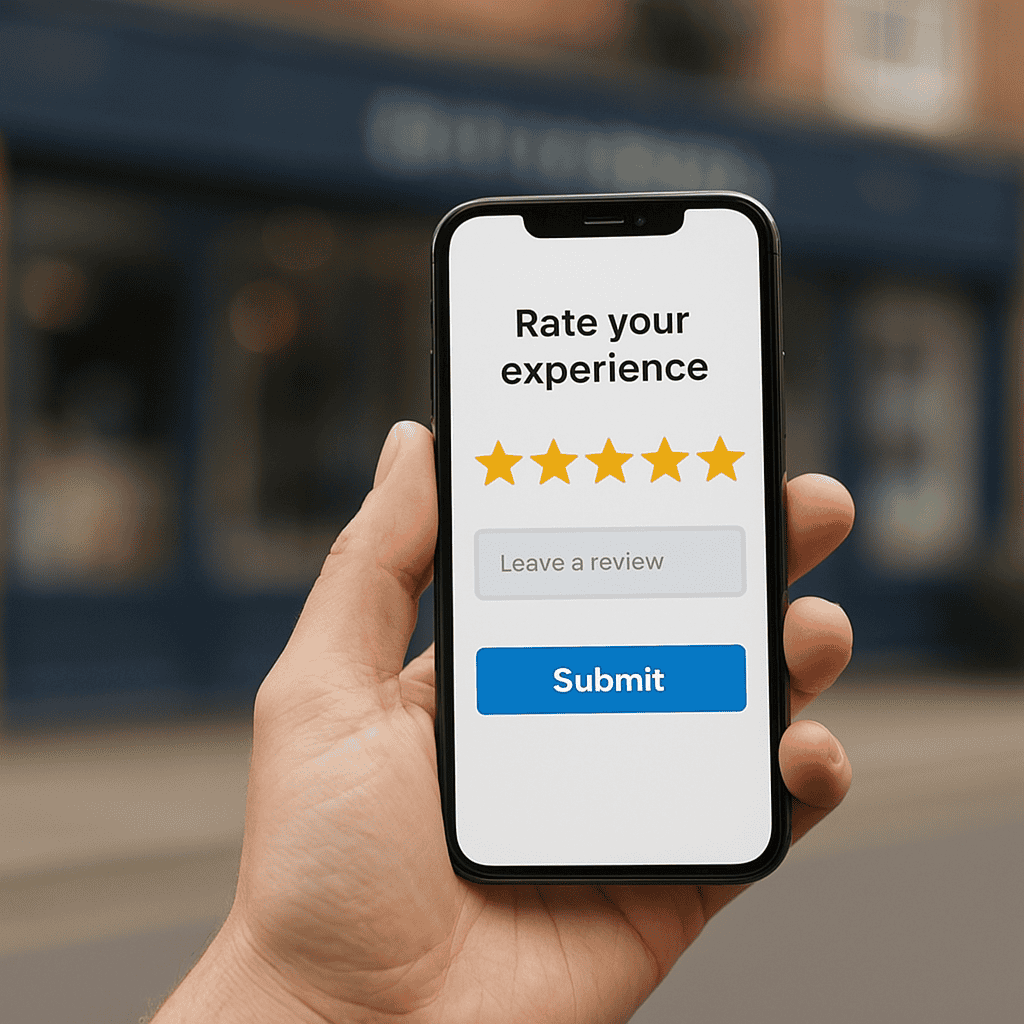
      Sign in to your Google Business Profile, find the review, choose the option to report or flag it, and select the reason that best matches the problem. Keep screenshots and notes in case you need to escalate the case.

    4. What should I do if Google does not remove the review?

      If Google leaves the review live, reply calmly and professionally, then focus on reputation management. A strong flow of genuine customer reviews can reduce the impact of one suspicious review.

    5. How can I reduce the impact of fake reviews long term?

      Build a steady process for asking real customers for honest feedback, respond to reviews consistently, and keep your Google Business Profile accurate and active. That makes fake reviews less damaging and easier to spot.

  • Google Business Profile Posts for Local Traffic: A Practical Guide for UK Businesses

    Google Business Profile Posts for Local Traffic: A Practical Guide for UK Businesses

    Quick Answer

    Google Business Profile posts for local traffic work by giving nearby searchers a clear, timely reason to contact you, visit your website or request directions. The best posts focus on real customer intent, such as urgent services, current offers, appointment availability, seasonal needs, events or new products. Use plain local language, mention the town or service area where helpful, add a relevant image and finish with a direct call to action. Posting once a week is a sensible starting point for most UK businesses. Posts work best when your wider profile is accurate, well optimised and supported by reviews, photos and useful service pages.

    Intro

    For many UK businesses, Google Business Profile is one of the most important places to win local attention. It is often the first thing a potential customer sees when they search for a service, a shop, or a business near them. Yet while many companies claim and verify their profile, far fewer use posts properly.

    That creates an opportunity.

    Google business profile posts for local traffic can help keep your profile active, highlight offers, promote services, answer customer intent, and encourage more clicks, calls and enquiries. They are not a magic fix on their own, but when used well they can support visibility and help turn searchers into leads.

    This matters whether you run a plumbing business in Leeds, a dental practice in Bristol, a salon in Glasgow, or an independent retailer in Nottingham. Local customers often make quick decisions based on what they see in search results and Google Maps. A well-written post can give them a reason to choose you over a competitor.

    In this guide, we will look at what Google Business Profile posts optimisation actually does, which post types work best, how to write them properly, how often to publish, and what mistakes to avoid if you want stronger local search traffic and better commercial results.

    checking google business profile posts for local traffic

    What Google Business Profile posts do for local traffic

    Google Business Profile posts are short updates you publish directly on your profile. They can be used to promote offers, announce changes, highlight services, share business updates, or support seasonal campaigns. While they are simple in format, they can play a useful role in local SEO for UK businesses.

    They help you keep your profile fresh, communicate relevance, and give potential customers more reasons to engage. They also allow you to shape what people see when they are already searching with local intent.

    How posts appear in local search and Maps

    When someone searches for your business name or a relevant local service, your Google Business Profile may appear in Google Search or Google Maps. Posts can show within the profile experience, depending on the device, query type and layout Google is using at the time.

    That means a customer searching for “boiler repair Sheffield”, “best florist near me”, or “accountant in Reading” may see your profile and then find recent updates that reinforce trust and relevance.

    For example, a local restaurant might publish posts about a new lunch menu, seasonal specials or booking availability. A solicitor might post about fixed-fee consultations for certain services. A gym might highlight a January membership offer or a new class timetable.

    These updates do not replace your website content, but they can support your Google Business Profile visibility by showing that the business is active, current and focused on customer needs.

    They also help bridge the gap between a search result and an action. If a user sees a relevant update at the point of search, they may be more likely to click through, call, request directions or visit your website.

    Why posts can support clicks, calls and enquiries

    The value of posts is not just that they exist. It is that they can influence decisions.

    A good post can:

    • Show that your business is active and trading
    • Highlight a time-sensitive reason to act
    • Promote a specific service or product
    • Address a common local need
    • Reinforce trust with clear, useful messaging
    • Encourage a direct next step

    Imagine a locksmith in Manchester posting “Emergency lockout service available across South Manchester today”. That is more commercially useful than a generic message about quality service. It speaks to urgency, location and intent.

    Or consider a beauty clinic in Birmingham posting “Now taking bookings for skin consultations in Harborne and Edgbaston”. That gives local relevance and a clear action.

    Google business profile posts for local traffic work best when they align with what nearby customers are already looking for. They support the customer journey at a point where intent is often high. Someone searching locally is not usually browsing casually. They often want a solution soon.

    That is why posts can support clicks, calls and enquiries, especially when they are tied to real offers, services, availability or local events.

    Client working on google business profile posts

    Which types of posts work best for UK businesses

    Not every post type delivers the same value. The best approach depends on your business model, customer behaviour and commercial goals. A local shop may benefit from product-led updates, while a service business may get better results from posts focused on availability, trust and problem solving.

    The key is to choose post types that support action, not just activity.

    Offers, updates, events and new services

    There are several useful formats within Google Business Profile posts, and each can serve a different purpose.

    Offers

    Offer posts are ideal when you have a clear promotion with a deadline. This might include:

    • 10 per cent off for new customers
    • Free consultation this month
    • Seasonal product discounts
    • Limited-time service bundles
    • Introductory rates for a new treatment

    Offers work well because they create urgency. For UK businesses competing in crowded local markets, a strong offer can help tip a decision in your favour.

    Updates

    Update posts are the most flexible. You can use them to share:

    • New opening hours
    • Expanded service areas
    • Recent work completed
    • Staff expertise
    • Booking availability
    • Seasonal advice
    • Business milestones

    For example, a roofer could post about winter roof inspections. A café could announce a new takeaway menu. A physiotherapist could highlight evening appointments.

    Events

    Event posts are useful if your business runs workshops, launches, open days, classes or community activities. They are especially relevant for venues, retailers, gyms, training providers and hospitality businesses.

    A garden centre might promote a spring planting event. A yoga studio might advertise a weekend workshop. A local retailer might announce an in-store Christmas shopping evening.

    New services

    If you have added a new service, Google Business Profile updates are a simple way to make that visible. This is particularly useful for service businesses trying to expand their local reach.

    A digital agency might add local SEO audits. A dental practice might launch Invisalign consultations. A cleaning company might start offering end-of-tenancy cleans in a new area.

    These posts can support local search traffic by matching what people are actively searching for nearby.

    Choosing post types based on your business goals

    The best post type depends on what you want the customer to do next.

    If your goal is more phone calls:
    Use posts about urgent services, same-day availability, or limited booking slots.

    If your goal is more website visits:
    Use posts that introduce a service and link to a relevant landing page.

    If your goal is more footfall:
    Use offers, in-store promotions, local events or seasonal product highlights.

    If your goal is more trust:
    Use updates that show recent work, customer demand, staff expertise or business improvements.

    Here is a practical way to think about it:

    Service businesses
    Focus on updates, offers and new services. Highlight local areas served, common customer problems, and strong calls to action.

    Shops and retailers
    Focus on offers, product arrivals, seasonal ranges and in-store events. Use images that show products clearly.

    Hospitality businesses
    Use posts for menus, special nights, booking reminders, events and seasonal promotions.

    Professional services
    Use updates that explain services simply, promote consultations, and reassure customers about process and expertise.

    Health and wellbeing providers
    Use posts around appointment availability, new treatments, seasonal concerns and introductory offers.

    The most effective Google Business Profile posts are tied to a business objective. If you cannot explain what action the post is meant to drive, it probably needs reworking.

    Photographer taking photos for GBP page

    How to write Google Business Profile posts that attract local customers

    Writing effective posts is not about sounding clever. It is about being clear, relevant and useful. You have limited space and a short window to capture attention, so every word needs to earn its place.

    For google business profile posts for local traffic, the best copy usually combines local relevance, customer intent and a simple next step.

    Using clear local language and strong calls to action

    Local language matters because it helps customers feel the post is relevant to them. It also reinforces your connection to the area you serve.

    Instead of writing:
    “We provide expert home services for all customers”

    Try:
    “Need a plumber in Stockport? We are taking bookings this week for boiler repairs, leaks and emergency callouts across Stockport and nearby areas.”

    That is clearer, more specific and more useful.

    Good local language can include:

    • Town or city names
    • Neighbourhoods or districts
    • Service areas
    • Local landmarks where relevant
    • Seasonal or regional context

    For example:

    • “Now booking patio cleaning in Solihull and surrounding areas”
    • “Visit our gift shop in York city centre for new summer arrivals”
    • “Accountancy support for small businesses in Milton Keynes”

    Calls to action are equally important. A post should guide the customer towards a next step.

    Strong calls to action include:

    • Book now
    • Call today
    • Get a quote
    • Visit our website
    • Request a consultation
    • See available appointments
    • Visit us in store

    Avoid weak endings such as “find out more” unless the rest of the post is very specific. The stronger the customer intent, the more direct your call to action should be.

    A useful formula is:

    • Problem or offer
    • Local relevance
    • Benefit
    • Action

    For example:
    “Looking for a reliable electrician in Wakefield? We are now booking fuse board upgrades and safety checks across Wakefield. Call today to arrange a quote.”

    That is simple, local and commercially focused.

    What to include in the image, caption and link

    A good Google Business Profile post is not just about the text. The image, caption and destination link all affect performance.

    Image

    Use a clear, high-quality image that supports the message. Avoid generic stock photos where possible. Real images often perform better because they build trust.

    Good image ideas include:

    • Your team at work
    • A finished project
    • A product display
    • A treatment room or shop interior
    • A menu item
    • A promotional graphic with minimal text
    • An event photo

    If you are a local service business, before-and-after images can work well, as long as they are professional and relevant. If you are a retailer, use clean product images. If you are a restaurant, use strong food photography.

    Do not overload the image with text. Keep it visually simple and easy to understand on mobile.

    Caption

    Your caption should quickly answer three questions:

    • What is this?
    • Why does it matter?
    • What should the customer do next?

    For example:
    “Now offering same-week carpet cleaning appointments in Chester. Ideal for homes, landlords and end-of-tenancy cleans. Book online today.”

    That is much stronger than:
    “We are pleased to announce our carpet cleaning service.”

    Link

    Where possible, link to the most relevant page on your website, not just the homepage.

    Examples:

    • A boiler repair post should link to the boiler repair service page
    • A sale post should link to the offer or category page
    • A consultation post should link to the booking or contact page
    • An event post should link to the event details page

    This improves the user journey and increases the chance of conversion.

    If you want the profile itself to perform better before you start posting, our Google Business Profile Optimisation service can help improve visibility, trust and local enquiry potential. You can learn more about our Google Business Profile Optimisation service on the website.

    Checking google business profile posts on mobile

    How often to post and what to measure

    One of the most common questions is how often to publish Google Business Profile posts. The honest answer is that consistency matters more than volume.

    You do not need to post every day. But you do need a realistic schedule that keeps your profile active and aligned with your business priorities.

    A realistic posting schedule for busy business owners

    For most UK small businesses, one post per week is a solid starting point. That is frequent enough to keep your profile updated without creating an unrealistic workload.

    A practical schedule might look like this:

    Week 1
    Promote a key service

    Week 2
    Share an offer or seasonal promotion

    Week 3
    Highlight a recent job, product or customer need

    Week 4
    Post a business update, new service or availability message

    This gives you variety while keeping the content commercially useful.

    If you are in a more competitive market or have frequent promotions, two posts per week can work well. This may suit restaurants, retailers, gyms, clinics or businesses with regular events.

    If you are very busy, even two to four posts per month is better than doing nothing for six months.

    The important thing is to avoid random posting. Build a simple monthly plan around:

    • Seasonal demand
    • Key services
    • Promotions
    • Local events
    • Customer FAQs
    • Booking patterns

    For example, a heating engineer might post more frequently in autumn and winter. A wedding florist may increase posting during peak planning periods. A tax adviser may focus posts around self-assessment deadlines.

    Google business profile posts for local traffic should reflect what local customers are likely to need now, not what you feel like posting about.

    Tracking views, clicks, calls and direction requests

    To know whether your posts are helping, you need to measure useful actions.

    Start by reviewing your Google Business Profile performance data. Look at trends in:

    • Profile views
    • Website clicks
    • Phone calls
    • Direction requests
    • Messages, if enabled

    You should also check your website analytics to see whether traffic from your profile is reaching the right pages and converting.

    When assessing post performance, ask:

    • Which topics generate the most engagement?
    • Do offer posts drive more clicks than updates?
    • Do location-specific posts lead to more calls?
    • Are certain services getting stronger response?
    • Do posts with real images perform better than graphics?

    For example, a local solicitor may find that posts about fixed-fee wills get more clicks than general business updates. A café may see stronger engagement from seasonal menu posts than from generic brand messages. A trades business may notice that emergency service posts lead to more direct calls.

    Do not judge success purely by impressions. A post with fewer views but more calls may be far more valuable than one with broad visibility and no action.

    The goal is not vanity metrics. The goal is more local search traffic that turns into real business.

    Checking google business profile posts content calendar

    Common mistakes that reduce results from Google Business Profile posts

    Many businesses use posts inconsistently or in ways that limit their impact. The good news is that most of these issues are easy to fix once you know what to look for.

    Posting without a clear local search purpose

    One of the biggest mistakes is posting for the sake of it.

    Examples include:

    • Vague company news with no customer relevance
    • Generic motivational messages
    • Overly broad brand statements
    • Posts with no location context
    • Updates with no call to action

    These rarely help local search traffic because they do not match what customers are looking for.

    A better approach is to ask before every post:
    What local customer need does this support?
    What action do I want the searcher to take?
    Why would this matter right now?

    For example, “We are proud of our team” may be true, but it is not a strong local search post on its own. “Our Nottingham team is now taking bookings for same-week pest control visits” is much more useful.

    Another mistake is failing to align posts with actual services. If your most profitable service is kitchen fitting, but your posts only talk about general business updates, you are missing an opportunity.

    Every post should support visibility, trust, enquiries or conversions in some way.

    Ignoring profile optimisation, reviews and consistency

    Posts work best when the rest of your profile is in good shape. If your business information is incomplete, your categories are wrong, your reviews are weak, or your photos are outdated, posts alone will not solve the problem.

    Think of posts as one part of a wider local SEO system.

    Your profile should also have:

    • Accurate business name, address and phone number
    • Correct opening hours
    • Relevant business categories
    • A strong business description
    • Quality photos
    • Up-to-date services or products
    • Regular review generation
    • Timely review responses

    If these basics are missing, your posts have less impact.

    Consistency matters too. A burst of five posts followed by four months of silence is not ideal. It can make the profile feel neglected. A steady rhythm of useful updates is more effective and easier to manage.

    Another common issue is inconsistency between the post and the landing page. If the post promotes a service in Leicester but the linked page is generic and does not mention Leicester, the user experience is weaker. Keep your messaging aligned across profile, website and calls to action.

    Finally, avoid using posts as a substitute for proper local marketing. They are a support tool, not a complete strategy. The strongest results usually come when posts are combined with a well-optimised profile, strong local landing pages, solid reviews and a clear conversion path.

    Google Business Profile posts can be a practical, low-cost way to support local visibility and generate more enquiries, but only when they are used with purpose. For UK businesses, the best results come from posting content that is relevant to local search intent, tied to real services or offers, and backed by a strong profile.

    If you want more local traffic, do not post generic updates and hope for the best. Publish content that answers what nearby customers need, use clear local language, include a direct call to action, and link to the right page on your website. Then measure what leads to clicks, calls and direction requests, and refine your approach over time.

    For many businesses, this is one of the simplest ways to make Google Business Profile work harder.

    If you want expert help improving your profile, content and local enquiry performance, Steve Welsh Marketing can help you build a more effective Google Business Profile strategy that supports real business growth. Get in touch to discuss how to improve your local visibility and turn more searches into customers.

    Questions

    FAQ’s

    1. What should I post on Google Business Profile to attract local traffic?

      Post updates that match what nearby customers need now, such as key services, offers, appointment availability, seasonal advice, local events and new products. Include the area you serve, a clear benefit and a direct call to action.

    2. How often should a UK business publish Google Business Profile posts?

      For most small businesses, one useful post per week is a realistic starting point. If you have frequent offers, events or booking changes, two posts per week may be worthwhile. Consistency is more important than posting every day.

    3. Do Google Business Profile posts improve local SEO?

      They can support local SEO by keeping your profile active, improving relevance and encouraging actions such as website clicks, calls and direction requests. They work best alongside accurate profile details, strong categories, reviews, photos and relevant landing pages.

    4. Should posts link to my homepage or a service page?

      Link to the most relevant page for the post. A boiler repair update should link to a boiler repair page, while an event post should link to event details. This gives customers a clearer journey and can improve enquiries.

    5. What makes a Google Business Profile post effective?

      An effective post is specific, local and action focused. It should mention the service, offer or update, include the town or area where relevant, use a clear image and end with a next step such as call today, book now or request a quote.

    6. When should I get help with Google Business Profile optimisation?

      Consider getting help if your profile is incomplete, posts are inconsistent, calls and clicks are low, or you are unsure which services and locations to target. Steve Welsh Marketing can help improve the profile, posts and wider local search approach.

  • How Photos Affect Local Search Ranking and Why They Matter for UK Businesses

    How Photos Affect Local Search Ranking and Why They Matter for UK Businesses

    Quick Answer

    Photos can affect local search performance by improving how your Google Business Profile is understood, trusted and used by potential customers. They are not a guaranteed ranking shortcut, but relevant, clear and regularly updated images can support engagement signals such as profile views, website clicks, calls and direction requests. Good photos also help people decide whether your business looks credible before they contact you. For UK businesses, the most useful images show real premises, staff, products, services, completed work and local context. Treat local search ranking factor photos as part of wider Google Business Profile optimisation, alongside accurate details, reviews, categories and useful service information.

    Intro

    When UK businesses think about improving visibility in Google Maps and local search, they often focus on reviews, categories, keywords and proximity. Those all matter. But one area that is regularly overlooked is imagery.

    If you want to understand the role of local search ranking factor photos, it helps to think beyond simple aesthetics. Photos can influence how often people click on your listing, how trustworthy your business appears, and how engaged users are once they find you. They are not the only factor behind rankings, but they are an important part of stronger Google Business Profile optimisation.

    For business owners and marketing managers, this matters because local search is not just about being seen. It is about being chosen. The right images can help your business stand out in a crowded local market, support customer confidence, and improve the overall performance of your profile.

    In this guide, we will explore how Google Business Profile photos support local SEO images, the types of photos that are most useful, and how to create a practical photo strategy that enhances local visibility and drives more enquiries.

    local search ranking factor photos - GBP photos on mobile

    Why photos matter in local search

    Photos play a bigger role in local search than many businesses realise. They shape first impressions, reinforce legitimacy and give potential customers a clearer sense of what to expect. In competitive local markets across the UK, that can make a measurable difference.

    How images influence visibility, clicks and trust

    When someone searches for a local service or business, they are often making a quick decision. They may compare several listings in Google Maps or the local pack, glance at reviews, check opening hours and look at photos before deciding where to click.

    Strong Google Business Profile photos can help in several ways.

    First, they improve visual appeal. A listing with clear, professional and relevant images is more likely to attract attention than one with no photos or poor quality uploads. This can increase click-through rates from search results and Maps.

    Second, they build trust. People want reassurance that a business is real, active and professional. Exterior photos help them recognise the premises. Interior photos show the environment. Team photos make the business feel more human. Product and service images help customers understand what they are buying.

    Third, they can improve engagement. If users spend more time interacting with your profile, viewing photos, asking for directions or clicking through to your website, that can support stronger overall profile performance. Google wants to surface useful, relevant listings that satisfy searchers. Good imagery helps you do that.

    For UK businesses in sectors such as hospitality, retail, healthcare, trades and professional services, trust is often won before a customer ever makes contact. Photos are part of that process.

    Where photos appear in Google Business Profile and Maps

    Photos are not hidden away in some secondary tab. They are visible across several important touchpoints in the customer journey.

    Depending on the type of search and device, your images may appear in:

    • Your Google Business Profile knowledge panel
    • Google Maps business listings
    • The local pack in search results
    • Photo galleries within your profile
    • Review content uploaded by customers
    • Posts and updates connected to your profile

    This means your images can influence perception before someone even visits your website. In many local searches, especially on mobile, the Google Business Profile is the first meaningful interaction a customer has with your brand.

    That is why business profile photo optimisation should not be treated as an afterthought. If your listing is missing key images, showing outdated visuals or relying heavily on customer uploads that do not represent your business well, you may be losing clicks and enquiries without realising it.

    If you want a broader approach to improving visibility in Google Maps and local search, our Google Business Profile Optimisation service can help you turn your listing into a stronger lead generator.

    local search ranking factor photos - GBP shop front photo

    How photos can support local rankings

    It is important to be accurate here. Photos alone do not guarantee higher rankings. Google uses a wide range of Google Maps ranking factors, including relevance, distance and prominence. Reviews, category selection, business information accuracy and website signals all play a part.

    However, local search ranking factor photos still matter because they can support the wider signals that contribute to profile performance.

    User engagement signals that may strengthen performance

    Google does not publish a simple formula that says more photos equal better rankings. But it is reasonable to say that better photos can contribute to stronger user engagement, and engagement can support local search performance.

    For example, high quality images may help increase:

    • Profile views
    • Photo views
    • Click-throughs to your website
    • Calls from your listing
    • Requests for directions
    • Time spent interacting with your profile

    These actions suggest that users find your listing useful and relevant. While no single engagement metric should be treated as a guaranteed ranking signal, businesses with stronger customer trust and engagement often perform better over time.

    This is especially true in competitive local searches where several businesses have similar reviews, similar proximity and similar service offerings. In those cases, visual presentation can influence who gets the click.

    Photos also help pre-qualify leads. If someone sees exactly what you offer, where you are based and the quality of your work, they are more likely to contact you with realistic expectations. That can improve lead quality as well as volume.

    Why relevance, quality and consistency matter

    Not all photos are equally useful. Uploading random images in bulk is unlikely to help. The most effective local SEO images are relevant to the business, high in quality and consistent with your brand and service offering.

    Relevance means your images should reflect what customers are actually searching for. A solicitor should show the office, reception area and team, not generic stock imagery. A restaurant should show dishes, seating and atmosphere. A plumber should show completed jobs, branded vans and real service work.

    Quality matters because blurry, dark or poorly framed photos can reduce trust. They may suggest a lack of professionalism, even if your service is excellent. In contrast, clean, well-lit images create confidence and make your business look established.

    Consistency matters because your profile should tell a coherent story. If your branding, premises, team and service quality look inconsistent across images, that can create doubt. Consistent visuals help reinforce your positioning and make the business easier to recognise across search, Maps and your website.

    This is where local search ranking factor photos become commercially important. They are not just there to fill a gallery. They should support your sales process by making your business easier to trust and easier to choose.

    The types of photos that help most

    A useful photo strategy includes a mix of image types. Different photos answer different customer questions. The goal is to remove uncertainty and show the business clearly.

    Exterior, interior, team and product images

    For many UK businesses, the most valuable starting point is a core set of foundational images.

    Exterior photos are important because they help customers identify your premises. This is especially useful for shops, clinics, offices, salons, restaurants and any business where customers visit in person. Include shots from the street, signage, entrance and nearby landmarks where relevant.

    Interior photos help customers understand the environment. They can show cleanliness, professionalism, layout and atmosphere. For sectors where customer experience matters, such as hospitality, healthcare and retail, this can be a major trust factor.

    Team photos make the business feel more personal and credible. People often prefer to deal with real people rather than faceless brands. Professional but natural images of staff, advisors, technicians or customer-facing team members can support customer trust and engagement.

    Product images are essential for retailers, manufacturers, food businesses and any company selling physical items. Show products clearly, accurately and in context where possible. Avoid misleading edits or over-styled images that do not reflect reality.

    For service businesses, think of service images as the equivalent of product images. Show your work, your tools, your process and the outcomes you deliver.

    Before and after, service and location specific photos

    Some of the most commercially useful images are those that demonstrate results.

    Before and after photos can be highly effective for trades, home improvement firms, landscapers, cleaning companies, aesthetic clinics and similar businesses. They provide proof of capability and help customers visualise the value of your service. Make sure these are genuine, clear and representative.

    Service-specific photos are also valuable. If you offer multiple services, create imagery that reflects each one. A dental practice might show hygiene appointments, cosmetic treatments and consultation spaces. A digital agency might show workshops, strategy sessions and team collaboration. A builder might show extensions, kitchens and roofing projects separately.

    Location-specific photos can support local relevance. If you serve multiple towns or neighbourhoods, images from real jobs or projects in those areas can help reinforce your local presence. This should be done naturally and honestly. Do not fake locations or upload irrelevant images just to target keywords.

    For multi-site businesses, each location should have its own tailored image set. Reusing the same gallery across every listing weakens relevance and can make profiles feel generic.

    local search ranking factor photos - business team phot

    Best practice for Google Business Profile photos

    A good photo strategy is not complicated, but it does need structure. The aim is to make your profile look active, accurate and useful.

    Image quality, file types and sizing tips

    Start with quality. You do not always need a professional photographer, but you do need images that are sharp, well-lit and properly framed. Modern smartphones can be more than good enough if used carefully.

    Focus on these basics:

    • Use natural light where possible
    • Keep images in focus
    • Avoid heavy filters
    • Make sure colours look realistic
    • Crop images neatly
    • Remove clutter where appropriate
    • Keep branding visible but not forced

    Google generally supports common image formats such as JPG and PNG. In most cases, JPG is a practical choice because it balances quality and file size well. PNG can be useful where detail matters, but file sizes may be larger.

    For sizing, use images that are clear on both desktop and mobile. Avoid tiny files that look pixelated and avoid unnecessarily huge files that slow down handling. A sensible approach is to upload high quality images that are web-friendly and not over-compressed.

    Also think about composition. A good image should communicate something quickly. If the subject is unclear, the image is less useful. For example:

    • An exterior shot should clearly show the entrance or signage
    • A team photo should make people easy to recognise
    • A product photo should show the item clearly without distraction
    • A service photo should demonstrate what is happening

    Stock images should generally be avoided for Google Business Profile photos. They do not build trust in the same way as real business imagery and may weaken authenticity.

    How often to upload and refresh photos

    Freshness is one of the most overlooked parts of business profile photo optimisation. An active profile tends to look more credible than one that has not been updated for years.

    You do not need to upload photos every day, but you should refresh your gallery regularly. For many businesses, a monthly upload schedule is realistic and effective. Others may benefit from more frequent updates, especially if they have changing stock, seasonal offers, regular project work or a visually driven service.

    Consider refreshing photos when:

    • You move premises
    • You refurbish or redesign your space
    • You launch a new service
    • You hire key team members
    • You complete notable projects
    • You update branding or signage
    • You want to reflect seasonal activity

    It is also worth reviewing your existing gallery every few months. Remove or replace images that are outdated, poor quality or no longer representative of the business.

    Customer-uploaded photos should be monitored too. While you cannot fully control them, you can make sure your own official uploads present the business well and provide a stronger overall impression.

    local search ranking factor photos - photography equipment

    How to build a photo strategy for local SEO

    The businesses that get the most from their images usually treat them as part of an ongoing local SEO process, not a one-off task.

    Creating a repeatable upload plan for your business

    A repeatable plan makes photo management easier and more effective. Start by identifying the core image categories your business needs. For most UK businesses, that will include:

    • Logo and cover image
    • Exterior shots
    • Interior shots
    • Team photos
    • Product or service images
    • Recent work or case examples
    • Location-specific images where relevant

    Then create a simple upload schedule. This could be monthly or quarterly depending on your business type. Assign responsibility to a team member or marketing lead so it actually gets done.

    A practical plan might look like this:

    • Month 1: upload core business images and review existing gallery
    • Month 2: add recent project or service photos
    • Month 3: update team images and seasonal visuals
    • Month 4: refresh exterior and interior shots if needed
    • Repeat with new work, new staff, new products or local activity

    Keep a shared folder of approved images so your team can access suitable content quickly. If you operate across multiple locations, organise folders by branch to avoid confusion.

    It is also useful to align your photo uploads with wider marketing activity. If you are publishing case studies, launching campaigns or promoting local events, make sure your Google Business Profile visuals support the same message.

    This turns local SEO images into a working commercial asset rather than a static gallery.

    Linking photo optimisation with Google Business Profile improvements

    Photos work best when they are part of a broader profile improvement strategy. They should support accurate business information, strong reviews, relevant categories, useful services content and regular updates.

    For example, if you upload images of a newly refurbished clinic but your opening hours are wrong, your profile is still underperforming. If you show excellent project work but your service descriptions are vague, you may still lose leads. If your photos are strong but your reviews are weak, trust may still be limited.

    That is why photo optimisation should sit within a wider Google Business Profile plan.

    If you want a broader approach to improving visibility in Google Maps and local search, our Google Business Profile Optimisation service can help you turn your listing into a stronger lead generator. Learn more about our Google Business Profile Optimisation service and how it supports rankings, clicks and conversions.

    When all the key elements of your profile work together, photos become more powerful. They reinforce relevance, support trust and help convert visibility into action.

    For UK businesses competing locally, that can mean more calls, more direction requests, more website visits and more qualified enquiries.

    The key is to be intentional. Do not upload images just to fill space. Use them to answer customer questions, show proof of quality and make your business easier to choose.

    Local search ranking factor photos are not a magic fix, but they are a practical and often underused advantage. They help shape first impressions, support customer trust and strengthen the performance of your Google Business Profile over time.

    If your current listing has outdated, inconsistent or low quality images, now is the time to address it. Review what customers see, identify the gaps and build a photo plan that reflects the quality of your business.

    And if you want expert support to improve your Google Business Profile properly, Steve Welsh Marketing can help you create a stronger local presence that drives real business results. Get in touch to turn your listing into a more effective source of leads.

    Questions

    FAQ’s

    Are photos a local search ranking factor?

    Photos can support local search performance, but they do not guarantee higher rankings on their own. Google uses many signals, including relevance, distance and prominence. Good photos can improve trust and engagement, which may help your profile perform better over time.

    What photos should I add to my Google Business Profile?

    Start with clear exterior, interior, team, product or service photos, plus examples of recent work. If customers visit you, show the entrance and signage. If you provide services, show real work, tools, outcomes and locations where relevant.

    How often should I update Google Business Profile photos?

    For many UK businesses, monthly or quarterly updates are realistic. Refresh photos when you move premises, update branding, add services, complete notable projects or change key team members. Remove images that are outdated or no longer represent the business.

    Should I use stock photos on my Google Business Profile?

    No. Real business photos are usually more useful because they show what customers can genuinely expect. Stock images can feel generic and may reduce trust if they do not reflect your premises, team, products or services.

    How do photos fit into broader Google Business Profile optimisation?

    Photos should work alongside accurate business information, relevant categories, strong reviews, clear service descriptions and regular updates. If the wider profile is weak, photos alone will not fix it. Together, these elements can support visibility, clicks and enquiries.

  • Google Business Profile Voice Search: How UK Businesses Can Get Found More Often

    Google Business Profile Voice Search: How UK Businesses Can Get Found More Often

    Quick answer:

    Google Business Profile voice search is about making your profile clear enough for Google to match spoken local questions with your business. To improve visibility, keep your category, services, opening hours, address or service area, phone number and website accurate. Add specific services in natural language, answer common customer questions, use relevant attributes and build reviews that reflect real customer experiences. This supports local SEO for voice search because spoken queries are often detailed, urgent and location-based. For UK businesses, the aim is to help Google understand what you do, where you work and when customers can contact you, especially for Google Maps and near me searches.

    Intro:

    When someone asks their phone, smart speaker or in-car assistant for a local recommendation, Google often pulls the answer from local search signals. That is where Google Business Profile voice search becomes commercially important. If your profile is complete, accurate and aligned with the way people speak, your business has a better chance of appearing when potential customers ask for help nearby.

    For UK businesses, this matters across sectors. A plumber may want to show up for “Who fixes leaking taps near me?” A dentist may want visibility for “Is there an emergency dentist open now in Leeds?” A solicitor may benefit from “Find a family lawyer near me”. These are high-intent searches, often made by people ready to call, visit or book.

    The good news is that improving your visibility for voice-led local searches does not require guesswork. It comes down to practical Google Business Profile optimisation, stronger local signals and clearer answers to common customer questions. In this guide, we will look at how voice search works, which profile elements matter most, and what UK businesses can do now to improve results in Google Maps and the local pack.

    google business profile voice search - GBP listing on mobile

    What Google Business Profile voice search means for local businesses

    Google Business Profile voice search refers to how your business information supports visibility when users make spoken local searches through Google-powered devices and assistants. In many cases, Google is trying to return one strong answer or a short list of nearby options. That makes profile quality and local relevance especially important.

    For local businesses, voice search is not a separate channel that sits outside SEO. It is part of local SEO for voice search, and it relies heavily on the same foundations that influence Maps rankings and local pack visibility. The difference is that spoken searches are often more conversational, more specific and more urgent.

    How voice search queries differ from typed searches

    Typed searches are often short and compressed. A user might type “accountant Bristol” or “coffee shop near me”. Spoken searches tend to be longer and more natural. The same user might ask, “Can you find me an accountant in Bristol who helps small businesses?” or “What coffee shop near me is open now and has good reviews?”

    That difference matters because your profile needs to reflect real customer language, not just a list of keywords. Voice search optimisation is about matching intent. People often include:

    • Location cues such as “near me”, “in Manchester”, or “close to the station”
    • Urgency cues such as “open now”, “today”, or “emergency”
    • Trust cues such as “best”, “top rated”, or “with good reviews”
    • Specific needs such as “wheelchair accessible”, “dog friendly”, or “same day service”
    • Service detail such as “boiler repair”, “wedding florist”, or “VAT return help”

    A typed search may be broad. A spoken search is often closer to a decision. That means businesses that provide complete, accurate and detailed profile information are more likely to meet the query and win the click or call.

    Why voice search matters for local visibility in the UK

    Voice search matters because it often captures people at the point of action. They may be driving, walking, multitasking at home or trying to solve a problem quickly. In these moments, they are less likely to browse ten websites and more likely to choose from the first useful result.

    For UK businesses, this creates a clear opportunity. If your Google Business Profile includes the right categories, opening hours, services, review signals and location details, you can improve your chances of appearing for near me searches and spoken local queries.

    It also matters because mobile behaviour and Google Maps usage continue to shape local buying journeys. Even when the original search is spoken, the next step often happens visually in Maps or the local pack. A strong profile supports both. Better voice search visibility can lead directly to more calls, direction requests, website visits and enquiries.

    If you want to improve your local visibility more broadly, our Google Business Profile Optimisation service page explains how we help UK businesses strengthen their profile, rankings and enquiries.

    How Google uses your Business Profile for voice search results

    Google wants to give users the most useful local answer as quickly as possible. To do that, it relies on a mix of profile information, local ranking signals and broader web trust signals. Your Business Profile is one of the clearest sources Google has for understanding what you do, where you operate and whether your business is likely to satisfy a local search.

    The role of relevance, distance and prominence

    Google has long described local ranking around three core factors: relevance, distance and prominence. These also shape google business profile voice search performance.

    Relevance is about how well your business matches the query. If someone asks for a “24 hour locksmith in Nottingham”, Google looks for businesses whose categories, services, description and other profile content clearly align with locksmith services and 24-hour availability.

    Distance is about how close your business is to the user or the location named in the search. If a user says “near me”, Google uses their current location. If they mention a place name, Google considers that area. This is why accurate address details and sensible service area settings matter.

    Prominence is about how established and trusted your business appears. Reviews, review quality, local mentions, website authority and overall online presence can all contribute. A business with a strong reputation and active profile may be more likely to appear than a weaker competitor, even if both are nearby.

    For commercial local SEO, the takeaway is simple. You cannot control where the searcher is, but you can improve relevance and prominence through better profile management and stronger local signals.

    Which profile fields influence voice search answers

    Not every field on your profile carries equal weight, but many of them contribute to whether Google sees your business as a good fit for a spoken local query. The most important fields include:

    • Primary category and secondary categories
    • Business name
    • Address or service area
    • Opening hours
    • Phone number and website
    • Services and products
    • Business description
    • Attributes
    • Reviews and review content
    • Questions and answers
    • Posts, photos and ongoing activity

    These help Google understand your core offering, your location, your availability and your reputation. They also help users decide whether to contact you.

    google business profile voice search - Agency staff client meeting

    Key Google Business Profile updates that improve voice search performance

    If you want better results from google business profile voice search, focus on the updates that improve clarity, trust and local relevance. Many businesses claim their profile and stop there. The ones that perform better usually maintain it actively.

    Categories, services and business description

    Start with categories. Your primary category should reflect your main commercial service, not a broad or aspirational term. If you are a mortgage broker, choose the closest accurate category rather than something vague like financial consultant if that is not your main local search target. Secondary categories should support real services you offer, not every possible variation.

    Next, review your services. Add specific services in plain language that reflects how customers search. A UK law firm might list family law, conveyancing and wills. A marketing agency might list SEO, PPC management and website design. A dental practice might include emergency appointments, hygienist services and teeth whitening.

    Your business description should be concise, factual and useful. Explain what you do, where you work and what makes your service relevant. Avoid keyword stuffing. Instead, write naturally. For example:

    “We provide boiler servicing, repairs and installations for homeowners and landlords across Sheffield and surrounding areas. Our Gas Safe engineers offer planned maintenance, emergency callouts and energy-efficient upgrade advice.”

    That kind of description supports voice search optimisation because it reflects services, geography and user intent in natural language.

    Opening hours, attributes and location details

    Opening hours are often overlooked, but they directly affect visibility for urgent and time-sensitive searches. Keep standard hours accurate and update special hours for bank holidays, Christmas and other seasonal periods. If your hours are wrong, you may lose visibility and customer trust at the same time.

    Attributes can also help. Depending on your category, these may include wheelchair access, outdoor seating, women-led, appointment required, online appointments, parking options or payment methods. These details matter because voice searches often include practical qualifiers. Someone may ask for a “wheelchair accessible café near me” or “garage open now that takes card”.

    Location details should also be reviewed carefully. If customers visit your premises, your address must be correct and consistent with your website and other listings. If you are a service area business, define your service areas accurately and make sure your website supports those locations with relevant local content where appropriate.

    For businesses with multiple branches, each location should have its own profile with unique and accurate details. Do not duplicate descriptions or use generic location information. Local specificity helps Google understand each branch properly.

    google business profile voice search - Checking data on laptop

    How to optimise content on your profile for conversational searches

    One of the biggest differences between standard local SEO and local SEO for voice search is language. Spoken searches sound like questions. They are often more detailed and more human. Your profile content should reflect that.

    Using natural language in FAQs and posts

    The questions and answers section can be a useful place to address common customer concerns in the same language people use when speaking. You should not leave this area unmanaged. Monitor it regularly and add clear, helpful answers where appropriate.

    Think about the questions customers ask on the phone, in emails or before booking. These often map directly to voice search intent. Examples include:

    • Do you offer same-day appointments?
    • Are you open on Saturdays?
    • Do you cover areas outside York?
    • Can I book online?
    • Do you provide free parking?
    • Do you work with small businesses?

    If those questions are relevant, answer them clearly on your profile and support them on your website too.

    Google Posts can also help reinforce relevance. While posts are not a magic ranking fix, they can support profile completeness and communicate timely information. Use them to highlight seasonal services, special opening hours, new service lines, local offers or common customer needs. Keep the language natural and useful. A post titled “Need an emergency electrician in Reading this winter?” is more aligned with conversational intent than a generic promotional message.

    Matching common customer questions and intent

    To improve google business profile voice search visibility, match your profile content to the real intent behind local spoken searches. This means thinking beyond keywords and focusing on what the customer actually wants.

    A search for “best accountant near me for a small business” suggests the user wants expertise, trust and local convenience. Your profile should support that with:

    • A relevant category
    • Services for small business accounting
    • Reviews mentioning helpful advice or business support
    • A description that references the types of clients you help
    • Accurate location and contact details

    A search for “pharmacy open now near me” is driven by urgency. Your profile should support that with:

    • Correct opening hours
    • Updated holiday hours
    • A clear phone number
    • Relevant attributes
    • Recent activity that suggests the business is active and reliable

    A search for “dog friendly pub near me with parking” is practical and specific. Your profile should support that with:

    • Relevant attributes if available
    • Photos showing the venue
    • Reviews mentioning parking or dog friendliness
    • A description that reflects the customer experience

    This is where profile optimisation becomes commercially useful. You are not just trying to rank. You are trying to remove friction between the search and the enquiry.

    If you want to improve your local visibility more broadly, our Google Business Profile Optimisation service page explains how we help UK businesses strengthen their profile, rankings and enquiries.

    google business profile voice search - Customer using voice search on mobile

    A practical voice search checklist for UK businesses

    The best approach to voice search optimisation is not to chase trends. It is to tighten the fundamentals that help Google trust your business as the right local answer. Below is a practical checklist you can use.

    • Confirm ownership of your Google Business Profile and ensure the business name, address, phone number and website are correct.
    • Review your primary category. Ask whether it reflects your main revenue-driving service. Then add sensible secondary categories that support real offerings.
    • Update your services and products with specific, customer-facing language. Avoid internal jargon.
    • Rewrite your business description so it clearly explains what you do, who you help and where you operate.
    • Check opening hours, including special hours for holidays and seasonal changes.
    • Review attributes and add any that are relevant to customer decision-making.
    • Upload recent, high-quality photos of your premises, team, vehicles, work or products. For location-based businesses, exterior photos can help with trust and wayfinding.
    • Monitor and respond to reviews. Encourage customers to mention the service provided and location naturally in their feedback.
    • Review the questions and answers section. Add helpful answers to common pre-sale questions.
    • Publish occasional posts that reflect real customer needs, local offers or timely updates.
    • Make sure your website supports your profile with consistent contact details, clear service pages and local relevance.
    • Check that your business appears consistently across key directories and citation sources.
    • For service area businesses, confirm that your listed service areas match the areas you actually target commercially.
    • Track performance in Google Business Profile insights and your wider analytics to see which actions lead to calls, clicks and direction requests.

    Quick wins to improve visibility this month

    If you want fast, practical improvements, start here.

    • Choose the best primary category
    • Fix hours and special hours
    • Add missing services
    • Improve your description
    • Request better reviews
    • Answer common questions
    • Refresh photos
    • Audit local landing pages

    These are not theoretical tasks. They are practical actions that can improve Google Maps visibility and help your business appear more often when people use voice-led local search.

    When to review your Google Business Profile strategy

    A one-off setup is not enough. Your profile strategy should be reviewed whenever:

    • You add or remove services
    • You change opening hours
    • You move premises or expand service areas
    • You open a new branch
    • You see a drop in calls, clicks or local rankings
    • Competitors begin outranking you consistently
    • You receive repeated customer questions your profile does not answer
    • Seasonal demand changes the way customers search

    A quarterly review is a sensible minimum for most UK businesses. For multi-location brands or businesses in competitive local markets, monthly review is often better.

    It is also worth reviewing your profile strategy if voice-led behaviour is likely to be strong in your sector. Trades, hospitality, healthcare, legal services, automotive, beauty and home services often see high-intent local searches where speed and convenience matter. In these sectors, profile quality can directly affect lead volume.

    The businesses that benefit most from google business profile voice search are usually the ones that treat their profile as a live sales asset, not a static listing. They keep information accurate, answer customer questions, build review strength and align their profile with how people actually search.

    Voice search is not about gaming Google with awkward phrases. It is about making your business easier for Google to understand and easier for customers to choose. When your profile clearly communicates what you do, where you operate, when you are available and why people trust you, you improve your chances of being surfaced for local spoken searches and near me searches that lead to action.

    For UK businesses, that means better visibility in Google Maps, stronger local pack performance and more opportunities to turn search demand into real enquiries. If your current profile is incomplete, outdated or underperforming, now is the right time to fix it.

    If you want expert help improving your profile, local rankings and lead generation, get in touch with Steve Welsh Marketing. We can help you build a stronger Google Business Profile strategy that supports voice search, local visibility and commercial growth.

    Questions

    FAQs

    1. What is Google Business Profile voice search?

      Google Business Profile voice search is when Google uses information from your Business Profile and other local signals to answer spoken searches, such as people asking for a nearby service, opening hours or a trusted local provider.

    2. How do I optimise my Google Business Profile for voice search?

      Start with the basics. Choose the most accurate primary category, add specific services, keep opening hours and location details correct, complete relevant attributes, answer common questions and encourage genuine customer reviews that mention the service used where natural.

    3. Do reviews help with local SEO for voice search?

      Yes. Reviews can support prominence and relevance, especially when they describe the service, location or customer experience. Do not script reviews, but make it easy for happy customers to leave clear and honest feedback.

    4. Why are opening hours important for voice search?

      Many spoken searches are urgent, such as someone looking for a business open now or available today. Accurate standard and special hours help Google decide whether your business is a useful result at that moment.

    5. Should service area businesses optimise for near me searches?

      Yes, but the service area must be accurate and supported by your website content where appropriate. A clear Google Business Profile, consistent contact details and relevant local pages can help Google understand where you operate.

    6. When should I get help with Google Business Profile optimisation?

      Consider getting help if your profile is incomplete, local competitors are outranking you, calls or direction requests have dropped, or you are unsure which updates matter most. Steve Welsh Marketing can review your profile and help strengthen local visibility.

  • Boost Your Google Business Profile Ranking: A UK Guide

    Originally published: 3 October 2025
    Last updated: May 2026

    Quick answer:

    To improve your Google Business Profile ranking, make the listing complete, accurate and active. Choose the most specific primary category, add real services with plain-English descriptions, upload recent photos, publish useful weekly posts and ask happy customers for steady Google reviews. Keep your name, address and phone number identical across your website and trusted UK directories. Link the profile to the most relevant local service page, not a generic homepage. Check calls, direction requests, website clicks and search queries each month, then adjust your posts, photos and services based on what drives enquiries. Steve Welsh Marketing can help if you want a practical audit and action plan.

    Intro:

    Your customers are searching right now. If your Google Business Profile (GBP) isn’t the one they find in the local 3-pack, you’re handing enquiries to competitors. This step-by-step guide shows you how to get your Google Business Profile to the top of search using practical Google Business Profile optimisation tactics that work in Kilmarnock, Ayrshire and Glasgow.

    Why Your Google Business Profile Matters

    When someone searches “best [service] near me,” Google often shows a map with three highlighted businesses the local 3-pack. These listings attract the lion’s share of clicks because they’re fast, relevant, and built for action (call, directions, website).

    A well-optimised GBP makes you visible above standard organic results and builds instant trust with reviews, photos, and complete business info.

    Bottom line: if you want more local leads in Kilmarnock, Ayrshire, Glasgow (and across the UK), your GBP must be complete, fresh, and consistent.

    Example Scenario

    Example (illustrative):
    A local trades business in Kilmarnock had a basic listing and few photos. We set the right primary category, added service descriptions, posted weekly updates, and started a simple review routine (3–4 new reviews/month). Within eight weeks they moved from no 3-pack visibility to showing for “[service] Kilmarnock” and saw a lift in calls and direction requests from GBP. The takeaway: completeness + consistency beats sporadic big pushes.

    Extra tip: Local intent on mobile keeps rising. Listings with clear services, current photos, and genuine reviews win the click even against bigger brands.

    Your google business profile

    How to Optimise Your Google Business Profile (Step-by-Step)

    Do these first for fast gains:

    1. Pick the most specific primary category; prune any irrelevant secondaries.
    2. Add 5–7 core services with short descriptions (and price/price range if suitable).
    3. Upload 10+ recent photos (team at work, premises, results). Add helpful captions.
    4. Publish 1 Google Post per week (update/offer/case study with a CTA).
    5. Request at least 3 new reviews/month; reply to all reviews within 48 hours.
    6. Check NAP (Name, Address, Phone) on your website and top directories—make it identical.
    7. Link your GBP website field to the best converting local service page.
    8. Add opening hours, holiday hours, and applicable attributes (e.g., appointment required).
    9. Seed Q&A with three common questions and answers; pin the most useful.
    10. Track Calls, Directions, and Website clicks in GBP Insights monthly and act on the data.

    Complete Your Profile 100%

    Fill every field you can: business name, categories, services, opening hours, phone, website, booking link, accessibility/amenities, and attributes. Google rewards completeness because it helps searchers act with confidence.
    Go further: double-check your primary category and add only relevant secondary categories. Add Services with short, plain-English descriptions and (where appropriate) prices or price ranges—these boost relevance and conversions.

    Helpful links within your site:

    Choose Categories That Match Buyer Intent

    Your primary category is one of the strongest ranking signals. Pick the most specific, high-intent option (e.g., Roofing Contractor rather than Contractor). Add 2–4 secondary categories that reflect real services—not wish-lists.

    Why it matters: categories steer which searches you can appear for. A mismatched category quietly throttles visibility, even if everything else looks fine.

    How to choose categories:

    • Start with buyer intent: What am I most often hired for?
    • Set 1 primary category that matches that core intent.
    • Add 2–4 secondary categories you truly fulfil. Avoid wish-list padding.
    • Re-check quarterly—competitors and Google’s list change.

    Services to add under your categories:

    • Use plain names customers use (e.g., “Roof repair” not “Residential pitched roof remediation”).
    • Add a 40–80 word description: what it is, who it’s for, one benefit, optional price/range.
    • Mirror the naming found on your website service pages for consistency.

    See the ultimate optimisation checklist →

    Add Services (and Products if relevant)

    The Services area helps Google and customers understand what you actually do. Add your core services with short descriptions, benefits, and any pricing guidance. If you sell fixed offerings (e.g., maintenance packages), consider Products with clear photos and calls to action.
    Pro tip: mirror your website’s service pages and use the same naming. Consistency strengthens both GBP and organic rankings.

    Earn & Respond to Reviews

    Reviews drive prominence (a ranking factor) and conversions. Build a simple routine: request a review after every successful job via email/SMS with your short GBP link. Aim for steady, ongoing growth—a few new reviews every month beats occasional bursts.

    Respond to every review within 48 hours. Thank happy customers; address negatives politely and offer solutions. Use service + location naturally (e.g., “Thanks for trusting us with your SEO in Ayrshire”)—never keyword-stuff.

    If you want a more complete approach, our Google Business Profile Optimisation service covers the technical and strategic work needed to improve local visibility and generate more enquiries.

    Build Local Authority with UK Citations

    Consistency of your Name, Address, Phone (NAP) across trusted UK directories helps Google verify your business. Start with the essentials and keep the same format you use on your site and GBP.
    Priority citations to add/refresh: Google Business Profile, Bing Places, Apple Business Connect, Yell, Thomson Local, Scoot, 192.com, Facebook Page, LinkedIn Company Page, Yelp UK.
    Tips:

    • Use the same business name, phone and homepage URL everywhere.
    • Copy your services and a shortened version of your GBP description into each listing.
    • Upload your logo and 3–5 real photos.
    • If you change hours or phone later, update GBP first, then mirror it across all listings.
      Clean, consistent citations won’t rocket you overnight, but they reinforce trust—especially in competitive areas like Kilmarnock, Ayrshire and Glasgow.

    Perfect the Local Landing Page Your GBP Links To

    Your GBP’s “Website” button should point to a high-converting local service page, not just the homepage. Use this mini-checklist:

    • Clear H1 stating the service and area (e.g., SEO Services in Glasgow).
    • Trust signals above the fold: brief value prop, review stars, logos/testimonials.
    • Service packages or bullet benefits with a simple “Book a Consultation” CTA.
    • Local proof: recent project examples, neighbourhoods served, or a short case study.
    • NAP block matching GBP exactly; add opening hours if relevant.
    • Internal links to related guides (this post + your GBP cluster) and one contact link in every section.
      A strong landing page improves conversions and sends the relevance signals that help your GBP rank.

    Review Request Templates

    Email (copy/paste):
    Subject: Quick favour about your recent [service]
    Body:
    Hi [First name], thanks for choosing us for [service] in [town]. Would you mind leaving a quick Google review? It helps local customers find us.
    ➡️ [Insert your short GBP review link]
    Really appreciate it — Steve, Steve Welsh Marketing

    SMS (≤160 chars):
    Thanks for using us for [service] in [town]. A quick Google review helps others find us: [short GBP review link] — Steve

    Response pattern (negative reviews):
    “Thanks for the feedback, [name]. We’re sorry this missed the mark. I’ve DM’d you to fix it. We aim to resolve within 24h and will update here. Steve”

    Useful post: How to generate fantastic GBP customer reviews

    Publish Regular Google Posts

    Weekly Updates, monthly Offers, and occasional Event posts keep your listing fresh and persuasive. Share before/after stories, seasonal tips, or mini case studies and always add a call to action (Call, Learn More, Book).

    Why it matters: freshness signals activity; posts also convert on the spot for people who don’t click through to your website.

    Add Fresh Photos & Short Videos

    Authentic images of people at work, recent projects, storefront, vehicles, team outperform stock shots. Add a steady cadence of new photos and 10–20-second vertical clips.

    Important: you don’t need EXIF geotagging. Instead, support images with clear captions and nearby text that mention the service and location (e.g., “New flat-roof installation in Glasgow”). Google reads the context.

    Optimise Attributes, Q&A and Messaging

    Complete relevant Attributes (wheelchair access, women-led, appointment required) to match searcher filters. Seed your Q&A with common questions from real customers and answer them succinctly. If you can staff it, enable Messaging for quick pre-sales questions—fast replies win jobs.

    Extra: pin your most helpful Q&A so it’s visible without expanding.

    Connect Website Signals (they support GBP rankings)

    Your GBP doesn’t rank in a vacuum. Create strong, local service pages on your website (e.g., SEO Services in Glasgow), ensure NAP (Name, Address, Phone) consistency sitewide, and add internal links to your GBP-focused content.

    Track Insights & Use Simple Automation

    Review GBP Insights monthly: calls, website clicks, direction requests, and top queries. Double down on what drives actions.

    Use light automation (e.g., Make.com) to remind you to:

    • Request reviews after completed jobs
    • Publish weekly posts
    • Pull monthly Insights into a sheet for action
      Small, consistent actions outperform sporadic sprints.
    Google Business Profile best practices for local 3-pack visibility

    Common GBP Mistakes to Avoid

    Inconsistent NAP Across the Web

    Mismatched business name/phone/URL across directories confuses Google and dilutes trust. Audit and fix your top citations (website, GBP, Bing Places, Apple Business Connect, Yell, Scoot, Facebook, LinkedIn).

    Extra tip: lock a single Name–Phone–URL format and re-use it everywhere.

    Avoid common GBP mistakes →

    Wrong or Bloated Categories

    One wrong primary category can tank visibility; too many secondaries can blur relevance. Revisit categories quarterly and prune anything that isn’t driving enquiries.

    Neglecting Reviews or Responding Poorly

    Silence signals indifference. Reply to every review with warmth and specifics. For negatives, take the heat out, propose a solution, and invite follow-up offline.

    Duplicate or Suspended Listings

    Duplicates split ranking signals. Merge or remove them through Google support. If suspended, fix eligibility/policy issues (categories, address, service-area setup), then appeal with evidence.

    If you’re stuck: here are 5 key reasons your GBP isn’t ranking and what to fix.

    Troubleshooting: Not Ranking or Suspended?

    • Not verified: complete verification—unverified listings don’t rank.
    • Distance problem: proximity matters; combat it with stronger reviews, photos, posts, and a better local landing page.
    • Duplicate listing: request a merge/remove via support; duplicates split signals.
    • Suspension: fix policy issues (eligibility, categories, address setup). Submit a clear appeal with evidence (utility bill, signage, invoices).

    A simple 30-minute/month routine:

    • Week 1 (10 mins): Post one update (tip, seasonal advice, mini case study).
    • Week 2 (10 mins): Add 3–5 photos or one short (10–20s) video.
    • Week 3 (5 mins): Request reviews from that month’s happy customers; reply to all reviews.
    • Week 4 (5 mins): Check Insights (Calls, Directions, Website clicks, top queries) and adjust the next post/image accordingly.
      Optional: review categories/services quarterly and prune anything off-target.

    For full rules, see the official Google Business Profile guidelines

    Conclusion & Next Steps

    A top-ranked Google Business Profile is built on clarity, completeness, and consistency: correct categories, real services, steady reviews, fresh posts/photos, and a supportive website. Do the basics well, repeat them each month, and you’ll earn more calls and enquiries—especially in competitive areas like Kilmarnock, Ayrshire, and Glasgow.

    Ready to appear in the local 3-pack?
    Get a free mini-audit of your Google Business Profile. We’ll identify your 3 biggest quick wins and set you up with a simple monthly plan.
    Book your free consultation →

    Questions

    FAQs

    1. How can I get my Google Business Profile to rank higher?

      Start with the basics that affect relevance and trust. Set the most specific primary category, add accurate services, complete every useful field, upload recent photos, publish regular posts, build steady reviews and keep your name, address and phone number consistent across your website and key directories.

    2. How long does it take to rank a Google Business Profile?

      Many businesses see movement within 2 to 8 weeks after improving categories, services, photos, posts and reviews. Competitive areas or city searches can take longer, especially where established competitors already have strong reviews and local website signals.

    3. What are the biggest Google Business Profile ranking factors?

      The main factors are category relevance, proximity, review quality and volume, accurate services, fresh photos and posts, consistent business details and supporting website signals. A strong local landing page can also help turn profile visits into calls and enquiries.

    4. Do Google reviews help your Google Business Profile rank?

      Yes, reviews can support prominence and customer confidence. Ask for reviews after successful jobs, aim for steady growth rather than sudden bursts and reply to every review. Keep responses helpful and natural, without keyword stuffing.

    5. Should I post on my Google Business Profile every week?

      Weekly posts are a sensible routine. Use them for updates, offers, case studies, seasonal advice or new services, and include a clear call to action. Posts help keep the profile active and can encourage customers to call, book or visit your website.

    6. What should I do if my Google Business Profile is not ranking?

      Check whether the profile is verified, categories are accurate, services are complete, reviews are being requested and your details match across the web. Also look for duplicate listings or suspension issues. If the basics are in place, review Insights and improve the local landing page linked from the profile.

  • Google Maps Ranking in Glasgow: How Local Businesses Can Improve Visibility and Win More Enquiries

    Google Maps Ranking in Glasgow: How Local Businesses Can Improve Visibility and Win More Enquiries

    Originally published: 28 August 2025
    Last updated: May 2026

    Quick answer:

    To improve Google Maps Ranking in Glasgow, make your Google Business Profile complete, accurate and useful for customers. Choose the right business categories, add clear services, keep your opening hours and contact details up to date, and use photos that show your team, premises or work. Build trust by asking happy customers for genuine reviews and responding professionally. Your website should also support your profile with clear Glasgow location signals, relevant service pages and consistent name, address and phone details. The aim is not to game Google, but to make your business easier to understand, verify and choose when local customers are ready to enquire.

    Intro:

    If you rely on local customers, Google Maps Ranking in Glasgow can have a direct impact on how many calls, website visits and enquiries your business receives. When someone searches for a plumber in Shawlands, a dentist in the West End, a solicitor in the city centre or a café near Glasgow Green, Google often shows the map pack before standard website results. That means your visibility in Maps is not a nice extra. It is often one of the main drivers of local demand.

    For many Glasgow businesses, the difference between appearing in the top few map results and being buried lower down is the difference between steady enquiries and missed opportunities. Whether you run a trade business, clinic, restaurant, accountancy firm, salon or home service company, your Google Business Profile plays a major role in how customers discover and judge your business.

    In this guide, we will look at why Google Maps matters so much, how rankings are decided, what practical actions improve visibility, and which mistakes commonly hold businesses back. The focus is on clear, commercially useful steps that help local businesses compete more effectively in Glasgow.

    Google Maps Ranking in Glasgow - Checking google maps on mobile

    Why Google Maps ranking matters for Glasgow businesses

    How local search behaviour drives calls, visits and enquiries

    Local search behaviour is highly action driven. People searching on Google Maps or using local intent phrases are often close to making a decision. They are not casually browsing. They want a business that is nearby, trusted and easy to contact.

    In Glasgow, this applies across a wide range of sectors:

    • Trades and home services such as electricians, plumbers, roofers and joiners
    • Clinics such as dentists, physiotherapists, podiatrists and aesthetic practices
    • Hospitality businesses including bars, restaurants, cafés and hotels
    • Professional services such as solicitors, accountants, mortgage brokers and estate agents
    • Personal services including salons, barbers and beauty clinics

    When someone searches for these services, Google often displays a local map with a shortlist of businesses. Users can then click to call, request directions, visit your website, read reviews or browse photos. In many cases, they may never even reach the standard organic listings below.

    This is why local SEO Glasgow businesses invest in should not be limited to website pages alone. Your visibility in Maps can influence customer decisions at the exact moment they are ready to act.

    For a service business, this can mean more phone calls from nearby customers. For a clinic, it can mean more appointment requests. For a restaurant, it can mean more bookings and walk-ins. For a solicitor or accountant, it can mean more qualified enquiries from people looking for help in a specific area.

    Google Maps also supports mobile behaviour. Many searches happen while users are on the move, comparing options quickly. If your profile is complete, well reviewed and clearly relevant, you are more likely to win that click.

    Why appearing in the map pack can outperform standard organic results

    The map pack is valuable because it is prominent, visual and built for action. It usually includes your business name, review rating, opening hours, location and quick contact options. That gives users enough information to make a decision without much extra research.

    In practical terms, this means a strong Google Maps presence can outperform a standard website ranking for some local searches. Even if your website ranks well organically, users may choose one of the businesses shown in the map pack first.

    There are a few reasons for this:

    • The map pack appears high on the page
    • It is designed around local intent
    • It gives instant trust signals through ratings and reviews
    • It makes calling or navigating simple
    • It helps users compare nearby options quickly

    For Glasgow businesses competing in busy areas or crowded sectors, this is especially important. A dental clinic in Finnieston, a takeaway in Partick or a locksmith serving the Southside may be competing against many similar businesses. If your profile stands out in Maps, you can win attention before a user ever scrolls further.

    That is why Google Maps SEO should be treated as a core part of your local marketing strategy, not a side task.

    If you want a stronger foundation for Google Maps visibility, our Google Business Profile Optimisation service can help improve the signals that support local rankings and enquiries.

    Google Maps Ranking in Glasgow - agency discussing google maps coverage

    How Google decides which businesses rank in Maps

    Relevance, distance and prominence explained simply

    Google has publicly stated that local rankings are mainly influenced by relevance, distance and prominence. These are the core Google Maps local ranking factors, and understanding them helps you focus on the right improvements.

    Relevance means how closely your business matches what the user is searching for. If someone searches for “emergency plumber Glasgow”, Google wants to show businesses that clearly offer plumbing services, ideally with emergency callout information and relevant categories. If your profile is vague or incomplete, Google may struggle to understand what you do.

    Distance refers to how close your business is to the searcher or the location included in the search. If someone searches from the city centre, businesses nearby may have an advantage. If they search for a service in Bearsden or Shawlands, location becomes even more important. You cannot control where the user is, but you can make sure your location details and service area information are accurate.

    Prominence is about how established and trusted your business appears online. This includes review quantity and quality, brand reputation, local mentions, website authority, links, and the overall strength of your digital presence. A business with strong reviews, a well maintained profile and consistent local signals often has a better chance of ranking well.

    These factors work together. A nearby business with weak relevance may lose out to a slightly more distant business with a stronger profile. A highly relevant business with no reviews may struggle against a competitor with better prominence. The goal is to strengthen all three where possible.

    Why your Google Business Profile is central to visibility

    Your Google Business Profile is the main asset Google uses to understand and display your business in Maps. If it is incomplete, inconsistent or poorly maintained, your visibility can suffer.

    A strong Google Business Profile Glasgow businesses can rely on should include:

    • An accurate business name
    • The correct primary category
    • Relevant secondary categories
    • A clear business description
    • Up to date opening hours
    • A local phone number
    • A working website link
    • Accurate address or service area details
    • A complete services or products section
    • High quality photos
    • Regular updates and posts
    • A steady flow of genuine customer reviews

    This profile is not just a listing. It is a trust and relevance signal. It tells Google what you do, where you operate and how active your business is. It also shapes how customers perceive you when they compare options.

    If you want a stronger foundation for Google Maps visibility, our Google Business Profile Optimisation service can help improve the signals that support local rankings and enquiries.

    For many businesses, profile optimisation is one of the quickest ways to improve local visibility without waiting months for broader SEO work to take effect.

    Google Maps Ranking in Glasgow - business invisible on google maps

    Key factors that improve Google Maps ranking in Glasgow

    Choosing the right categories, services and business details

    One of the most important parts of Google Business Profile optimisation is choosing the right categories. Your primary category carries significant weight because it tells Google your main service. If this is wrong or too broad, your profile may appear for less relevant searches or miss the ones that matter most.

    For example, a cosmetic dentist should not simply choose “doctor” or “medical clinic” if “cosmetic dentist” or “dentist” is more accurate. A kitchen fitter should not rely only on “contractor” if “kitchen remodeler” is available and better aligned with customer searches.

    Secondary categories also matter. They help Google understand the full range of services you offer. A salon may include hairdresser, beauty salon and nail salon if those services are genuinely provided. A legal practice may include family law attorney, employment attorney or immigration attorney depending on its focus.

    Your services section should then reinforce this. Add specific services with clear names that reflect what customers actually search for. A Glasgow physiotherapy clinic might list sports injury treatment, back pain physiotherapy, post operative rehabilitation and massage therapy. A roofing company might include roof repairs, flat roofing, guttering and emergency roof callouts.

    Business details should be complete and accurate. That includes:

    • Business name exactly as used in the real world
    • Address formatted consistently
    • Phone number that connects directly
    • Website URL pointing to the correct page
    • Opening hours including holiday changes
    • Service areas if you travel to customers

    For service businesses that cover multiple parts of Glasgow, service area settings can help, but they are not a shortcut to ranking everywhere. You still need strong relevance and prominence signals.

    Location signals also matter beyond the profile itself. Your website should clearly mention the areas you serve. Contact pages, service pages and local landing pages can support this if they are genuinely useful and not thin duplicates. If you are based in Glasgow and serve nearby towns, make that clear in a natural way.

    Using reviews, photos and regular updates to build trust

    Reviews are one of the strongest trust signals in Google Maps SEO. They influence both rankings and click through behaviour. A profile with a healthy volume of recent, genuine reviews is more likely to attract attention than one with only a handful of old ratings.

    For Glasgow businesses, the best review strategy is simple and consistent:

    • Ask satisfied customers soon after the service is delivered
    • Make it easy with a direct review link
    • Encourage honest feedback rather than scripted wording
    • Respond professionally to every review where possible
    • Use reviews to identify strengths and service issues

    Review content can also help relevance. If customers naturally mention your services and location, that gives Google more context. For example, a review that says “great boiler repair service in Glasgow” or “excellent dental treatment in the West End” can reinforce local relevance. You should never tell customers exactly what to write, but you can encourage detailed feedback.

    Photos are another underused asset. High quality images improve trust and engagement. They help customers see your premises, team, vehicles, treatment rooms, completed work or menu items before making contact.

    Useful photo types include:

    • Exterior shots that help customers recognise your location
    • Interior images showing a clean, professional environment
    • Team photos that humanise the business
    • Service photos showing your work in action
    • Before and after images where appropriate
    • Branded vehicles for trades and mobile services
    • Product or menu images for hospitality and retail

    Regular updates and posts show activity. While posts alone will not transform rankings, they can support engagement and keep your profile fresh. You can use them to highlight seasonal services, promotions, new treatments, case studies, events or useful advice.

    For example, a Glasgow accountant might post about tax return deadlines. A restaurant might promote a new menu. A dental clinic might share information about Invisalign consultations. A plumber might highlight winter boiler servicing.

    The key is consistency and relevance. Posts should support customer decision making, not just fill space.

    Google Maps Ranking in Glasgow - checking analytics on laptop

    Common mistakes that hold Glasgow businesses back

    Incomplete profiles, inconsistent NAP details and weak location signals

    Many businesses struggle with Google Maps Ranking in Glasgow not because of fierce competition alone, but because their own local signals are weak or inconsistent.

    One common issue is an incomplete profile. Missing categories, limited service information, no photos, outdated hours or a weak description all reduce your ability to compete. Google needs clear information to understand your business, and customers need enough detail to trust you.

    Another issue is inconsistent NAP details. NAP stands for name, address and phone number. If these details vary across your website, directories, social profiles and other listings, it can create confusion. For example, using different phone numbers in different places, changing your business name format or listing an old address can weaken local trust signals.

    Consistency matters because Google compares information across the web. If your details are aligned, it is easier to verify your business. If they are inconsistent, your profile may be less trusted.

    Weak location signals are also a problem. Some businesses expect to rank across all of Glasgow without making their service area or local relevance clear. If your website barely mentions Glasgow or the areas you serve, and your profile lacks detail, you are giving Google very little to work with.

    This is especially relevant for service area businesses such as electricians, cleaners, locksmiths and landscapers. You may not have a shopfront, but you still need strong signals about where you operate and what you do.

    Another mistake is trying to manipulate location relevance by stuffing area names unnaturally into your profile or business name. This can look spammy and may breach Google guidelines. It is better to build genuine local relevance through accurate information, useful local content and strong customer feedback.

    Ignoring review management, posts and local content

    Some businesses set up a profile once and then leave it untouched for months or years. That is rarely enough in competitive sectors.

    Ignoring review management is a major missed opportunity. If you are not actively asking for reviews, competitors who do will often build stronger prominence over time. If you are not responding, customers may assume you are disengaged. If negative reviews are left unanswered, they can damage trust.

    Posts and updates are often neglected too. While they are not the biggest ranking factor, they contribute to profile quality and customer engagement. An active profile looks more credible than one that appears abandoned.

    Local content is another area where businesses fall short. If your website has no useful Glasgow focused content, no service pages tied to real customer needs and no evidence of local experience, your overall local SEO Glasgow strategy remains weak.

    Good local content does not mean writing generic pages stuffed with place names. It means creating useful pages that reflect your services, your areas, your case studies and the questions local customers actually ask.

    For example:

    • A roofer could publish advice on storm damage repairs in Glasgow
    • A physiotherapy clinic could explain treatment options for runners training for local events
    • A solicitor could answer common questions about family law in Scotland
    • A restaurant could highlight private dining or event bookings in the city

    This kind of content supports both organic visibility and your Maps presence by strengthening local relevance and trust.

    A practical plan to improve your Google Maps visibility

    Quick wins you can implement this week

    If you want to improve your visibility without overcomplicating the process, start with the basics and do them properly. Here are practical actions many Glasgow businesses can take this week.

    1. First, review your primary and secondary categories. Make sure they accurately reflect your core services. If your main category is too broad or outdated, change it.
    2. Second, complete every relevant section of your Google Business Profile. Add services, description, opening hours, contact details and business attributes where appropriate.

    3. Third, upload fresh photos. Aim for a mix of team, premises, service and branding images. Avoid poor quality or generic stock images.
    4. Fourth, create a simple review request process. Ask recent customers for feedback and send them a direct link. Even a small increase in review volume can improve trust and engagement.
    5. Fifth, respond to existing reviews. Thank positive reviewers and address concerns calmly where needed. This shows professionalism and activity.
    6. Sixth, check your NAP consistency across your website and key directories. Correct any outdated or mismatched details.
    7. Seventh, improve your website location signals. Make sure your contact page clearly states your Glasgow base or service area. Add useful service pages that mention relevant local context naturally.
    8. Eighth, publish one or two Google posts. Share a useful update, offer or service highlight that helps customers understand what you do.
    9. Ninth, review your business description. Make it clear, factual and customer focused. Mention your main services and Glasgow location naturally without stuffing keywords.
    10. Tenth, track performance. Monitor calls, direction requests, website clicks and profile views so you can see what changes are making a difference.

    These are not complicated tasks, but they can create meaningful improvements when done consistently.

    When to invest in expert Google Business Profile support

    There comes a point where DIY improvements may not be enough, especially if you operate in a competitive Glasgow market or need more predictable lead generation.

    Expert support is worth considering when:

    • Your profile is not ranking despite having good reviews
    • Competitors consistently outrank you in key areas
    • You are unsure which categories and services to target
    • Your website and profile signals are disconnected
    • You have multiple locations or complex service areas
    • You need a more strategic local SEO and GBP plan
    • You want better quality enquiries, not just more visibility

    Professional support can help identify what is really limiting your performance. Sometimes the issue is profile optimisation. Sometimes it is weak website support, poor local landing pages, inconsistent citations or a lack of authority signals. In many cases, it is a combination.

    A focused strategy should look at the full picture, including profile setup, review generation, on page local signals, service targeting, content support and conversion improvements. There is little value in ranking better if your profile and website do not convert interest into enquiries.

    For service businesses, clinics, hospitality venues and local professional firms, this can be particularly valuable because the commercial upside is clear. A few extra qualified leads each month can easily justify the investment if your average customer value is strong.

    Google Maps Ranking in Glasgow is not about gaming the system. It is about making your business easier for Google to understand and easier for customers to trust. The businesses that perform best are usually the ones that present clear information, maintain active profiles, earn genuine reviews and support their listings with strong local website signals.

    If your business depends on local customers, improving your Maps visibility should be a priority. The map pack is often where buying decisions begin, and in many cases, where they end. A well optimised profile can help you appear more often, attract more clicks and convert more local searches into real enquiries.

    If you want to improve Google Maps Ranking in Glasgow and turn your Google Business Profile into a stronger source of leads, Steve Welsh Marketing can help. Get in touch to discuss a practical strategy that improves your local visibility, strengthens trust and helps your business win more enquiries.

    Questions

    FAQs

    1. What affects Google Maps Ranking in Glasgow?

      Google Maps rankings are mainly influenced by relevance, distance and prominence. Your profile needs to clearly match the service being searched for, show accurate location or service area details, and build trust through reviews, local signals, website strength and consistent business information.

    2. How important is my Google Business Profile for local visibility?

      Your Google Business Profile is central to local visibility because it tells Google what your business does, where it operates and how customers can contact you. A complete, accurate and active profile gives both Google and potential customers clearer reasons to trust your business.

    3. Can reviews help my business perform better in Google Maps?

      Yes. Genuine, recent reviews can support trust, click-through rates and prominence signals. Ask satisfied customers for honest feedback, make the review process simple, and respond professionally to reviews so customers can see that your business is active and engaged.

    4. Do I need a Glasgow address to rank in Google Maps?

      A verified Glasgow address can help with distance-based searches, but service area businesses can still appear if their profile is set up correctly. You should be honest about where you operate and support your profile with clear website content, consistent details and genuine local relevance.

    5. How quickly can I improve Google Maps visibility?

      Some improvements, such as fixing categories, adding services, updating photos and correcting contact details, can be completed quickly. Stronger results usually take longer because reviews, prominence, website support and local trust signals build over time.

    6. When should I get help with Google Business Profile optimisation?

      Consider expert support if competitors keep outranking you, your profile is incomplete, your categories are unclear, or your website and profile are not working together. Steve Welsh Marketing can help identify the issues and create a practical plan to improve local visibility and enquiries.

  • How to Get More Google Customer Reviews in Kilmarnock

    How to Get More Google Customer Reviews in Kilmarnock

    Originally published: 24 July 2025
    Last updated: May 2026

    Quick answer:

    To get more Google customer reviews in Kilmarnock, ask happy customers at the right moment, make the request simple and give them a direct link to your Google review form. The best approach is a repeatable process: confirm the customer is satisfied, ask politely in person, then follow up by SMS or email while the experience is still fresh. QR codes on invoices, reception desks, thank you cards or packaging can also reduce friction. Avoid incentives, pressure or vague requests. Focus on genuine feedback, respond professionally to reviews and make review generation part of your wider Google Business Profile activity so trust, visibility and enquiries can improve together.

    Intro:

    If you want to get more Google customer reviews in Kilmarnock, the good news is that you do not need gimmicks, discounts or pushy tactics. Most local businesses already have enough happy customers to build a strong review profile. The real challenge is creating a simple, repeatable process that makes leaving a review easy.

    For businesses across Kilmarnock, Google reviews do far more than add a few stars beside your name. They help potential customers decide whether to trust you, they support local visibility in Google search and Maps, and they can directly influence how many enquiries you receive. Whether you run a trades business, salon, dental practice, café, legal firm or retail shop, a steady flow of genuine reviews can become a valuable commercial asset.

    This guide explains practical, ethical ways to get more Google customer reviews in Kilmarnock. It covers when to ask, what to say, how to follow up, how to use QR codes and how to build review requests into your everyday customer journey so results improve consistently over time.

    Get More Google Customer Reviews In Kilmarnock - 2

    Why Google reviews matter for Kilmarnock businesses

    Google reviews are now one of the first things people check before contacting a local business. In many cases, your reviews are seen before your website. They appear in Google search results, on Google Maps and on your Google Business Profile, often at the exact moment someone is comparing options nearby.

    For Kilmarnock businesses competing in a local market, that visibility matters. A business with a healthy number of recent, positive reviews often looks more established, more reliable and more in demand than one with only a handful of outdated comments.

    How reviews influence trust and buying decisions

    Trust is one of the biggest barriers in local marketing. People want reassurance before they spend money, especially when they are choosing a service provider they may not have used before. Reviews help remove uncertainty.

    A strong review profile can answer the questions customers are already asking themselves:

    • Can I rely on this business?
    • Do they turn up when they say they will?
    • Are they professional?
    • Do they communicate well?
    • Do they deliver what they promise?
    • Would other local people recommend them?

    When someone in Kilmarnock searches for a local service, they are often comparing several businesses quickly. If one profile has 80 reviews with recent comments about quality, friendliness and reliability, while another has 6 reviews from two years ago, the difference is obvious.

    Reviews also act as social proof. They show that real customers have used your business and had a positive experience. This is especially important for service-led businesses where the quality of work is not always visible upfront.

    Good reviews can also improve conversion rates. Even if your ranking stays the same, more people may click, call or enquire simply because your review profile gives them confidence. That means Google reviews for local businesses are not just about reputation. They can have a direct impact on revenue.

    The local SEO value of a strong review profile

    Reviews also support local SEO. While they are only one part of the picture, they contribute to how visible your business appears in local search results. Google wants to show users businesses that are relevant, trusted and active. A steady stream of genuine reviews helps reinforce those signals.

    This matters when people search for terms such as:

    • plumber in Kilmarnock
    • best hairdresser Kilmarnock
    • accountant near me
    • coffee shop Kilmarnock
    • emergency electrician Kilmarnock

    In these searches, Google often displays local map results prominently. Businesses with stronger Google Business Profile reviews can stand out more clearly. Review quantity, review quality and review recency all play a part in how attractive your listing looks to potential customers.

    There is also a content benefit. Reviews often contain useful keywords naturally. Customers may mention your service, location or the type of work completed. That can help reinforce local relevance without you having to force phrases into your own copy.

    If your goal is to get more Google customer reviews in Kilmarnock, you are not just building credibility. You are strengthening a key part of your local search presence.

    If you want to turn more profile views into enquiries, it is worth taking time to optimise your Google Business Profile so your review strategy works alongside your wider local SEO efforts.

    Get More Google Customer Reviews In Kilmarnock - 3

    What stops businesses from getting more reviews

    Most businesses do not struggle because customers are unhappy. They struggle because they do not ask consistently, they ask at the wrong time or they make the process harder than it needs to be.

    The result is predictable. Happy customers move on with their day, and only the occasional person leaves feedback unprompted.

    Common mistakes when asking customers

    One of the biggest mistakes is asking too vaguely. Saying “If you get a chance, maybe leave us a review sometime” sounds polite, but it is easy to ignore. Customers need a clear, simple request and a direct route to leave feedback.

    Another common issue is poor timing. If you ask before the customer has fully experienced the value of your service, the request feels premature. If you wait too long, the positive experience is no longer fresh in their mind.

    Some businesses also rely on one method only. They might mention reviews verbally but never send a link. Or they may include a review request in an email signature and assume people will notice it. In reality, review generation works best when it is intentional and built into your process.

    Other mistakes include:

    • Not having a direct Google review link
    • Making staff feel awkward about asking
    • Only asking when the owner remembers
    • Using language that sounds scripted or desperate
    • Offering incentives, which can create compliance issues and damage trust
    • Ignoring existing reviews, which makes the profile look unmanaged

    If you want better Kilmarnock customer reviews, the process needs to be easy for both your team and your customers.

    Why happy customers often do not leave feedback

    Many business owners assume that if a customer is pleased, they will naturally leave a review. Usually, they will not.

    That is not because they are unwilling. It is because life gets busy. Even very satisfied customers need a prompt. They may intend to leave a review, then forget within an hour.

    There are also practical barriers. Some people do not know where to leave a Google review. Others cannot be bothered searching for your business again. If they have to take several steps, many will drop off.

    There is also a psychological factor. Customers often think their opinion is not especially important, or they assume a business already has enough reviews. Unless you explain that their feedback genuinely helps, they may not see a strong reason to act.

    That is why learning how to ask for Google reviews properly is so important. The businesses that win more reviews are rarely the ones with the happiest customers alone. They are the ones with the clearest and most consistent follow-up process.

    Get More Google Customer Reviews In Kilmarnock - 4

    How to ask for Google reviews the right way

    Asking for reviews should feel natural, professional and easy. It should never feel pushy. The best requests are simple, timely and linked to a positive customer moment.

    If you want to get more Google customer reviews in Kilmarnock, focus on creating a request process that your team can use confidently every day.

    Best timing for review requests

    Timing can make a major difference to response rates. The ideal moment is usually just after the customer has experienced the value of what you provide.

    For example:

    • A trades business might ask once the work is completed, checked and the customer is clearly happy.
    • A restaurant or café might ask shortly after a positive visit through a follow-up message.
    • A solicitor or accountant might ask after a successful outcome or once a project is wrapped up.
    • A beauty or wellness business might ask at the end of an appointment when the client is pleased with the result.
    • An ecommerce or retail business might ask after delivery has been confirmed and the customer has had time to use the product.

    The key is to ask when satisfaction is highest and the experience is still fresh.

    In many cases, the best approach is a two-step process. First, make a verbal request at the point of service. Then send a direct review link by text or email shortly afterwards. This keeps the request personal while making action easy.

    A few useful timing tips:

    • Ask on the same day where possible
    • Do not wait weeks unless your service cycle requires it
    • Make sure any issues have been resolved first
    • Tailor timing to the type of service you provide
    • Follow up once if needed, but do not chase repeatedly

    Recent reviews tend to carry more weight with potential customers, so regular timing matters. A steady flow of fresh feedback often looks stronger than a burst of reviews followed by months of silence.

    Simple scripts your team can use

    Many businesses know reviews matter but never train staff on what to say. That creates inconsistency and hesitation. A simple script can remove awkwardness and improve results.

    The best scripts sound human, not robotic. Here are a few examples your team can adapt.

    In person:

    Thanks for choosing us today. If you were happy with everything, we would really appreciate a quick Google review. It helps other local customers find us. I can send you the link now if that helps.

    After a completed job:

    We are really pleased you are happy with the work. If you have a minute, would you mind leaving us a Google review? It makes a big difference for a local business like ours.

    By SMS:

    Thanks again for choosing [Business Name]. If you were happy with the service, we would really appreciate a quick Google review. Here is the direct link: [link]

    By email:

    Subject: Quick favour if you were happy with our service

    Hi [Name],

    Thank you for choosing us. If you were pleased with your experience, we would be grateful if you could leave us a short Google review. Your feedback helps other people in Kilmarnock find a business they can trust.

    Leave a review here: [link]

    Thanks again,

    [Name / Business Name]

    The wording works because it is polite, direct and clear about why the review matters. It also avoids pressure. You are inviting feedback, not demanding praise.

    Staff training is important here. Make sure your team understands:

    • when to ask
    • how to spot the right moment
    • how to send the review link quickly
    • how to keep the tone natural
    • why reviews matter commercially

    When staff understand the purpose, they are more likely to ask confidently and consistently.

    Practical ways to collect more reviews consistently

    Getting reviews should not depend on memory or luck. The most effective businesses build review requests into their normal operations so they happen as part of the service, not as an afterthought.

    That is how you move from occasional reviews to a reliable stream of Google Business Profile reviews.

    Using QR codes, email and SMS follow-ups

    A direct review link is essential. Do not make customers search for your business manually. The fewer clicks involved, the better.

    QR codes are especially useful for face-to-face businesses in Kilmarnock. They allow customers to scan and leave a review instantly on their phone. You can place them:

    • at reception desks
    • on tables
    • on invoices
    • on thank you cards
    • on packaging inserts
    • on vehicle dashboards for mobile services
    • on posters near exits

    The QR code should lead straight to your Google review form, not just your homepage or general profile. Pair it with a short message such as:

    Happy with our service? Leave us a quick Google review.

    SMS follow-ups are often one of the highest-converting methods because text messages are usually opened quickly. They work well for trades, appointments, home services and any business with a mobile number on file. Keep the message short and include the direct link.

    Email follow-ups are also useful, particularly for professional services or businesses with longer customer relationships. They allow a slightly more personalised message and can be automated through your CRM or booking system.

    A practical approach might look like this:

    • Verbal ask at point of service
    • SMS sent within 2 hours
    • Email follow-up next day if no review has been left

    That gives customers multiple chances to act without overwhelming them.

    A few best practice points:

    • Keep messages short
    • Use one clear call to action
    • Include the direct review link every time
    • Personalise where possible
    • Do not overcomplicate the wording

    Avoid sending repeated reminders beyond a sensible limit

    Building review requests into your customer process

    The easiest way to improve local SEO reviews over time is to make review requests part of your standard customer journey.

    Start by identifying the natural review point in your process. This will vary by business, but examples include:

    • after job completion
    • after delivery confirmation
    • after a successful appointment
    • after positive customer support resolution
    • after repeat purchase
    • after onboarding or project completion

    Then assign responsibility. Who asks for the review? The owner, front desk, technician, account manager or automated system? If nobody owns the task, it often gets missed.

    Next, create a simple workflow. For example:

    Step 1: Staff member confirms customer is happy

    Step 2: Staff member asks verbally for a review

    Step 3: Review link is sent by SMS or email

    Step 4: One reminder is sent if appropriate

    Step 5: Review is monitored and responded to

    This process can be documented in a short internal guide so everyone follows the same approach.

    It is also worth tracking performance. Look at:

    • how many customers are asked each week
    • which team members generate the most reviews
    • which method performs best
    • how quickly reviews are coming in
    • whether review quality improves with better timing

    This turns review generation into a manageable business process rather than a vague marketing hope.

    For businesses with multiple staff members, a little accountability goes a long way. You do not need to make it complicated. Even a simple weekly check-in can help keep review requests consistent.

    Get More Google Customer Reviews In Kilmarnock - 5

    How reviews support your wider Google Business Profile strategy

    Reviews are powerful on their own, but they work best when they are part of a broader Google Business Profile strategy. A profile with strong reviews but weak photos, incomplete services or poor business information may still underperform.

    That is why review generation should sit alongside profile optimisation, local relevance and conversion-focused presentation.

    Connecting reviews with profile optimisation

    Your Google Business Profile is often your first impression in local search. Reviews add trust, but the rest of the profile helps convert that trust into action.

    A well-managed profile should include:

    • accurate business details
    • the right primary and secondary categories
    • strong service descriptions
    • quality photos
    • regular updates
    • clear contact options
    • relevant products or services where appropriate
    • consistent responses to reviews

    When these elements work together, your profile becomes a stronger enquiry tool.

    If you want to turn more profile views into enquiries, it is worth taking time to optimise your Google Business Profile so your review strategy works alongside your wider local SEO efforts.

    Reviews also provide insight into what customers value most. If people repeatedly mention speed, friendliness, communication or workmanship, those themes can inform your profile content and website messaging. In that sense, reviews are not just proof. They are market feedback.

    Responding to reviews matters too. A thoughtful response shows that your business is active, professional and engaged. It also helps reassure future customers that you care about service standards.

    For positive reviews, a simple thank you with a local and service reference can work well. For example:

    Thanks for your kind words, John. We are glad you were happy with the roofing work in Kilmarnock and appreciate you taking the time to leave a review.

    For negative reviews, stay calm, polite and constructive. A professional response can protect trust even when the original review is not favourable.

    When to get help improving your local visibility

    Some businesses can improve review generation quickly with a few process changes. Others need broader support because the issue is not just reviews. It may be profile setup, local competition, poor category targeting, weak imagery or a lack of optimisation across the whole Google Business Profile.

    You may want expert help if:

    • your profile is not appearing well in local searches
    • you have reviews but few enquiries
    • your competitors dominate the map results
    • your profile information is incomplete or inconsistent
    • you are unsure how to generate reviews ethically
    • you want a joined-up local SEO strategy rather than isolated tactics

    For Kilmarnock businesses, local visibility is rarely driven by one factor alone. Reviews are important, but they work best when supported by a properly managed profile and a clear conversion strategy.

    That is where specialist support can save time and improve results. Instead of guessing what Google wants, you can focus on the areas most likely to increase calls, clicks and enquiries.

    If your business wants to get more Google customer reviews in Kilmarnock, start with the basics. Ask at the right time. Make it easy. Use direct links, QR codes, SMS and email. Train your team. Build the request into your customer process. Then make sure your wider Google Business Profile is strong enough to turn that trust into new business.

    Done well, reviews become more than a reputation signal. They become a practical growth tool for local visibility, stronger conversion and better quality enquiries.

    If you want help building a review strategy that fits your business and supports your wider local SEO performance, Steve Welsh Marketing can help you put the right systems in place and improve how your business shows up on Google. Get in touch to turn more happy customers into more reviews, more trust and more local enquiries.

    Questions

    FAQs

    1. What is the best way to ask customers for Google reviews in Kilmarnock?

      Ask when the customer is clearly happy and the experience is still fresh. Use clear, polite wording and send a direct Google review link by SMS or email. Explain that their review helps other local customers choose a trusted business.

    2. Can I offer discounts or rewards for Google reviews?

      No. You should not offer incentives in exchange for reviews because it can damage trust and may breach platform guidance. Ask for honest feedback from genuine customers instead.

    3. When should a local business send a review request?

      Send it after the customer has experienced the value of your service and any issues have been resolved. For many businesses, this is the same day as a completed job, appointment, visit or delivery, followed by one sensible reminder if needed.

    4. Do Google reviews help local SEO?

      Yes. Google reviews support local SEO by showing trust, activity and relevance on your Google Business Profile. Quantity, quality and recency can make your listing more attractive in Google search and Maps, although reviews are only one part of local visibility.
    5. How do QR codes help collect more Google reviews?

      QR codes let customers open your review form on their phone without searching for your business. Place them where they naturally fit, such as reception desks, invoices, thank you cards or packaging, and use a short message asking for a quick Google review.

    6. When should I get help with Google Business Profile reviews?

      Consider help if you have a few reviews, inconsistent requests, low local visibility or profile views that do not become enquiries. A specialist can improve your review process alongside profile optimisation, photos, services and local SEO basics.

  • 8 Google Business Profile Mistakes in Glasgow That Could Be Costing You Customers

    8 Google Business Profile Mistakes in Glasgow That Could Be Costing You Customers

    Originally published: 17 July 2025
    Last updated: May 2026

    Quick answer:

    The most common Google Business Profile mistakes in Glasgow are inaccurate contact details, poor category choices, outdated opening hours, missing website links, weak photos, ignored reviews, and inactive profile features such as Q&A or messaging. These issues can reduce trust, make it harder for customers to contact you and weaken your local visibility in Google Search and Maps. Start by checking your business name, category, service area, phone number, website URL and hours. Then add recent photos, respond to reviews professionally and review the profile every month. If your profile has duplicate listings, ranking drops or suspension issues, it is sensible to get help with Google Business Profile optimisation.

    Intro:

    If your business relies on local enquiries, your Google Business Profile can have a direct impact on how often you appear in search, how many people click through, and whether they trust you enough to get in touch. For many Glasgow businesses, it is one of their most important local SEO assets.

    Yet a surprising number of companies are still making avoidable errors. Some are small, such as outdated opening hours or missing photos. Others are more serious, such as using the wrong category, listing inconsistent contact details, or ignoring reviews. These Google Business Profile mistakes in Glasgow can quietly reduce visibility, weaken trust, and hand opportunities to competitors who are simply managing their profile better.

    The good news is that most of these issues can be fixed. In this guide, we will look at eight common mistakes, why they matter, and what to do about them if you want stronger local visibility, better Google Maps ranking, and more enquiries from the right people.

    Google Business Profile Mistakes in Glasgow - 2

    Why Google Business Profile matters for Glasgow businesses

    For local service providers, shops, trades, clinics, restaurants, and professional firms, Google Business Profile often acts as the first impression. Before someone visits your website, they may see your reviews, phone number, opening hours, service area, photos, and updates directly in Google Search or Google Maps.

    That means your profile is not just a listing. It is a sales and trust tool.

    In a city as competitive as Glasgow, where customers often compare several nearby businesses before making a decision, profile quality matters. If your listing is incomplete, inaccurate, or inactive, you may lose clicks and calls even if your business is excellent.

    How local search affects visibility and enquiries

    When someone searches for terms such as “accountant Glasgow”, “emergency plumber near me”, or “best coffee shop West End”, Google uses local signals to decide which businesses to show. Your Google Business Profile plays a major role in that process.

    A well-optimised profile can help you:

    • Appear more often in local search results
    • Improve your chances of showing in the map pack
    • Generate more phone calls and direction requests
    • Increase website visits from high-intent searchers
    • Build confidence before a customer ever speaks to you

    This is why local SEO Glasgow strategies often begin with profile accuracy and optimisation. If your profile is weak, the rest of your local search performance can suffer.

    Why small profile errors can reduce trust and rankings

    Many business owners assume that once the profile is claimed, the job is done. In reality, Google Business Profile management needs regular attention.

    Small errors can create bigger problems than you might expect. If your hours are wrong, customers may turn up when you are closed and leave frustrated. If your website link is missing, you lose traffic. If your category is too broad or inaccurate, Google may not understand what searches you should appear for.

    Even where rankings are not directly affected, trust often is. A profile with poor photos, no updates, and unanswered reviews can make a business look neglected. In competitive local markets, that can be enough to push a customer elsewhere.

    If you want a more complete approach, our Google Business Profile Optimisation service explains how we improve visibility, accuracy and enquiry generation for local businesses.

    Google Business Profile Mistakes in Glasgow - 3

    Mistake 1 to 4: Common profile setup problems

    The first group of issues tends to happen at setup stage, or after a business changes location, services, or contact details. These are among the most common Google Business Profile errors and they can undermine your local presence quickly.

    Incorrect business name, category or service area

    One of the most damaging Google Business Profile mistakes in Glasgow is getting the basics wrong.

    Your business name should match your real trading name. It should not be stuffed with keywords in an attempt to rank better. For example, adding phrases like “best roofer Glasgow” to your business name when that is not your actual trading name can create compliance issues and may lead to edits, suspensions, or reduced trust.

    Your primary category is equally important. This tells Google what your business is and influences which searches you may appear for. If you are a family solicitor but your primary category is simply “law firm”, you may be missing more relevant local opportunities. If you are a kitchen fitter but choose “contractor” instead of a more precise category, your profile may not perform as strongly as it could.

    Service area settings also matter for businesses that travel to customers. If you serve Glasgow and surrounding areas such as Paisley, East Kilbride, Bearsden, or Clydebank, your service area should reflect that accurately. Do not try to cover huge regions that you do not genuinely serve. Keep it realistic and commercially relevant.

    How to fix it:

    • Check that your business name matches signage, website branding, and legal trading identity
    • Review your primary and secondary categories and choose the most accurate options
    • Update your service area to reflect real coverage, not wishful targeting
    • Make sure your website and profile describe the same services clearly

    These changes can improve relevance and help Google better understand where and when to show your listing.

    Missing contact details, opening hours and website links

    Another common issue is incomplete or outdated contact information. It sounds basic, but it is still one of the biggest causes of lost enquiries.

    If your phone number is wrong, your website link is missing, or your opening hours are out of date, customers may simply move on. In local search, convenience matters. People often choose the business that looks easiest to contact and most reliable.

    This becomes especially important during seasonal periods, bank holidays, or if your business has changed location or phone system. A profile that still shows old details creates friction and damages confidence.

    Missing website links are particularly costly. Some businesses rely on the profile alone, but many customers still want to visit your site to check services, pricing, case studies, or booking information. If there is no clear route through, you lose a valuable conversion path.

    How to fix it:

    • Check your primary phone number is active and answered during business hours
    • Make sure your website URL goes to the most relevant page, usually your homepage or local landing page
    • Update opening hours regularly, including holiday hours
    • Add appointment or booking links if relevant
    • Keep your address consistent with your website and other directory listings

    These updates may seem simple, but they can improve both user experience and local SEO performance.

    Google Business Profile Mistakes in Glasgow - 4

    Mistake 5 to 8: Content and engagement issues

    Once the profile is set up correctly, the next challenge is keeping it active, useful, and credible. This is where many businesses fall behind. A profile that looks stale or unmanaged can hurt both visibility and conversion.

    Weak photos, outdated posts and poor review management

    Visuals and social proof matter. Customers often judge a business quickly based on the quality of its photos and the way it handles reviews.

    Weak photos are a common problem. Blurry images, generic stock shots, or no recent photos at all can make your business look less established. For a restaurant, salon, clinic, showroom, or retail business, this can be especially damaging. Even for service businesses, strong images of your team, premises, vehicles, or completed work can improve trust.

    Outdated posts are another issue. Google Posts are not the most powerful ranking factor, but they can still support engagement and show that your business is active. If your latest update is from two years ago and promotes an expired offer, it sends the wrong message.

    Then there is review management. Reviews are one of the most visible parts of your profile and one of the strongest trust signals for local customers. Ignoring them, especially negative ones, is a mistake. Responding poorly is often worse.

    How to fix it:

    • Upload high-quality, recent photos that reflect your real business
    • Include exterior, interior, team, product, and service images where relevant
    • Remove outdated or low-quality images if possible
    • Post occasional updates about offers, news, services, events, or useful advice
    • Respond to reviews professionally, whether positive or negative
    • Thank happy customers and address complaints calmly and constructively

    Good review management shows potential customers that you care about service. It also helps reinforce relevance by naturally mentioning services and locations in your responses where appropriate.

    If you want a more complete approach, our Google Business Profile Optimisation service explains how we improve visibility, accuracy and enquiry generation for local businesses.

    Ignoring Q&A, messaging and regular profile updates

    Many businesses claim their profile and then leave key features untouched. This is where valuable opportunities are often missed.

    The Q&A section can be surprisingly influential. Customers may ask about parking, pricing, accessibility, appointment availability, or service coverage. If these questions go unanswered, uncertainty grows. In some cases, members of the public may answer instead, and the information may be inaccurate.

    Messaging can also help generate leads, especially for businesses where customers want a quick answer before calling. If messaging is enabled but not monitored, response times suffer and trust drops.

    Regular updates matter too. Google wants to show accurate, useful local results. A profile that is reviewed and refreshed regularly is less likely to contain errors and more likely to support strong user experience. This does not mean constant changes for the sake of it. It means keeping the profile current.

    How to fix it:

    • Monitor and answer Q&A promptly
    • Add your own common questions and answers to guide customers
    • Only enable messaging if you can respond quickly and consistently
    • Review your profile monthly for accuracy
    • Update services, descriptions, photos, and hours when the business changes

    This is a key part of effective Google Business Profile management. It helps prevent small issues from becoming bigger visibility or reputation problems.

    Google Business Profile Mistakes in Glasgow - 5

    How to fix Google Business Profile mistakes properly

    Fixing a profile is not just about ticking boxes. The goal is to make your listing more accurate, more relevant, and more persuasive to local customers. That means combining technical accuracy with commercial thinking.

    A simple audit checklist for Glasgow businesses

    If you want to identify Google Business Profile mistakes in Glasgow quickly, start with a practical audit. Work through the profile as if you were a potential customer seeing it for the first time.

    Use this checklist:

    • Is the business name accurate and consistent with your website?
    • Is the primary category the best possible fit?
    • Are secondary categories relevant and useful?
    • Is the address correct and formatted properly?
    • Is the service area realistic and up to date?
    • Is the phone number active and easy to answer?
    • Does the website link work and lead to the right page?
    • Are opening hours accurate, including holiday hours?
    • Are your services listed clearly?
    • Is the business description useful and well written?
    • Do you have recent, high-quality photos?
    • Are reviews being monitored and answered?
    • Is the Q&A section accurate and helpful?
    • Are there any outdated posts, offers, or images?
    • Have you checked for duplicate listings or unauthorised edits?

    Also search for your own business in Google Maps and compare your listing with local competitors. Ask yourself honestly: does your profile look stronger, weaker, or about the same? In many cases, that comparison reveals where improvements are needed most.

    When to update the profile yourself and when to get help

    Some updates are straightforward and can be handled in-house. If you need to change opening hours, upload fresh photos, answer reviews, or add service information, that is usually manageable if someone in the business has ownership of the task.

    However, there are times when expert help makes sense.

    You may need support if:

    • Your profile has been suspended
    • You have duplicate or conflicting listings
    • Your rankings have dropped without a clear reason
    • Your category and service setup needs strategic review
    • You operate in a highly competitive Glasgow market
    • You want stronger local SEO results, not just basic accuracy
    • You do not have time to manage updates consistently

    The difference between basic maintenance and proper Google Business Profile optimisation is strategy. A well-managed profile should not only be correct. It should support enquiries, reinforce trust, and align with your wider local search goals.

    How better optimisation supports local growth

    A strong profile does more than tidy up your online presence. It can contribute directly to growth by helping more local people find you, trust you, and contact you.

    Improving Maps visibility, calls and website visits

    When your profile is complete, relevant, and active, it becomes easier for Google to match your business to local intent. That can improve your chances of appearing in the map pack and in Google Maps for the searches that matter most.

    Better visibility often leads to better actions:

    • More phone calls from people ready to enquire
    • More clicks to your website from local searchers
    • More direction requests for physical locations
    • More trust from people comparing several businesses
    • More qualified leads rather than low-intent traffic

    This is why fixing Google Business Profile errors is not just an admin task. It is a commercial one. If your profile is underperforming, you may be missing out on customers who are already searching for exactly what you offer.

    For Glasgow businesses, this can be especially important in crowded sectors such as legal services, home improvement, hospitality, health, beauty, and trades. Marginal gains in profile quality can make a real difference when several competitors are targeting the same local audience.

    Why ongoing optimisation matters more than one-off edits

    One of the biggest misconceptions in local SEO is that a profile only needs attention once. In reality, local search is dynamic. Competitors update their profiles. Customers leave new reviews. Google changes features. Your own services, offers, and opening hours may evolve over time.

    That is why ongoing optimisation matters more than one-off edits.

    Regular management helps you:

    • Catch errors before they affect customers
    • Keep your profile aligned with current services
    • Strengthen trust with fresh content and review responses
    • Spot trends in customer questions and feedback
    • Support broader local SEO Glasgow efforts over time

    It also helps you stay competitive. If your rivals are actively improving their profile while yours stands still, the gap can widen gradually. You may not notice the impact immediately, but over time it can affect rankings, click-through rates, and enquiry volume.

    A good profile should be treated as a living asset, not a static listing.

    Google Business Profile mistakes in Glasgow are often easy to overlook because they seem minor in isolation. But together, they can reduce visibility, weaken trust, and cost your business valuable local enquiries. Incorrect categories, missing contact details, poor photos, ignored reviews, and outdated information all create friction at the exact moment potential customers are deciding who to contact.

    The businesses that perform best in local search are usually not doing anything flashy. They are simply more accurate, more active, and more useful than the competition.

    If you want to improve your Google Maps ranking, strengthen your local presence, and turn more searches into real enquiries, now is the time to review your profile properly. And if you would rather have an expert identify the issues and fix them strategically, Steve Welsh Marketing can help. Get in touch to improve your Google Business Profile and make sure it is working as hard as your business does.

    Questions

    FAQs

    1. What are the most common Google Business Profile mistakes in Glasgow?

      The most common mistakes are inaccurate business details, the wrong primary category, unrealistic service areas, missing website links, outdated opening hours, weak photos, ignored reviews, unanswered Q&A and duplicate listings.

    2. How do Google Business Profile errors affect local SEO in Glasgow?

      Profile errors can make it harder for Google to understand your business and harder for customers to trust you. Incorrect categories, inconsistent contact details and stale content may reduce visibility in local search and lower the number of calls, website visits, and direction requests you receive.

    3. How often should I update my Google Business Profile?

      Review your profile at least monthly, and update it whenever your hours, services, location, phone number, photos or offers change. Holiday hours and review responses should be managed promptly so customers see accurate and current information.

    4. Can I fix Google Business Profile mistakes myself?

      Many basic fixes can be handled in-house, including updating hours, adding photos, correcting contact details and responding to reviews. Get specialist help if you have duplicate listings, suspension problems, unexplained ranking drops or need a strategic review of categories, services and local SEO performance.

    5. Do reviews affect my Google Business Profile performance?

      Reviews are important because they influence customer trust and can support local relevance. Responding professionally to positive and negative reviews shows that your business is active and attentive, while ignoring reviews can make the profile look neglected.

    6. When should a Glasgow business consider Google Business Profile optimisation?

      Consider optimisation if your profile is incomplete, inactive, losing visibility, generating fewer enquiries than expected or competing in a busy local market. A structured optimisation process can improve accuracy, strengthen trust signals and align the profile with wider local SEO goals.

  • How to Rank in the Google 3-Pack in Ayrshire: A Practical Guide for Local Businesses

    How to Rank in the Google 3-Pack in Ayrshire: A Practical Guide for Local Businesses

    Originally published: 10 July 2025
    Last updated: May 2026

    Quick answer:

    To rank in the Google 3-Pack in Ayrshire, start by making your Google Business Profile complete, accurate and useful. Choose the right primary and secondary categories, list your key services, keep your name, address, phone number and opening hours consistent, and add real photos. Build trust with recent, genuine reviews and respond to them professionally. Your website should also support your profile with clear service pages, accurate contact details, local content and consistent citations across trusted directories. Google looks at relevance, proximity and prominence, so the aim is to make it easy for Google to understand what you do, where you work and why customers trust you.

    Intro:

    If you want to rank in the Google 3-Pack in Ayrshire, you need more than a basic online presence. You need a well-optimised Google Business Profile, strong local signals, consistent business information and a clear strategy for building trust with both Google and potential customers.

    For many local businesses, the Google 3-Pack is one of the most valuable places to appear online. It sits prominently in local search results, often above the standard organic listings, and it can generate calls, website visits, direction requests and new enquiries from people who are ready to act.

    That is why local SEO in Ayrshire matters so much for service businesses, trades, clinics, professional firms, hospitality venues and local SMEs. When someone searches for a service nearby, Google wants to show the most relevant, trustworthy and convenient options. If your business sends the right signals, you have a much better chance of being one of them.

    If you want expert help improving your profile and local visibility, our Google Business Profile Optimisation service is designed to strengthen the signals that support better Google 3-Pack performance.

    Rank in the Google 3-Pack in Ayrshire - Client checking ranking on mobile

    What the Google 3-Pack is and why it matters in Ayrshire

    The Google 3-Pack is the map-based section that appears for many local searches. It usually shows three business listings, a map and key information such as reviews, opening hours, location and contact details.

    For local businesses, this area is prime digital real estate. It is highly visible on both mobile and desktop, and it often captures attention before users scroll further down the page.

    If your goal is to rank in the Google 3-Pack in Ayrshire, it helps to understand how it appears and why it influences buying decisions so strongly.

    How the 3-Pack appears in local search results

    Google shows the 3-Pack when it believes a user has local intent. That might be obvious, such as someone searching for “accountant in Ayr” or “plumber Kilmarnock”. It can also happen with broader searches such as “dentist near me” or “best coffee shop nearby”.

    In these cases, Google combines map data, business profile information and local ranking signals to decide which businesses to feature. The results are not random. They are based on how relevant your business is to the search, how close you are to the searcher or target area, and how prominent your business appears online.

    This is why Google Maps ranking and Google Business Profile optimisation are so closely linked. Your profile often acts as the foundation of your local visibility.

    For Ayrshire businesses, this means your profile needs to clearly show what you do, where you operate and why customers should trust you. If those signals are weak, incomplete or inconsistent, it becomes much harder to compete.

    Why local visibility can drive more calls, visits and enquiries

    The businesses shown in the 3-Pack often attract a disproportionate share of clicks and leads. That is because users can quickly compare options and take action without much effort. They can call directly, visit your website, request directions or read your reviews in seconds.

    This matters because many local searches are high intent. People searching for a roofer, solicitor, beauty salon, physiotherapist or restaurant are often close to making a decision. They are not browsing casually. They want a solution nearby.

    Better local business visibility can lead to:

    • More phone calls from ready-to-buy customers
    • More website visits from local prospects
    • More direction requests and footfall
    • More enquiries from mobile users
    • More trust through visible reviews and profile quality

    For businesses across Ayrshire, from Ayr and Prestwick to Troon, Kilmarnock and Irvine, strong 3-Pack visibility can create a steady stream of local demand. If you can rank in the Google 3-Pack in Ayrshire for the services that matter most to your business, the commercial impact can be significant.

    If you want expert help improving your profile and local visibility, our Google Business Profile Optimisation service is designed to strengthen the signals that support better Google 3-Pack performance.

    Rank in the Google 3-Pack in Ayrshire - Agency staff checking analytics

    The main factors that influence Google 3-Pack rankings

    Google has never published a simple checklist that guarantees local rankings, but the main principles are well established. If you want to improve your position in Google Maps and local search, you need to focus on the signals that Google consistently values.

    At a practical level, the most important factors are relevance, proximity and prominence. Around those sit supporting signals such as reviews, categories, website content, citations and ongoing profile activity.

    Relevance, proximity and prominence explained simply

    Relevance is about how well your business matches what someone is searching for.

    If you are a kitchen fitter in Ayrshire, your Google Business Profile should make that clear through your primary category, secondary categories, services, description, website content and supporting information. If your profile is vague or miscategorised, Google may struggle to understand when to show you.

    Proximity is about location.

    Google wants to show businesses that are close to the searcher or close to the location named in the search. You cannot control where a searcher is standing, but you can make sure your address or service area is set up correctly and that your website supports the places you genuinely serve.

    Prominence is about authority and trust.

    This includes the strength of your reviews, the consistency of your business details across the web, the quality of your website, brand mentions, backlinks and overall reputation. A business with strong local authority is more likely to be seen as a credible option.

    To rank in the Google 3-Pack in Ayrshire, you need to improve all three areas. Many businesses focus only on one. For example, they collect reviews but neglect their categories, or they optimise their website but leave their profile half complete. Strong local SEO works best when the signals support each other.

    Why reviews, categories and business information matter

    Reviews are one of the clearest trust signals in local search. They influence both rankings and conversions.

    A business with a healthy volume of recent, genuine reviews is more likely to stand out than one with only a handful of old comments. The content of reviews can also reinforce relevance. If customers naturally mention your services and locations, that can strengthen your local signals.

    Categories are equally important. Your primary category tells Google what your business mainly does. Secondary categories provide extra context. Choosing the wrong category can weaken relevance and reduce your chances of appearing for the right searches.

    Business information also matters more than many owners realise. Your name, address, phone number, opening hours, website link, services and business description all help Google understand and trust your listing. Missing or inaccurate details create friction for both users and search engines.

    In practical terms, if your business details are incomplete, your categories are too broad and your reviews are sparse, it will be difficult to rank in the Google 3-Pack in Ayrshire consistently.

    Rank in the Google 3-Pack in Ayrshire - Checking GBP on laptop

    How to optimise your Google Business Profile for better rankings

    Google Business Profile optimisation is one of the most direct ways to improve local search performance. It gives you a chance to send stronger relevance signals, build trust and make your listing more useful to potential customers.

    A neglected profile can hold back an otherwise good business. A well-managed one can become a major source of leads.

    Completing every key profile field correctly

    Start with the basics and get them right.

    Your business name should match your real trading name. Do not stuff keywords into it. That may seem tempting, but it goes against Google’s guidelines and can create problems later.

    Your primary category should reflect your main service as accurately as possible. Then add secondary categories where they genuinely apply. For example, a business may be primarily a “Plumber” but also offer “Bathroom fitter” services if that is a real part of the business.

    Your address should be accurate and formatted consistently with how it appears on your website and other listings. If you are a service area business, set that up correctly rather than trying to force a physical location that does not fit your model.

    Your phone number should be local where possible and should match your website and citation listings.

    Your website link should point to the most relevant page. In many cases that is the homepage, but if you have a strong local landing page or service page, that may be the better choice.

    Your opening hours should always be current, including seasonal changes and bank holiday updates.

    Your business description should explain clearly what you do, who you help and where you operate. Write it for humans first, but include relevant service and location terms naturally.

    Your services should be listed in detail. This is often underused. If you want to rank for specific services, make sure they are properly reflected in your profile.

    Attributes can also help. Depending on your sector, these may include accessibility features, appointment options or service specifics that improve relevance and user confidence.

    The goal is simple. Remove ambiguity. Make it easy for Google to understand your business and easy for customers to choose you.

    Using photos, services, posts and Q&A to strengthen your profile

    A strong profile is not static. It should show signs of quality and activity.

    Photos matter because they improve trust and engagement. Upload real images of your premises, team, vehicles, completed work, products or environment. Avoid relying only on stock imagery. Authentic visuals help users feel more confident and can increase interaction with your listing.

    Services should be kept up to date and aligned with your commercial priorities. If there are profitable services you want to win more of, make sure they are visible in your profile and supported on your website.

    Posts can be useful for highlighting updates, offers, recent projects, events or useful information. While posts alone are unlikely to transform rankings, they contribute to profile freshness and can improve conversion when users view your listing.

    The Q&A section is often overlooked. If relevant questions are appearing, answer them clearly and professionally. You can also seed common questions and provide useful responses where appropriate. This helps address objections and gives users more confidence before they contact you.

    Taken together, these elements strengthen your profile as a local asset. They support Google Business Profile optimisation not just from a ranking perspective, but from a lead generation perspective too.

    Rank in the Google 3-Pack in Ayrshire - Checking local business on mobile

    Local SEO actions that support your Google Maps visibility

    Your Google Business Profile does not work in isolation. Google looks beyond the profile itself to assess whether your business is established, relevant and trustworthy in a local area.

    That means your website, citations, backlinks and local content all play a role in supporting your Google Maps ranking.

    Building location signals across your website and citations

    Your website should reinforce the same business information and service focus shown in your profile.

    At minimum, your site should clearly display your business name, address and phone number, ideally in the footer and contact page. It should also explain the services you offer and the areas you serve.

    If you work across Ayrshire, create useful location relevance without forcing it. That might mean having well-written service area pages for towns you genuinely target, such as Ayr, Kilmarnock, Irvine, Troon or Prestwick. These pages should not be thin duplicates. They should include meaningful local context, examples of work, service specifics and reasons customers in that area choose you.

    Citations are another important local signal. These are mentions of your business details on directories, industry platforms and local websites. Consistency matters. Your name, address and phone number should match across the web as closely as possible.

    Common citation issues include:

    • Old phone numbers still listed on directories
    • Different address formats across platforms
    • Duplicate listings
    • Outdated business names after a rebrand
    • Missing website links

    These inconsistencies can weaken trust signals and confuse both users and search engines. If you want to rank in the Google 3-Pack in Ayrshire, cleaning up citation accuracy is a worthwhile task.

    Structured data on your website can also help reinforce local business information. While it is not a magic fix, it adds clarity and supports your broader local SEO setup.

    Creating local content and earning relevant backlinks

    Local content helps demonstrate relevance and authority.

    This does not mean writing generic blog posts stuffed with place names. It means publishing content that is genuinely useful to your target audience in your local market. For example, a solicitor might write about common legal issues for Ayrshire families or businesses. A trades business might publish guides on seasonal property maintenance in coastal areas. A marketing agency might explain how local SMEs can improve visibility in near me searches.

    Good local content can support rankings in several ways. It strengthens your website, creates internal linking opportunities, helps target service and location combinations, and gives other sites a reason to link to you.

    Relevant backlinks remain valuable for local SEO in Ayrshire. These could come from local business organisations, chambers of commerce, sponsorships, partnerships, local press, suppliers, trade associations or community websites.

    The key is relevance and quality. A handful of strong local or industry links is often more useful than a large number of weak ones.

    You can also build authority through:

    • Case studies featuring work in local areas
    • Testimonials from recognisable local clients
    • Event involvement and community partnerships
    • Press coverage for awards, milestones or campaigns
    • Useful resources that others want to reference

    All of this helps Google see your business as more established and prominent, which supports your chances of appearing in the 3-Pack.

    Common mistakes that stop Ayrshire businesses from ranking

    Many businesses do some local SEO work, but they still struggle to gain traction because of avoidable mistakes. In some cases, the issue is not a lack of effort. It is effort applied in the wrong areas or without consistency.

    If you are trying to rank in the Google 3-Pack in Ayrshire, watch out for the following problems.

    Inconsistent business details and weak category choices

    One of the most common issues is inconsistent business information.

    If your website says one thing, your Google Business Profile says another and your directory listings show something else again, Google receives mixed signals. This can reduce trust and make it harder to rank well.

    Another frequent problem is poor category selection. Businesses often choose categories that are too broad, too competitive or simply inaccurate. If your main category does not reflect your core service, your relevance can suffer immediately.

    Other related mistakes include:

    • Using a virtual office or incorrect address setup
    • Leaving service areas unclear
    • Not listing key services
    • Using a generic business description
    • Failing to update opening hours
    • Linking to an irrelevant website page

    These may seem like small details, but local SEO is often won or lost on the quality of execution.

    Ignoring reviews, updates and ongoing optimisation

    A Google Business Profile is not something you set up once and forget.

    Businesses that perform well in local search usually maintain their profile over time. They collect reviews consistently, respond professionally, add fresh photos, update services and keep information current.

    By contrast, businesses that ignore their profile often become stale. Their reviews dry up. Their photos become outdated. Their hours are wrong. Their competitors look more active and more trustworthy.

    Review management is especially important. If you are not asking for reviews, you are likely falling behind. If you are not responding to reviews, you are missing a chance to build trust and engagement. If you are receiving poor reviews and not addressing the underlying issues, that can affect both conversion and visibility.

    Ongoing optimisation also matters because local search is competitive. Your competitors may improve their profiles, strengthen their websites and build more authority over time. Standing still can mean slipping backwards.

    To stay competitive, local businesses should review their profile and local SEO performance regularly. That includes checking rankings, enquiries, profile interactions, review growth and website traffic from local searches.

    If your business is serious about winning more local enquiries, local SEO should be treated as an active marketing channel, not a one-off admin task.

    Ranking in the Google 3-Pack in Ayrshire is achievable, but it requires the right foundations and consistent execution. The businesses that appear there most often are usually the ones that make it easy for Google to understand their relevance, trust their authority and connect them with local search intent.

    That starts with a properly optimised Google Business Profile. It continues with accurate business information, strong reviews, useful website content, local citations and signals that show real presence in the areas you serve.

    For Ayrshire businesses, the opportunity is clear. When someone searches for your service nearby, strong 3-Pack visibility can put you in front of them at exactly the right moment. That can mean more calls, more leads and more revenue from customers who are already looking for what you offer.

    If you want to improve your Google Maps visibility and build a stronger local presence, Steve Welsh Marketing can help. Get in touch to discuss how we can strengthen your profile, sharpen your local SEO and help your business win more enquiries across Ayrshire.

    Questions

    FAQs

    1. What is the Google 3-Pack?

      The Google 3-Pack is the map-based section that appears for many local searches. It usually shows three businesses, a map, reviews, opening hours, contact details and directions, making it a valuable place for Ayrshire businesses to appear.

    2. What helps a business rank in the Google 3-Pack in Ayrshire?

      The main factors are relevance, proximity and prominence. Your Google Business Profile, reviews, categories, website content, local citations and overall reputation all help Google understand when and where to show your business.

    3. How do I optimise my Google Business Profile for local SEO?

      Complete every important field accurately, including your business name, category, address or service area, phone number, website link, opening hours, services and description. Add real photos, use posts where useful and keep your Q&A and business details up to date.

    4. Do reviews affect Google Maps ranking?

      Yes, reviews can support both visibility and trust. A steady flow of recent, genuine reviews helps potential customers compare your business, and professional replies show that your business is active and customer-focused.

    5. What should I do outside my Google Business Profile?

      Make sure your website clearly shows your services, contact details and areas served. Keep your business information consistent across directories, create useful local content and look for relevant local or industry backlinks.

    6. Should I get help with Google Business Profile optimisation?

      If your profile is incomplete, your reviews are weak, your citations are inconsistent or you are not appearing for important local searches, expert support can help you identify gaps and prioritise the actions most likely to improve local visibility.

  • Business Profile Optimisation for Kilmarnock Businesses: A Practical Guide to Getting Found Locally

    Business Profile Optimisation for Kilmarnock Businesses: A Practical Guide to Getting Found Locally

    Originally published: 3 July 2025
    Last updated: May 2026

    Quick answer:

    Google Business Profile optimisation for Kilmarnock businesses means making your profile accurate, complete and persuasive so local customers can find and trust you when they search. The priority is to confirm your business name, category, address or service area, phone number, website link, opening hours, services, photos and description. You should also collect genuine reviews, respond to feedback and keep your profile updated with useful posts and changes. This supports local SEO, improves your chances of appearing in Google Maps and helps turn searches into calls, website visits, direction requests and enquiries. Steve Welsh Marketing can support this as part of a wider local visibility strategy.

    Intro:

    If you want more local customers to find your business online, your Google Business Profile deserves serious attention. For many people in Kilmarnock, Google is the first place they turn when they need a nearby service, whether that is a plumber, solicitor, accountant, beauty salon, café, tradesperson or retailer. They search, compare options, read reviews and often make a decision without ever visiting a company website.

    That is why business profile optimisation for Kilmarnock businesses matters. A well-managed profile can help you appear more prominently in local search results, stand out in Google Maps and turn online visibility into calls, visits and enquiries.

    For many small and medium businesses, this is one of the most practical local SEO improvements you can make. It is not just about filling in a few boxes and hoping for the best. It is about building trust, improving relevance and giving Google clear signals about what you do, where you operate and why local customers should choose you.

    If you want a broader strategy behind these improvements, our Google Business Profile Optimisation service explains how we help local businesses build stronger visibility and generate more enquiries.

    Business Profile Optimisation for Kilmarnock Businesses - Retailer checking GBP on mobile

    Why business profile optimisation matters for Kilmarnock businesses

    A Google Business Profile is often the first impression your business makes in local search. Before someone clicks through to your website, they may already have seen your opening hours, reviews, photos, location, services and contact details. In many cases, that profile is enough to influence whether they contact you or move on to a competitor.

    Business profile optimisation for Kilmarnock businesses is about making sure that first impression works in your favour. It helps your business show up for the right local searches and gives potential customers the confidence to take the next step.

    For businesses serving Kilmarnock and the surrounding area, local intent is especially important. People are not usually searching in broad terms. They are looking for a solution nearby and often need it quickly. If your profile is incomplete, outdated or poorly managed, you can lose business to companies that are simply more visible and more convincing in Google.

    How local customers search for services in Kilmarnock

    Local search behaviour is usually direct and action-focused. A person might search for:

    • Accountant in Kilmarnock
    • Emergency electrician near me
    • Best café Kilmarnock
    • Hairdresser in Kilmarnock open now
    • Marketing agency Kilmarnock
    • Boiler repair Kilmarnock

    These searches often trigger the local map pack, which displays a small group of businesses alongside a map. If your profile is well optimised, you have a better chance of appearing in that high-visibility area. If not, your business may be buried further down the page, even if you offer a better service than the businesses shown above you.

    Customers also search in more specific ways. They may look for businesses with strong reviews, businesses open at a certain time, or companies offering a particular service. Google uses the information in your profile to decide how relevant your business is to those searches.

    That means your profile needs to do more than exist. It needs to clearly reflect your services, location, service areas and credibility. Good Google Business Profile optimisation helps Google understand your business and helps customers feel confident enough to get in touch.

    The business benefits of stronger visibility in Google Maps

    Better Google Maps ranking can lead to real commercial outcomes. This is not just about vanity metrics or appearing online for the sake of it. The right visibility can produce measurable actions such as:

    • More phone calls from local prospects
    • More website visits from people ready to buy
    • More direction requests to your premises
    • More enquiries through contact forms
    • More bookings and appointments
    • More footfall for location-based businesses

    For a Kilmarnock business, these outcomes are valuable because they come from people with local intent. They are already looking for a nearby provider. They are often much closer to making a decision than someone who finds you through a broad, non-local search.

    A strong profile can also reduce friction in the buying process. If a customer can quickly see your reviews, services, opening hours and contact details, they are less likely to hesitate. They can move from search to action in minutes.

    If you want a broader strategy behind these improvements, our Google Business Profile Optimisation service explains how we help local businesses build stronger visibility and generate more enquiries.

    Business Profile Optimisation for Kilmarnock Businesses - Local SEO report

    What a well-optimised Google Business Profile should include

    A strong profile is built on accuracy, completeness and relevance. Google wants to show users businesses it can trust, and customers want to see clear, useful information. Business profile management is therefore not a one-off task. It is an ongoing process of keeping your profile current, useful and aligned with how people search.

    For business profile optimisation for Kilmarnock businesses, the basics matter just as much as the advanced tactics. If your core information is wrong or missing, the rest of your local SEO efforts will struggle.

    Core profile details that improve trust and relevance

    Start with the essentials. Every field in your profile should be accurate, complete and consistent with your website and other online listings.

    Business name

    Use your real trading name only. Do not add extra keywords or locations in an attempt to manipulate rankings. This can create trust issues and may breach Google guidelines.

    Primary category

    Your primary category is one of the strongest relevance signals in your profile. It should reflect your main service as accurately as possible. A solicitor should not choose legal services if solicitor is available. A café should not choose restaurant if café is the better fit.

    Address or service area

    If you serve customers at your premises, your address should be correct and formatted properly. If you operate as a service area business, define the areas you genuinely cover, including Kilmarnock where relevant. Do not overextend your service area just to chase visibility in places you do not realistically serve.

    Phone number

    Use a local, monitored number where possible. Make sure it is the same number shown on your website and key directory listings.

    Website link

    Link to the most relevant page on your site. For many businesses, that will be the homepage. In some cases, a location or service page may be more appropriate if it better matches search intent.

    Opening hours

    Keep these updated, including seasonal changes, bank holidays and special closures. Incorrect hours are a common source of frustration and can cost you trust immediately.

    Business description

    Write a clear, natural description of what you do, who you help and where you operate. Mention Kilmarnock naturally where relevant, but focus on clarity rather than stuffing in keywords.

    These details help both users and Google. They improve trust, reduce confusion and strengthen your local business visibility.

    Photos, services, categories and business descriptions

    Once the core details are in place, the next step is to make your profile more compelling and more useful.

    Photos

    High-quality photos can make a major difference. They help customers understand your business and build confidence before they contact you. Useful photo types include:

    • Exterior shots so customers can recognise your premises
    • Interior photos that show the environment
    • Team photos that add personality and trust
    • Product images for retailers
    • Before and after work for trades and service businesses
    • Branded vehicles, equipment or completed projects

    For Kilmarnock businesses, local relevance matters. Real photos of your premises, team and work in the area are often more persuasive than generic stock-style images.

    Services

    Use the services section to list what you actually offer. This gives Google more context and helps customers quickly confirm that you provide the service they need. Be specific. Instead of simply listing plumbing, include boiler repairs, bathroom installations, leak detection and emergency callouts if those are relevant.

    Additional categories

    Alongside your primary category, choose secondary categories that accurately reflect your wider offering. These should support your main service, not dilute it.

    Business description

    Your description should explain what makes your business useful to local customers. Mention your experience, service standards, areas covered and key offerings. Keep it readable and customer-focused.

    A well-built profile sends a strong message. It tells Google your business is active and relevant, and it tells customers you are professional, established and ready to help.

    Business Profile Optimisation for Kilmarnock Businesses - Google maps on mobile

    How to improve your Google Maps ranking in Kilmarnock

    Google Maps ranking depends on a mix of relevance, distance and prominence. You cannot control every factor, but you can improve how clearly your business matches local searches and how trustworthy your profile appears.

    For local SEO for Kilmarnock businesses, the goal is not to chase shortcuts. It is to build a profile that consistently sends the right signals over time.

    Choosing the right categories and service areas

    Categories are one of the most important ranking factors within your profile. If you choose the wrong ones, you make it harder for Google to match your business to the right searches.

    Start by identifying your main commercial service. That should usually be your primary category. Then add secondary categories that support your broader offering without becoming too vague.

    For example:

    A dental practice might choose Dentist as the primary category, then Cosmetic dentist or Emergency dental service as secondary categories if appropriate.

    A marketing agency might choose Marketing agency, then Internet marketing service or Advertising agency if those reflect real services.

    A builder might choose Builder, then Kitchen remodeler or Bathroom remodeler where relevant.

    Service areas also matter, especially for businesses that travel to customers. If you serve Kilmarnock and nearby towns, set your service areas realistically. This helps reinforce local relevance without making your profile look unfocused.

    Avoid trying to rank everywhere. A profile that claims to serve a huge region without clear evidence often performs worse than one focused on the areas it genuinely supports well.

    Using reviews, posts and updates to stay active

    Reviews are one of the strongest trust signals in local search. They influence customer decisions and can support stronger visibility in Google Maps. A business with a healthy flow of genuine, recent reviews often looks more credible than one with only a handful of old ratings.

    Encourage satisfied customers to leave reviews regularly. Make the process easy by sharing a direct review link after a completed job, purchase or appointment. Ask at the right time, when the customer has had a positive experience and the result is fresh in their mind.

    Do not just collect reviews. Respond to them. Thank customers for positive feedback and handle negative reviews professionally. This shows that you are active, accountable and engaged.

    Google Posts can also help keep your profile fresh. While they may not transform rankings on their own, they support profile activity and give customers more reasons to engage. Useful post ideas include:

    • Promoting a seasonal service
    • Highlighting a recent project
    • Sharing a special offer
    • Announcing new opening hours
    • Answering common customer questions
    • Showcasing a new product or service

    Regular updates show that your business is active. That matters both for users and for ongoing business profile management.

    Common mistakes that hold local businesses back

    Many businesses in Kilmarnock have a Google Business Profile, but far fewer use it well. Small mistakes can weaken your visibility, reduce trust and cost you enquiries. In some cases, businesses assume their profile is fine simply because it exists. In reality, a neglected profile can quietly underperform for months or years.

    Incomplete profiles, inconsistent details and weak categories

    One of the most common issues is incomplete information. Missing services, no business description, poor-quality photos or outdated hours all make your profile less useful. Google tends to favour profiles that are complete and well maintained.

    Inconsistent business details are another major problem. If your business name, address or phone number differs across your website, directories and profile, it can create confusion. Consistency helps reinforce trust and supports local SEO.

    Weak category selection is also common. Some businesses choose categories that are too broad, too vague or simply inaccurate. This makes it harder to rank for the searches that actually matter.

    Examples of avoidable mistakes include:

    • Using an old phone number
    • Leaving holiday hours unchanged
    • Selecting irrelevant categories
    • Failing to add key services
    • Uploading only a logo and no real business photos
    • Writing a generic description with no local relevance

    These issues are fixable, but they need attention. Business profile optimisation for Kilmarnock businesses works best when the fundamentals are handled properly.

    Ignoring reviews, questions and ongoing profile updates

    A profile is not something you set up once and forget. Businesses that ignore reviews, fail to answer questions or never post updates often look inactive. That can affect both customer confidence and profile performance.

    The questions and answers section is often overlooked. If customers ask whether you offer a service, cover a certain area or have parking available, those questions should be answered promptly and clearly. Left unanswered, they can create doubt or send people elsewhere.

    Reviews also need active management. Ignoring negative feedback can make your business appear unresponsive. Even a short, calm reply can show professionalism and help protect your reputation.

    Ongoing updates matter because businesses change. Services expand, opening hours shift, staff grow, offers change and new photos become available. If your profile does not reflect reality, it becomes less useful and less persuasive.

    Business Profile Optimisation for Kilmarnock Businesses - Photography for GBP

    How to turn profile views into real enquiries

    Visibility is only part of the job. The real value of Google Business Profile optimisation comes when profile views lead to action. A strong profile should not just attract attention. It should help convert local searchers into paying customers.

    That means thinking beyond rankings and focusing on what makes someone call, click or visit.

    Calls, website clicks and direction requests

    Your profile should make it easy for customers to take the next step. The most common actions are usually phone calls, website visits and direction requests. Each one signals commercial intent.

    To increase calls:

    • Make sure your phone number is correct and easy to find
    • Use a profile description that clearly explains what you do
    • Build trust with strong reviews and recent activity
    • Show opening hours accurately so people know when to call

    To increase website clicks:

    • Link to a relevant page that matches user intent
    • Make sure your website continues the same message as the profile
    • Use services and photos to encourage deeper interest

    To increase direction requests:

    • Keep your address accurate
    • Add clear exterior photos
    • Use local imagery that helps customers recognise your premises

    For service businesses without a public location, the focus may be more on calls and website visits than directions. For shops, salons, cafés and offices, direction requests can be a strong indicator of local footfall potential.

    A good profile removes uncertainty. It answers the key questions a customer has before they contact you. Are you nearby? Are you open? Do you offer the service I need? Can I trust you? If your profile answers those questions quickly, you are more likely to win the enquiry.

    When to get expert help with Google Business Profile optimisation

    Some businesses can handle the basics in-house, especially if they have time to keep their profile updated. But many owners and managers are already stretched. They know local visibility matters, but they do not have the capacity to review categories, optimise services, manage updates, monitor reviews and align everything with a wider local SEO strategy.

    That is often when expert support becomes worthwhile.

    Professional Google Business Profile optimisation can help if:

    • Your profile is live but not generating enough enquiries
    • You are not appearing well in Google Maps for important searches
    • Your competitors seem to outrank you locally
    • Your business details are inconsistent online
    • You are unsure which categories and services to use
    • You have multiple locations or service areas to manage
    • You want measurable local growth rather than guesswork

    The benefit of expert help is not just technical accuracy. It is strategic focus. A properly managed profile should support your wider marketing goals, whether that means more leads, more bookings, more visits or stronger visibility in Kilmarnock.

    For small and medium businesses, this can be one of the most cost-effective ways to improve local presence. Unlike broad marketing activity that may take time to filter through, profile improvements can often influence how your business appears at the exact moment local customers are ready to act.

    Business profile optimisation for Kilmarnock businesses is not about chasing trends. It is about making sure your business is visible, credible and easy to choose when local people search.

    If your Google Business Profile is incomplete, outdated or underperforming, now is the time to fix it. A stronger profile can help you win more calls, more clicks and more enquiries from the customers already looking for what you offer in Kilmarnock. If you want expert support to improve your local visibility and turn your profile into a genuine lead source, get in touch with Steve Welsh Marketing today.

    Questions

    FAQs

    1. What is Google Business Profile optimisation for Kilmarnock businesses?

      It is the process of improving your Google Business Profile so it clearly shows what your business does, where you operate and why local customers should contact you. This includes accurate details, relevant categories, services, photos, reviews and regular updates.

    2. How can it help my business appear in Google Maps?

      A well-optimised profile gives Google clearer signals about your relevance, location and credibility. This can support stronger visibility in local map results when people search for services in Kilmarnock or nearby areas.

    3. What information should I update first?

      Start with your business name, primary category, address or service area, phone number, website link and opening hours. Then review your services, description, photos and review activity so customers can quickly understand and trust your business.

    4. How often should I manage my Google Business Profile?

      Review it at least monthly, and update it whenever your opening hours, services, photos, offers or contact details change. Regular management helps keep your profile accurate, useful and aligned with what customers are searching for.

    5. Do reviews affect local visibility and enquiries?

      Yes. Genuine, recent reviews can influence customer trust and may support local visibility. Ask satisfied customers for feedback, make it easy for them to leave a review and respond professionally to both positive and negative comments.

    6. When should I get expert help with Google Business Profile optimisation?

      Consider expert help if your profile is not generating enough enquiries, you are not appearing well in Google Maps, your business details are inconsistent online or you are unsure which categories, services and updates to use.

  • Why Your Google Business Profile Isn’t Ranking and How to Fix It

    Why Your Google Business Profile Isn’t Ranking and How to Fix It

    Originally published: 22 October 2024
    Last updated: May 2026

    Quick answer:

    If your Google Business Profile isn’t ranking, the issue is usually a mix of weak relevance, limited prominence, inconsistent business details, or poor website support. Start by checking your primary category, services, description, opening hours, phone number, website link, service areas, and photos. Then make sure your website, citations, and reviews all support the same services and locations. Google needs clear evidence that your business is relevant, nearby, and trusted. Improving rankings is rarely about one quick change. It usually means making the profile more complete, keeping information consistent, building recent reviews, and strengthening local SEO around the profile.

    Intro:

    If your Google Business Profile isn’t ranking, you are not alone. Many UK businesses set up a profile, add a few details, and expect it to appear prominently in local search and Google Maps. In reality, local visibility is competitive, and a profile needs the right signals to perform well.

    A weak ranking does not just affect visibility. It affects calls, website visits, direction requests, quote requests, and enquiries. If potential customers cannot find you when they search for your service in your area, they are far more likely to contact a competitor instead.

    The good news is that most ranking problems can be improved. In many cases, the issue is not one major mistake but a combination of smaller weaknesses across your profile, website, reviews, and local SEO setup. This guide explains the most common reasons a Google Business Profile isn’t ranking and the practical steps you can take to improve it.

    Google Business Profile isn't ranking - Customer checking GBP details

    What Google Business Profile ranking actually means

    When people talk about Google Business Profile ranking, they usually mean how well a business appears in local search results and Google Maps for relevant searches. That could include searches such as “accountant in Leeds”, “emergency plumber near me”, or “marketing agency Sheffield”.

    Ranking well does not simply mean your profile exists. It means Google sees your business as a strong match for a local search and chooses to show it prominently.

    How Google decides which local businesses to show

    Google has long referred to three core local ranking factors: relevance, distance, and prominence.

    Relevance is about how closely your profile matches what someone is searching for. If your categories, services, description, and website content clearly show what you do, Google has a better chance of understanding when to show your business.

    Distance is about how close your business is to the searcher or the location included in the search. This is one reason why local SEO for Google Business Profile can be challenging. Even a well-optimised profile may not rank equally across every town or postcode if your business is based elsewhere.

    Prominence is about how established and trusted your business appears online. This includes reviews, links, mentions, website authority, local citations, and overall brand presence. A business with a stronger reputation and more local trust signals often performs better.

    These Google Business Profile ranking factors work together. You might be highly relevant but lack prominence. Or you may have a strong reputation but poor profile optimisation. Good rankings usually come from a balanced setup rather than one isolated tactic.

    Why visibility in Maps and local search matters for enquiries

    For many service businesses, local visibility is one of the most commercially valuable sources of leads. A strong Google Business Profile can generate:

    • Calls from people ready to buy
    • Direction requests from nearby customers
    • Website visits from high-intent searchers
    • Form enquiries and quote requests
    • Bookings and appointments

    The intent behind local searches is often very strong. Someone searching for a solicitor, dentist, electrician, or consultant in their area is usually much closer to taking action than someone doing broad research.

    That is why Google Maps ranking matters so much. If your profile appears in the local pack or map results, you are visible at the exact moment someone is looking for a provider nearby. If your profile is buried or absent, you lose that opportunity.

    For a more complete approach to improving local visibility, see our Google Business Profile Optimisation service page, which explains how we help businesses strengthen their profile, improve rankings, and generate more enquiries.

    Google Business Profile isn't ranking - Laptop with analytics

    Common reasons your Google Business Profile isn’t ranking

    If your Google Business Profile isn’t ranking, there is rarely a single universal cause. More often, there are several issues reducing your visibility at the same time. Understanding those issues is the first step towards fixing them.

    Incomplete or inconsistent business information

    One of the most common reasons for poor performance is incomplete or inconsistent profile information. Google wants to show reliable businesses with clear, accurate details. If your profile is missing key information or conflicts with your website and other listings, that can weaken trust.

    Common problems include:

    • An incorrect or outdated business name
    • Missing opening hours
    • No services listed
    • A weak or generic business description
    • No photos
    • No website link
    • No phone number or a tracking number used inconsistently
    • An unclear service area
    • Different address or contact details across directories

    Profile completeness matters because it helps Google understand your business and gives users confidence to engage. It also improves relevance. If you have not clearly stated what you do and where you operate, Google has less information to work with.

    Category selection is another major issue. Your primary category carries significant weight. If it is too broad, too vague, or simply wrong, your profile may not appear for the searches that matter most. Secondary categories also help reinforce your services, but they need to be chosen carefully.

    Inconsistent information across the web can also hold you back. If your business name, address, and phone number vary between your profile, website, and citation sources, Google may be less confident in your local signals.

    Weak relevance, distance, or prominence signals

    Even if your profile is complete, you may still struggle if your relevance, distance, or prominence signals are weak.

    Weak relevance often comes from poor optimisation. For example, if you are a family law solicitor but your profile barely mentions family law, divorce, child arrangements, or mediation, Google may not see you as the best match for those searches. The same applies if your website lacks supporting content.

    Distance can be a challenge for service area businesses in particular. Some businesses expect to rank strongly across a wide region just because they serve those areas. In practice, Google often favours businesses with a stronger local presence in or near the search location. A profile based in one town may not rank well in another unless there is strong supporting evidence.

    Weak prominence is another major issue. If competitors have more reviews, better review quality, stronger websites, more local links, and more active profiles, they are likely to outrank you. Prominence is built over time, but it can be improved with the right actions.

    Other common causes include:

    • Recent profile suspension or reinstatement
    • Duplicate listings causing confusionLittle or no customer review activity
    • Low engagement with posts, photos, or updates
    • A weak website with poor local landing pages
    • Lack of local backlinks or citations
    • Minimal brand searches or online mentions

    If your Google Business Profile isn’t ranking, it is important to assess the full picture rather than focusing on one element in isolation.

    How to fix a Google Business Profile that is not ranking

    Improving local visibility requires a practical, structured approach. The aim is to make your profile more relevant, more complete, and more trustworthy, while also strengthening the wider local SEO signals around it.

    Optimise categories, services, description, and business details

    Start with the fundamentals. These are often the quickest wins and can make a meaningful difference.

    Choose the right primary category

    Your primary category should reflect your core service as accurately as possible. Do not choose a broad category just because it has higher search volume. Choose the one that best matches your main commercial offering. Then add secondary categories that support the wider services you provide.

    Review your service list

    Add your services properly and make sure they reflect what customers actually search for. Be specific. If you are a builder, list services such as house extensions, loft conversions, kitchen renovations, and garage conversions where relevant. This helps improve relevance and gives users a clearer picture of what you offer.

    Strengthen your business description

    Your description should explain what you do, who you help, and where you operate. Keep it natural and customer-focused. Avoid stuffing keywords, but do include your main services and locations where appropriate.

    Complete every relevant field

    Make sure your phone number, website, opening hours, appointment links, and service areas are accurate. If you are a service area business, define your coverage realistically rather than trying to target an overly broad region.

    Use location consistency

    Your website and profile should align. If your profile says you serve Manchester, Stockport, and Salford, your website should support that with relevant service and location content. This is an important part of Google Business Profile optimisation.

    Add high-quality photos

    Photos improve trust and engagement. Use real images of your premises, team, vehicles, completed work, products, or service delivery. Fresh, relevant images can help your profile look more active and credible.

    Keep details updated

    If your hours change, your services evolve, or your phone number is updated, reflect that immediately. Outdated information can reduce trust and hurt conversions even if rankings improve.

    Improve reviews, photos, posts, and engagement signals

    Once the core profile is in good shape, focus on the signals that support trust and activity.

    Build a steady flow of reviews

    Reviews are one of the most important local trust signals. Quantity matters, but quality and recency matter too. A profile with strong, recent reviews often performs better than one with older or sparse feedback.

    Ask satisfied customers for reviews as part of your normal process. Make it easy by sending a direct review link. Encourage honest, specific feedback about the service delivered, the location served, and the outcome achieved.

    Respond to reviews professionally

    Replying to reviews shows that your business is active and engaged. It also helps reassure future customers. Thank people for positive reviews and address negative feedback calmly and constructively.

    Use Google Posts sensibly

    Posts are not a magic ranking solution, but they can support profile freshness and user engagement. Share useful updates such as new services, case studies, offers, seasonal advice, or recent projects. Focus on relevance rather than posting for the sake of it.

    Add new photos regularly

    A profile with recent photos often looks more active and trustworthy. If you complete projects, attend events, or update your premises, document it. This can help improve Google Business Profile visibility and conversion performance.

    Encourage real user interaction

    If more people click, call, request directions, or visit your website from the profile, that is commercially valuable in its own right. While engagement metrics are not always transparent, a well-presented profile tends to attract more action.

    Monitor Q&A and profile features

    If the Q&A feature is available, keep an eye on it. Incorrect or unanswered questions can create confusion. Use all relevant profile features that support your type of business, such as products, booking links, or attributes.

    Google Business Profile isn't ranking - Consultant completing GBP

    Local SEO actions that support better Google Business Profile visibility

    A profile does not rank in isolation. Google looks at the wider digital footprint of your business. If you want stronger local performance, your website and off-page signals need to support the profile.

    Align your website, location pages, and citations

    Your website should reinforce the same services and locations shown in your profile. If there is a disconnect, your local SEO will be weaker.

    Create clear service pages

    Each main service should have its own page with useful, commercially focused content. This helps Google understand what you offer and gives your profile stronger relevance support.

    Use location pages where appropriate

    If you genuinely serve multiple areas and have a credible reason to target them, create useful location pages. These should not be thin, duplicated pages with place names swapped out. They should include relevant local context, service details, proof, and calls to action.

    Keep your NAP details consistent

    NAP stands for name, address, and phone number. These details should be consistent across your website, Google Business Profile, and key citation sources such as directories and industry listings. Inconsistency can dilute trust.

    Audit citations

    Check major local and sector-specific directories. Correct outdated details, remove duplicates where possible, and ensure your business information is accurate. Citation quality matters more than sheer volume.

    Use local schema where relevant

    Structured data on your website can help search engines understand your business details more clearly. While it is not a shortcut to rankings, it supports clarity and consistency.

    Make your website conversion-ready

    There is little point improving rankings if your website does not convert traffic into leads. Make sure your contact details are easy to find, service pages are clear, and calls to action are strong.

    Build local authority with links, content, and consistency

    Prominence often comes from the strength of your wider online presence. If competitors are more established digitally, you need to close that gap.

    Earn relevant local links

    Links from local organisations, business groups, chambers of commerce, suppliers, partners, and local publications can strengthen your authority. Focus on relevance and credibility rather than chasing low-quality links.

    Publish useful local content

    Content can support local SEO when it is genuinely useful. That might include guides, FAQs, case studies, project examples, or service advice tailored to your local market. Good content helps reinforce expertise and can attract links and engagement.

    Show proof of work

    Case studies, testimonials, before-and-after examples, and project photos all help build trust. They also support prominence by strengthening your website and brand signals.

    Be consistent over time

    Local SEO is rarely about one-off actions. Businesses that perform well usually maintain their profile, request reviews consistently, update content, and keep their online presence accurate. Consistency is a competitive advantage.

    Track what matters

    Monitor rankings, calls, clicks, direction requests, and enquiries. Also review which services and locations are generating visibility. This helps you focus on the actions that produce commercial results rather than vanity metrics.

    For a more complete approach to improving local visibility, see our Google Business Profile Optimisation service page, which explains how we help businesses strengthen their profile, improve rankings, and generate more enquiries.

    Google Business Profile isn't ranking - Customer searching for a local business

    When to get expert help with Google Business Profile optimisation

    Some businesses can make solid progress with in-house improvements. Others reach a point where the profile still underperforms despite regular updates. That is usually a sign that a deeper audit is needed.

    Signs your profile needs a deeper audit

    If your Google Business Profile isn’t ranking after basic improvements, look for signs of more complex issues.

    You may need expert help if:

    • Your profile is fully completed but still rarely appears
    • You have strong reviews but weaker rankings than competitors
    • Your business ranks in one area but disappears in nearby locations
    • You suspect duplicate listings or data conflicts
    • Your profile has been suspended or reinstated
    • Your categories and services are unclear
    • Your website does not support local relevance properly
    • Your citations are inconsistent
    • You are getting visibility but very few enquiries
    • You have multiple locations and need a more strategic setup

    A proper audit should look at the profile itself, competitor positioning, website support, citation accuracy, review profile, local content, and authority signals. Without that broader view, it is easy to waste time on minor tweaks that do not address the real issue.

    How professional optimisation can improve leads and rankings

    Professional Google Business Profile optimisation is not just about chasing visibility. It is about improving the quality of your local presence so that more of the right people find you and take action.

    A strategic approach can help by:

    • Identifying the real causes of weak rankings
    • Improving profile relevance for high-value services
    • Strengthening local SEO for Google Business Profile through website alignment
    • Fixing category, service area, and citation issues
    • Building a stronger review and content strategy
    • Improving Google Maps ranking in target areas where possible
    • Increasing calls, direction requests, and website visits
    • Turning local visibility into more consistent enquiries

    For many businesses, the real value is not simply moving up a few positions. It is generating more leads from people who are actively looking for a provider nearby. That is where the commercial return comes from.

    If your profile is underperforming, or if you want to improve Google Business Profile visibility in a more structured way, it makes sense to treat it as part of your wider local marketing strategy rather than a standalone listing.

    A Google Business Profile can be one of the most effective lead generation assets for a local business, but only if it is properly optimised and supported. If your Google Business Profile isn’t ranking, the answer is usually not to abandon it. The answer is to fix the gaps, strengthen the signals, and build a more credible local presence.

    If you want expert support to improve rankings, increase local visibility, and generate more enquiries from Google, get in touch with Steve Welsh Marketing and let us help you turn your profile into a stronger source of leads.

    Questions

    FAQs

    1. Why is my Google Business Profile not ranking?

      Your profile may not be ranking because Google does not have enough clear, consistent evidence that your business is relevant, close enough to the searcher, and prominent locally. Common issues include the wrong category, incomplete services, weak reviews, inconsistent contact details, poor website support, duplicate listings, or stronger competitors.

    2. What should I check first if my Google Business Profile isn’t ranking?

      Start with the basics: primary category, business name, phone number, website link, opening hours, services, service areas, description, and photos. Make sure these details match your website and key directories. Then review whether your website clearly supports the same services and locations.

    3. Do reviews help improve Google Business Profile visibility?

      Yes, reviews can support visibility because they contribute to local trust and prominence. Focus on a steady flow of genuine, recent reviews from real customers. Reply professionally to reviews and encourage customers to mention the service they received, where it is natural.

    4. Can my profile rank in areas outside my business address?

      It can, but it is usually harder. Google often favours businesses with a strong presence near the search location. If you serve nearby towns, your profile, website content, reviews, citations, and local proof should all support those areas without overstating your coverage.

    5. When should I get professional Google Business Profile optimisation help?

      Consider expert help if your profile is complete but still underperforming, you have strong reviews but weak rankings, you suspect duplicate listings or data conflicts, or your website does not support local relevance. A deeper audit can identify the main gaps and the next practical actions.