Quick answer:
If you want to remove fake Google Business reviews, start by checking whether the review actually breaks Google review policy rather than just feeling unfair. You cannot delete reviews yourself, so the practical route is to flag the review in your Google Business Profile, gather evidence, and escalate to Google support if needed. If the review is visible while you wait, reply calmly and professionally so customers can see you have handled it properly. Steve Welsh Marketing can also help businesses strengthen their Google Business Profile and reduce the impact of suspicious reviews over time.
A fake review can do real damage.
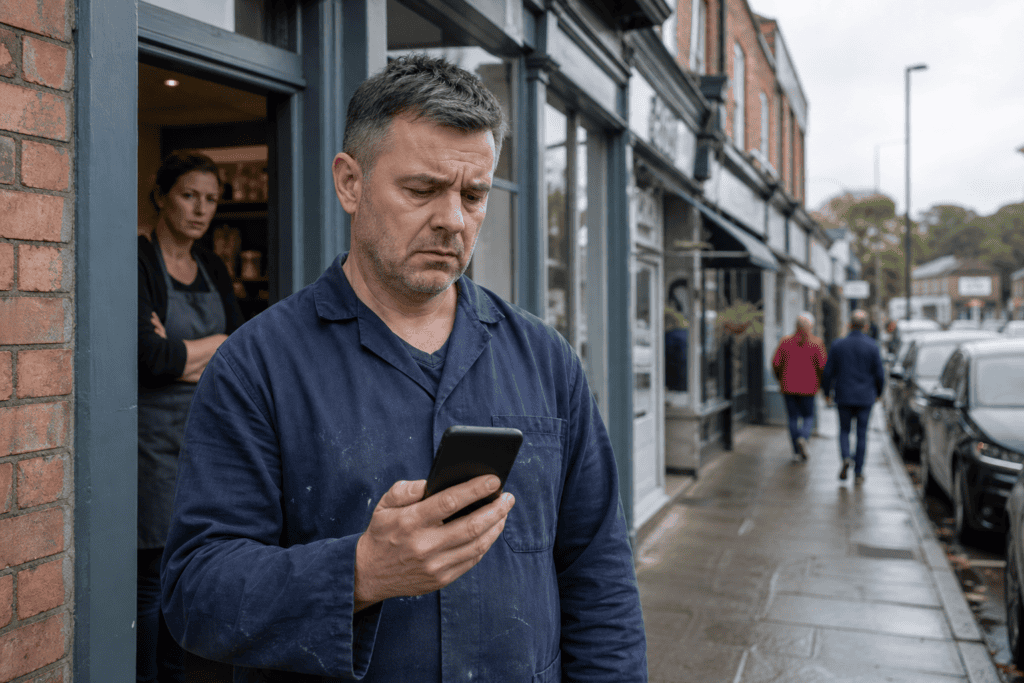
For many UK businesses, Google Business Profile reviews influence whether a customer calls, clicks, visits or moves on to a competitor. One suspicious one-star rating or a made-up complaint can affect trust quickly, especially if your review profile is still growing.
The good news is that there is a process for dealing with this. The less helpful news is that Google does not remove every review simply because it feels unfair. If you want to remove fake Google Business reviews, you need to understand what counts as a policy breach, how to report it properly, and what to do if the review stays live.
This guide explains the practical steps. It is designed for business owners and marketing teams who need a clear, commercially sensible way to protect their reputation without making the situation worse.
What counts as a fake Google Business review?
Not every negative review is fake. That distinction matters.
Google will usually leave up reviews that reflect a real customer experience, even if the customer is harsh, emotional or factually incomplete. To remove fake Google Business reviews, you need to show that the review breaks Google review policy, not simply that you disagree with it.
Common signs a review may be fake or policy-breaking
A review may be fake or policy-breaking if it includes one or more of the following:
The reviewer was never a customer
If you have no record of the person, no enquiry, no booking, no purchase and no interaction, that is a warning sign. This is especially relevant for appointment-based businesses, B2B firms, trades, clinics and professional services where customer records are easier to verify.
The review appears to target the wrong business
Sometimes users leave feedback on the wrong listing. If the review mentions services you do not offer, staff you do not employ, or locations you do not operate from, that may support a removal request.
The review is part of a coordinated attack
You may see several similar reviews appear in a short period, often after a dispute, a social media argument, or activity from a competitor. Patterns matter. A sudden cluster of low-quality reviews can indicate manipulation.
The content is spammy or promotional
Google review policy does not allow spam, off-topic content or promotional material. If the review includes links, repeated phrases, irrelevant sales language or obvious copy-and-paste wording, it may qualify for removal.
The reviewer has a conflict of interest
Reviews from current or former employees, competitors, or people with a clear vested interest may breach policy. Google expects reviews to reflect genuine customer experiences, not internal disputes or market sabotage.
The review contains hate speech, harassment or offensive content
Abusive language, discriminatory remarks, threats or personal attacks can all strengthen a report.
The review includes false allegations presented as fact
If someone accuses your business of illegal conduct, fraud, discrimination or dangerous practice without basis, that may move beyond a standard complaint into policy or legal territory.
The account itself looks suspicious
A profile with no photo, no review history, a strange username, or a pattern of reviewing unrelated businesses across different locations can raise concerns. This alone may not be enough for removal, but it can support your case.
When you report Google reviews, the strongest cases are specific. General claims like “this is fake” are weak. Clear evidence is far more persuasive.
When a bad review is genuine but still unfair
A review can be genuine and still feel unfair.
For example, a customer may:
- misunderstand your pricing
- ignore your terms
- blame you for a delay outside your control
- leave a review after one poor interaction despite years of good service
- exaggerate what happened
In these cases, Google is unlikely to remove negative Google reviews simply because they are one-sided or harsh. If the customer is real and the review relates to an actual experience, it will often remain.
That is why it is important to separate two questions:
- Is this review fake or policy-breaking?
- Or is it genuine but reputationally damaging?
The answer determines your next move. If it is fake, report it. If it is genuine, your best option may be a calm public response and a wider review management strategy.

Can you remove fake Google reviews yourself?
You cannot directly delete reviews left by other people on your Google Business Profile. Only Google can remove them after review, unless the reviewer deletes the post themselves.
That means when businesses ask how to remove fake Google Business reviews, the real question is how to identify a breach, report it properly and improve the chances of action.
What Google allows and what it does not
Google allows businesses to:
- flag reviews they believe breach policy
- contact support for further help
- provide evidence
- respond publicly to reviews
- ask genuine customers for honest feedback to strengthen their review profile
Google does not allow businesses to:
- remove reviews themselves
- pressure customers into changing reviews
- offer incentives for positive feedback
- post fake positive reviews to bury bad ones
- ask staff, friends or family to leave misleading reviews
- use review gating to filter who gets asked publicly
This matters because poor handling can create a second problem. If you try to fight fake Google reviews with artificial positive reviews, you risk damaging trust further and potentially breaching policy yourself.
A better approach is to stay within Google’s rules and document everything carefully.
When to respond publicly instead of only reporting
Reporting should not always be your only action.
If a review is clearly fake but visible to the public, leaving it unanswered can create doubt. Potential customers do not know you have reported it. They only see the complaint and your silence.
A short, professional response can help while the case is under review. It shows you take feedback seriously and that something does not add up.
For example, you might say:
“We take customer feedback seriously, but we cannot identify any record of this experience. We believe this review may have been posted in error or may not relate to our business. We have reported it to Google and would welcome direct contact to resolve any genuine issue.”
This kind of reply does several useful things:
- reassures future customers
- avoids sounding defensive
- signals that you have checked your records
- supports your credibility
- leaves the door open if the reviewer is genuine
Do not accuse the reviewer aggressively. Do not reveal personal data. Do not get drawn into an argument. A public row under a review rarely helps your reputation.
How to report a fake Google review step by step
If you want to remove fake Google Business reviews, speed and structure matter. Report the issue as soon as you spot it, and keep a record of what you submit.
Flagging the review in your Google Business Profile
Start inside your Google Business Profile.
The exact interface changes from time to time, but the usual process is:
- Sign in to the Google account that manages your business profile
- Make sure you are using the correct owner or manager account.
- Open your Google Business Profile
- You can usually access it through Google Search by searching your business name while logged in, or through the Business Profile dashboard.
- Go to reviews
- Find the review you want to challenge.
- Select the option to report or flag the review
- This may appear as “Report review” or a similar option in the menu next to the review.
- Choose the most relevant reason
- Select the category that best matches the issue, such as spam, conflict of interest, offensive content, or not based on a real experience if available.
- Submit the report
- Once submitted, Google will review it against its policies.
At this stage, many businesses stop and wait. That is understandable, but not always enough.
If the review is clearly harmful, especially if it is defamatory, abusive, or part of a wider pattern, take screenshots immediately. Include:
- the full review text
- the reviewer name
- the date
- the star rating
- any related suspicious reviews
- your business listing details
This evidence is useful if you need to escalate.
Escalating the issue through Google support and evidence gathering
If Google does not act quickly, or if the review is serious, move to escalation.
A practical escalation process looks like this:
Gather evidence before contacting support
Prepare a short file or note that includes:
- why you believe the review breaches Google review policy
- whether the reviewer is unknown to you
- whether the review mentions services or events that never happened
- any booking, CRM or sales records showing no customer match
- screenshots of the review and reviewer profile if relevant
- evidence of a pattern if multiple fake Google reviews appeared together
Be factual. Avoid emotional language. Support teams respond better to concise, evidence-led explanations.
Use Google’s review management or support channels
Google provides support options for Business Profile issues, which may include forms, chat or help pages depending on your account and region. Use the official route rather than third-party shortcuts.
When contacting support:
- state the business name and profile URL
- identify the exact review
- explain the policy breach clearly
- attach or reference your evidence
- ask for a manual review if appropriate
Example wording:
“We are requesting a review of a Google Business Profile review that appears to breach Google review policy. We have no record of this individual as a customer, and the review refers to services we do not provide. We believe it may be fake or posted in error. Please review the attached evidence and advise.”
Keep a timeline
Record:
- when the review appeared
- when you flagged it
- when you contacted support
- any case reference numbers
- any replies received
This helps if you need to follow up.
Check for wider profile issues
If several suspicious reviews appear at once, consider whether your profile has become vulnerable due to weak management, outdated information or local competitor activity. Review attacks often expose broader profile health issues.
If you want a stronger long-term approach to review management, profile health and local visibility, see our Google Business Profile Optimisation service for practical support.
Do not submit repeated low-quality reports
Multiple emotional reports with little evidence can weaken your position. It is better to submit one strong report and one well-documented escalation than several vague complaints.

What to do if Google does not remove the review
Sometimes Google leaves the review live.
That does not necessarily mean the review is genuine. It may mean there was not enough evidence, the content did not clearly breach policy, or the review fell into a grey area.
If that happens, your focus should shift from removal alone to reputation control.
How to write a calm, professional public reply
A good public reply can reduce the damage of a bad review, even if the review stays visible.
Your response should be:
- calm
- brief
- professional
- non-defensive
- written for future customers, not just the reviewer
A useful structure is:
Acknowledge
State that you take feedback seriously.
Clarify
Explain, without over-sharing, that you cannot verify the experience or that the matter does not match your records.
Invite offline contact
Offer a direct route to resolve any genuine issue.
Keep it measured
Do not attack the reviewer or speculate publicly.
Example for a likely fake review:
“Thank you for your feedback. We take all customer concerns seriously, but we have been unable to identify any record of this experience in our system. We would welcome the opportunity to investigate further if you contact us directly with your details.”
Example for a review that seems to target the wrong business:
“We are sorry to read this, but the details in your review do not appear to relate to our business or services. If this has been posted in error, we would be grateful if you could update it. If you intended to contact us, please get in touch directly so we can help.”
Example for a genuine but unfair review:
“We are sorry that you were disappointed. We always aim to provide a high standard of service and would like to understand what went wrong. Please contact us directly so we can review the matter properly.”
These replies show professionalism and often matter more to prospects than the original complaint. People expect occasional negative reviews. What they judge is how a business handles them.
How to rebuild trust with more genuine customer reviews
One of the best ways to reduce the impact of fake Google reviews is to improve the strength and consistency of your genuine review profile.
A business with 12 reviews can be badly shaken by one fake one-star rating. A business with 250 recent, credible reviews is far more resilient.
To rebuild trust:
Ask real customers consistently
Do not ask only when there is a problem. Build review requests into your normal process after successful jobs, purchases, appointments or project milestones.
Make it easy
Send a direct review link by email, SMS or follow-up message. The easier the process, the more likely customers are to complete it.
Ask at the right moment
Timing matters. Request feedback when value has just been delivered, not weeks later when the experience is less fresh.
Train your team
If customer-facing staff understand how important Google Business Profile reviews are, they can help encourage honest feedback naturally.
Do not script reviews too heavily
You can suggest themes, such as service, communication or results, but the wording should be the customer’s own. Authenticity matters.
Respond to genuine reviews
Thank positive reviewers and address negative ones professionally. This shows active management and helps build trust.
Monitor trends
Look beyond star ratings. Are customers praising speed, friendliness, expertise or reliability? Are there repeated complaints you can fix operationally? Reviews are both a reputation asset and a source of business insight.
This is the sustainable answer to businesses searching for ways to remove negative Google reviews. Some can be reported and removed. Others cannot. But a strong review generation process reduces the influence of isolated bad ones.

How review management fits into your wider local SEO strategy
Reviews are not just about reputation. They are part of local search performance.
A healthy Google Business Profile supports visibility in local results, improves click-through rates and increases the chance that a searcher chooses your business over another.
That is why review management should sit inside a wider local SEO plan, not as a one-off reaction when something goes wrong.
Why review quality affects visibility and conversions
Google Business Profile reviews influence two key areas.
Visibility
While reviews are only one ranking factor among many, they help Google understand prominence and trust. A profile with regular, relevant, high-quality reviews sends stronger local signals than a neglected profile with outdated or suspicious feedback.
Conversions
Even if rankings stay the same, reviews affect what happens next. Searchers compare star ratings, review volume, recency and business responses before deciding who to contact.
In practical terms, strong review quality can help you:
- win more calls and enquiries
- improve map listing performance
- increase trust before the first conversation
- reduce the impact of occasional negative feedback
- support your wider brand positioning
Poor review management can do the opposite. Fake reviews left unanswered, old complaints with no response, and long gaps without fresh customer feedback can all reduce confidence.
For UK businesses in competitive local markets, that can mean lost revenue, not just bruised pride.
How Google Business Profile Optimisation supports reputation control
Removing fake reviews is important, but it is only one part of protecting your local presence.
A well-optimised profile helps you stay in control by improving:
- profile completeness and accuracy
- category targeting
- service and product information
- photo quality
- posting activity
- review request systems
- response workflows
- local trust signals
It also makes it easier to spot suspicious activity quickly. Businesses that actively manage their profiles tend to notice fake Google reviews sooner and respond more effectively.
If your profile is underperforming, attracting poor-quality leads, or suffering from weak review management, a broader optimisation strategy can help. Steve Welsh Marketing’s Google Business Profile Optimisation service is designed to strengthen profile health, improve local visibility and support better reputation outcomes over time.
That matters because the businesses that cope best with fake reviews are rarely the ones scrambling after a crisis. They are the ones with strong systems already in place.
If you need to remove fake Google Business reviews, start with the facts. Check whether the review genuinely breaches policy. Report it properly. Escalate with evidence. Respond publicly in a calm, professional way. Then strengthen your review generation and profile management so one suspicious review cannot define your reputation.
If you want expert help protecting your profile, improving review quality and building stronger local visibility, get in touch with Steve Welsh Marketing today. We can help you take control of your Google Business Profile and turn it into a more reliable source of trust, traffic and enquiries.
Questions
FAQs
-
What makes a Google review fake?
A review is more likely to be fake if the reviewer was never a customer, the content is off-topic, spammy or offensive, or it appears to be part of a coordinated attack. A bad review is not automatically fake if it comes from a real customer.
-
Can I delete a fake Google review myself?
No. You cannot directly delete reviews on your Google Business Profile. Only Google can remove a review after it has been reported and reviewed against policy, unless the reviewer deletes it themselves.
-
How do I report a fake Google review?
Sign in to your Google Business Profile, find the review, choose the option to report or flag it, and select the reason that best matches the problem. Keep screenshots and notes in case you need to escalate the case.
-
What should I do if Google does not remove the review?
If Google leaves the review live, reply calmly and professionally, then focus on reputation management. A strong flow of genuine customer reviews can reduce the impact of one suspicious review.
-
How can I reduce the impact of fake reviews long term?
Build a steady process for asking real customers for honest feedback, respond to reviews consistently, and keep your Google Business Profile accurate and active. That makes fake reviews less damaging and easier to spot.

Steve Welsh is a digital marketing consultant and founder of Steve Welsh Marketing, helping businesses improve search visibility, attract better leads, and grow through practical, results-focused marketing.
More about Steve →