Quick Answer
A WordPress on-page SEO checklist is a practical set of checks to complete before publishing or updating a page. It should cover your title tag, meta description, URL slug, headings, keyword placement, content quality, images, internal links, mobile usability, page speed, indexing settings and call to action. For UK businesses, the aim is not just to please search engines. Each page should clearly explain the topic, help visitors find what they need and guide them towards the next sensible step. Used consistently, this checklist supports stronger website SEO and helps your WordPress pages work harder for search visibility and enquiries.
Intro
If you run a business website on WordPress, strong on-page SEO is one of the fastest ways to improve visibility, attract better traffic and turn more visitors into enquiries or sales. The problem is that many sites publish pages and blog posts without checking the basics properly. Titles are too long, headings are unclear, images are oversized, internal links are missing, and important pages are not fully optimised.
This WordPress on-page SEO checklist is designed to help UK businesses fix that. It is practical, action-led and focused on what you can do inside WordPress to improve rankings and usability. Rather than covering broad SEO theory, this guide focuses on the specific page elements that influence search performance and user experience.
Use it when creating a new page, reviewing an existing service page or tightening up your blog content. If your goal is better rankings, stronger click-through rates and more conversions, this checklist will help you work through the essentials in the right order.

What on page SEO means in WordPress
On-page SEO is the process of improving the visible and technical elements of a page so search engines can understand it and users can engage with it more easily. In WordPress, that includes the content itself, the page title, meta description, URL, headings, images, internal links and some basic technical settings.
A good WordPress SEO checklist should help you review each of those elements before a page goes live. It should also help you spot weaknesses on older pages that may be underperforming.
Why on page SEO matters for rankings and conversions
On-page SEO affects far more than rankings alone. It influences whether someone clicks your result in Google, whether they stay on the page, whether they trust your business and whether they take action.
For example:
- A clear title tag can improve click-through rate from search results.
- A well written H1 and opening paragraph can reassure visitors they are in the right place.
- Useful, well structured copy can keep people engaged for longer.
- Internal links can guide visitors towards relevant services or next steps.
- Fast loading images and mobile friendly layouts can reduce drop offs.
For UK businesses, this matters because your website often acts as your first salesperson. If your pages are not clear, useful and easy to navigate, you lose opportunities even if people do find you in search.
How WordPress affects on page optimisation
WordPress is flexible, but that flexibility can create SEO issues if pages are not managed carefully. Themes, page builders, plugins and content editors all affect how your pages are structured.
Common WordPress specific issues include:
- Auto generated URLs that are too long or messy
- Duplicate title settings between themes and SEO plugins
- Heading tags used for styling rather than structure
- Large image uploads that slow pages down
- Category and tag archives creating thin or duplicate content
- Pages accidentally set to noindex
The good news is that WordPress gives you direct control over most on-page SEO elements. With the right setup and a repeatable process, you can improve page quality quickly. That is why a practical wordpress on page seo checklist is so useful. It gives your team a clear standard to follow every time content is created or updated.
Check your page titles, meta descriptions and URLs
These are some of the first elements both search engines and users encounter. If they are weak, even strong content may struggle to perform. This part of your WordPress SEO checklist should be reviewed for every important page on your site.
How to write title tags that improve click through rates
Your title tag is the blue clickable headline shown in search results. In WordPress, this is usually controlled through an SEO plugin such as Yoast SEO, Rank Math or All in One SEO.
A strong title tag should:
- Include the primary keyword naturally
- Explain what the page is about clearly
- Encourage clicks without sounding spammy
- Stay within a sensible length so it does not get cut off
For a page targeting wordpress on page seo checklist, a vague title like “SEO Tips” is not enough. It does not match intent and gives no reason to click. A better title is specific and useful, such as “WordPress On Page SEO Checklist for UK Businesses”.
Practical tips for title tags:
- Put the main keyword towards the start where possible
- Keep the wording natural and readable
- Avoid stuffing multiple keyword variations into one title
- Use commercial context where relevant, such as “for UK Businesses”, “for Service Pages” or “Step by Step Guide”
- Make each page title unique across the site
If you have several pages targeting similar topics, review them together. Overlapping title tags can confuse search engines and weaken your visibility.
Best practice for WordPress slugs and meta descriptions
Your page slug is the part of the URL that comes after the domain name. WordPress often creates this automatically from the page title, but it should be edited before publishing.
Good slug practice includes:
- Keep it short and descriptive
- Include the main topic or keyword
- Remove unnecessary words such as “the”, “and” or dates unless needed
- Use hyphens between words
- Avoid changing established URLs without setting up redirects
For example, a clean slug such as /wordpress-on-page-seo-checklist/ is better than /2026/04/seo-tips-for-wordpress-business-sites-uk/.
Meta descriptions do not directly improve rankings, but they can improve click through rate. In WordPress, these are usually added in your SEO plugin.
A good meta description should:
- Summarise the page clearly
- Include the target keyword naturally
- Highlight value or outcomes
- Encourage action
- Stay concise
For business websites, think of the meta description as ad copy. It should tell the searcher what they will get from the page and why it is worth clicking.
Before publishing, check:
- Has the title tag been customised?
- Is the slug clean and readable?
- Does the meta description support clicks?
- Are these elements unique to this page?
Optimise headings, copy and keyword placement
Once the search result gets the click, the page itself needs to do the work. This is where on page SEO for WordPress becomes more than a plugin score. The structure and wording of the content must help both users and search engines understand the page quickly.
Using H1, H2 and H3 tags properly on WordPress pages
Headings create structure. They help readers scan the page and help search engines understand the hierarchy of information.
On a standard WordPress page, you should usually have:
- One H1 for the main page title
- H2s for major sections
- H3s for subsections within those sections
Common mistakes include:
- Using multiple H1s on one page
- Skipping heading levels for visual effect
- Using bold text instead of proper heading tags
- Adding headings that are vague or repetitive
Your H1 should clearly reflect the page topic. For this article, “WordPress On Page SEO Checklist” works because it matches the search intent directly.
Your H2s and H3s should then break the topic into useful sections. This improves readability and makes the page easier to navigate, especially on mobile.
In WordPress, always check the heading settings in the block editor or page builder. Do not assume larger text automatically means a proper heading tag has been applied.
A simple heading check before publishing:
- Is there only one H1?
- Do the H2s cover the main subtopics logically?
- Do H3s sit under the right H2s?
- Are headings descriptive rather than generic?
- Could someone skim the headings and understand the page?
How to place the primary keyword naturally in the content
Keyword placement still matters, but forced repetition does not help. The goal is to make the topic clear without damaging readability.
For a page targeting wordpress on page seo checklist, include the keyword naturally in places such as:
- The H1
- The opening paragraph
- At least one H2 or H3 where relevant
- The body copy where it fits naturally
- The title tag and meta description
- The URL slug
- Image alt text only where genuinely relevant
You should also use related phrases such as WordPress SEO checklist, on-page SEO for WordPress, WordPress SEO best practices, WordPress meta titles and descriptions and WordPress content optimisation. These help reinforce topical relevance without repeating the same phrase too often.
Practical content optimisation tips:
- Answer the search intent early in the page
- Use short paragraphs for easier reading
- Include specific actions, not vague advice
- Write for decision makers and busy business owners
- Remove filler that adds no value
If a page feels repetitive, step back and ask whether each section is adding something useful. Search engines reward pages that satisfy intent, not pages that simply repeat keywords.
For service pages and commercial blog content, it also helps to include trust-building details such as examples, common mistakes, practical fixes and next steps. That makes the content more useful and more likely to convert.
Improve images, internal links and user experience
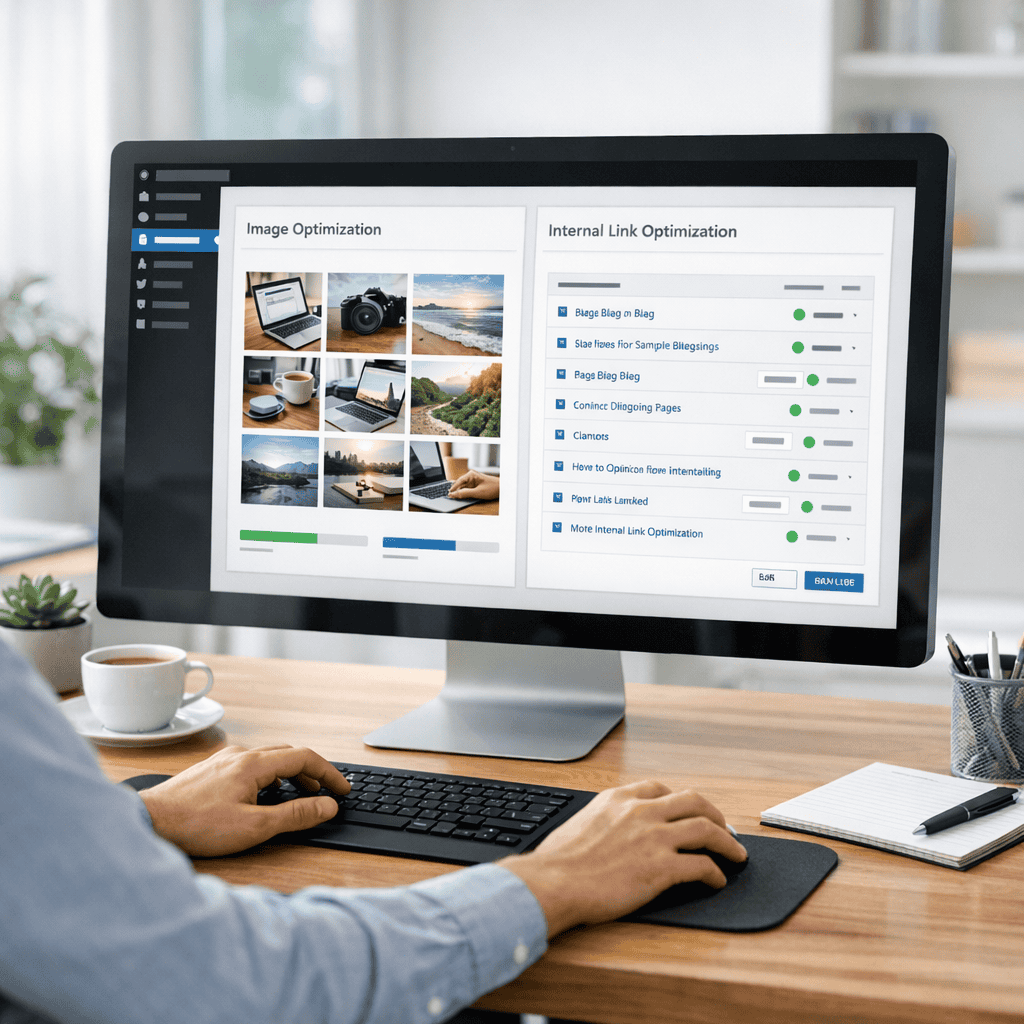
Good WordPress content optimisation is not just about text. Images, links and layout all affect how users engage with the page and how search engines interpret it.
Image alt text, file names and compression for SEO
Images often get overlooked in a wordpress on page seo checklist, but they can affect page speed, accessibility and relevance.
Start with the file name before uploading. A file called IMG_4821.jpg tells search engines nothing. A file called wordpress-seo-checklist.jpg is far more useful.
Then review alt text. Alt text should describe the image accurately for accessibility. It is not a place to stuff keywords. If the image is relevant to the page topic, you can include a keyword naturally, but only if it fits the description.
For example:
- Weak alt text: seo seo wordpress checklist best seo
- Better alt text: WordPress on page SEO checklist shown in a content editor
Also check image size and compression. Large images are a common reason WordPress pages load slowly. Before uploading:
- Resize images to the maximum display size needed
- Compress them using a suitable tool or plugin
- Use modern formats where appropriate, such as WebP
- Avoid uploading huge stock images straight from the source
If your site uses a page builder, test the page after upload. Some builders load background images or duplicate image assets in ways that affect performance.
Image checklist:
- Descriptive file name
- Useful alt text
- Compressed file size
- Correct dimensions
- No unnecessary decorative images slowing the page
Internal linking and page layout for better engagement
Internal links help search engines understand your site structure and help users move towards related content or services. They are one of the most practical and underused parts of WordPress SEO best practices.
Every important page should link to other relevant pages where it makes sense. For example, a blog post about on-page SEO should naturally point readers towards your broader service offering. If you want broader support beyond this checklist, our Website SEO service can help you improve your website SEO across content, structure and technical performance.
That kind of internal link supports the user journey and strengthens topical relevance across the site.
Internal linking tips:
- Link to relevant service pages from supporting blog content
- Use descriptive anchor text, not vague phrases like “click here”
- Do not force links where they do not fit naturally
- Review older posts and add links to newer relevant pages
- Make sure important commercial pages receive internal links from related content
Page layout matters too. A cluttered page can damage engagement even if the content is strong. In WordPress, check that the layout is easy to scan and use.
Focus on:
- Short paragraphs
- Clear headings
- Bullet points where useful
- Enough white space
- Visible calls to action
- Readable font sizes on mobile
- No intrusive pop ups blocking content
The best on-page SEO for WordPress supports both search visibility and user experience. If visitors land on the page and find it hard to read or navigate, rankings alone will not deliver results.

Review technical on page basics before publishing
Before you hit publish, there are a few technical checks that can prevent avoidable SEO problems. These are not deep technical SEO tasks, but they are essential parts of a reliable WordPress SEO checklist.
Mobile usability, page speed and indexing checks
Most business website traffic now comes from mobile devices, so every page should be checked on mobile before publishing. In WordPress, a page may look fine in the editor but break visually on smaller screens due to spacing, image scaling or button placement.
Check for:
- Text that is easy to read on mobile
- Buttons that are easy to tap
- No overlapping elements
- Tables or graphics that do not break the layout
- Forms that are simple to complete on a phone
Page speed is another key factor. Slow pages frustrate users and can reduce conversions. WordPress sites often become slow because of oversized images, too many plugins, bloated themes or excessive scripts.
Basic speed checks include:
- Compressing images
- Removing unnecessary plugins
- Using caching where appropriate
- Testing the page in PageSpeed Insights or similar tools
- Avoiding heavy design elements that add little value
Indexing is equally important. A well-optimised page cannot rank if search engines are blocked from indexing it.
Before publishing, confirm:
- The page is set to index
- The canonical URL is correct if relevant
- The page is included in your XML sitemap if your SEO plugin manages one
- There are no accidental noindex settings from templates or plugins
- The page is linked internally so it can be discovered easily
These checks are simple, but they are often missed, especially on busy business websites where content is published quickly.
Common WordPress on page SEO mistakes to avoid
Many pages underperform not because of one major issue, but because of several small mistakes combined. Here are some of the most common problems to watch for when applying WordPress SEO best practices.
Publishing with the default permalink
WordPress may create a long or messy URL. Always edit the slug before publishing.
Relying too heavily on plugin scores
SEO plugins are useful, but a green light does not guarantee a good page. Focus on clarity, intent and usefulness.
Using duplicate titles and meta descriptions
Each page should have unique metadata. Duplicate tags weaken relevance and reduce click appeal.
Writing thin content
A page that says very little will struggle to rank, especially for competitive terms. Cover the topic properly and answer real questions.
Overusing the primary keyword
Keyword stuffing makes content awkward and can reduce trust. Write naturally and use related terms.
Ignoring internal links
Pages left isolated within the site are harder for search engines and users to find.
Uploading unoptimised images
Large files slow the page and damage user experience.
Poor heading structure
If headings are inconsistent or used only for styling, the page becomes harder to understand.
Forgetting the call to action
SEO traffic has little value if the page does not guide users towards the next step.
Not updating older content
On page SEO is not a one off task. Existing pages often need refreshing to stay competitive.
A strong wordpress on page seo checklist helps you catch these issues before they affect performance.
If you want a simple process to follow, use this final pre publish checklist for every key page on your WordPress site:
- Is the primary keyword targeted clearly?
- Is the title tag unique and compelling?
- Is the meta description written to improve clicks?
- Is the URL short and relevant?
- Is there one clear H1?
- Are H2s and H3s structured properly?
- Does the opening paragraph confirm the page topic quickly?
- Is the content useful, specific and commercially relevant?
- Are images named, compressed and given suitable alt text?
- Have relevant internal links been added?
- Does the page work well on mobile?
- Has page speed been checked?
- Is the page indexable?
- Is there a clear next step for the visitor?
For UK businesses, this level of consistency can make a real difference. It helps service pages rank more effectively, improves blog performance and creates a better experience for potential customers.
A practical wordpress on page seo checklist is not about chasing perfection. It is about making sure every important page meets a strong standard before it goes live. Over time, those improvements build a stronger website, better search visibility and more opportunities to generate leads.
If your WordPress site has grown without a clear SEO process, now is the time to tighten it up. Review your key pages, fix the basics and make on-page optimisation part of your publishing workflow.
If you would like expert support with content, structure and technical improvements, Steve Welsh Marketing can help you turn your website into a stronger search and lead generation asset. Get in touch to discuss a tailored Website SEO plan for your business.
Questions
FAQ’s
-
What should be included in a WordPress on page SEO checklist?
A useful checklist should cover the page title, meta description, URL slug, H1, H2 and H3 headings, keyword placement, image file names, alt text, compression, internal links, mobile usability, page speed, indexing settings and a clear call to action.
-
How often should I review on-page SEO on my WordPress site?
Review the page SEO before publishing every important page or blog post. For existing content, check key service pages and high-value blog posts regularly, especially when rankings drop, services change or content becomes outdated.
-
Do WordPress SEO plugins do all the on page SEO work?
No. SEO plugins help you edit titles, meta descriptions, indexing settings and other basics, but they cannot replace clear copy, useful page structure, relevant internal links, strong user experience and good commercial judgement.
-
Where should I use my primary keyword on a WordPress page?
Use the primary keyword naturally in the title tag, H1, opening paragraph, URL slug, meta description and body copy where it fits. Avoid forcing it into every heading or image alt text if it makes the page awkward to read.
-
Why are internal links important for WordPress SEO?
Internal links help search engines understand how your pages are connected and help visitors find useful next steps. For example, a blog post about on page optimisation can link to a relevant Website SEO service page where readers can get broader support.
-
What is the next step if my WordPress pages are already published?
Start with your most important service pages and best performing blog posts. Check titles, descriptions, headings, content quality, images, internal links, mobile usability and indexability, then fix the issues that are most likely to affect enquiries and sales.

Steve Welsh is a digital marketing consultant and founder of Steve Welsh Marketing, helping businesses improve search visibility, attract better leads, and grow through practical, results-focused marketing.
More about Steve →