Steve Welsh MarketingKilmarnock · Ayrshire · UKCall NowBook a free call

Category: Google Business Profile Posts

  • How to Get Better Google Business Profile Reviews for Your UK Business

    How to Get Better Google Business Profile Reviews for Your UK Business

    Originally published: 22 October 2024
    Last updated: May 2026

    Quick answer:

    To get better Google Business Profile reviews, ask genuine customers at the right moment, make the process simple and respond professionally. The best time to ask is after a successful job, a positive interaction, a delivery, a key milestone, or repeat business. Use a direct review link by email, SMS or QR code, and keep the request polite and short. Do not buy reviews, offer incentives or pressure customers. Strong reviews are recent, specific and relevant, not just high in number. They help build trust, support local SEO and can improve how people respond to your Google Business Profile.

    Intro:

    Google Business Profile reviews can directly impact how potential customers view your business before they ever visit your website or pick up the phone. For many UK businesses, especially local service providers, trades, clinics, consultants, retailers and hospitality venues, reviews are one of the strongest trust signals available online.

    A well-managed review profile does more than make your business look credible. It can improve click-through rates from local search, increase enquiries, support conversions and strengthen your visibility in Google Maps and local results. The key is to earn reviews in a way that is ethical, consistent and easy for customers.

    This guide explains how to get more Google Business Profile reviews without resorting to shortcuts, incentives or awkward requests. It covers what matters most, when to ask, how to ask, how to respond and how reviews fit into a wider local SEO strategy.

    Google Business Profile reviews - Client asking for a GBP review

    Why Google Business Profile reviews matter for UK businesses

    If someone searches for a local business in the UK, they often see a shortlist of options before they ever reach a website. That shortlist usually includes star ratings, review counts and snippets from recent feedback. In practical terms, your Google Business Profile reviews often shape the first impression.

    For local companies, that first impression can be the difference between a new enquiry and a lost opportunity.

    How reviews influence trust, clicks and enquiries

    Most customers want reassurance before they buy. They want to know whether you are reliable, professional, easy to deal with and worth the money. Google reviews help answer those questions quickly.

    A strong review profile can influence buying decisions in several ways:

    Trust at a glance

    A healthy number of recent, genuine reviews gives people confidence that your business is active and delivering a good experience.

    Higher click-through rates

    When users compare several local businesses, they are more likely to click the listing that looks established and well reviewed.

    Better quality enquiries

    People who contact you after reading positive reviews are often further along in the decision-making process. They already have some confidence in your service.

    Reduced hesitation

    Reviews can address common objections before you even speak to the customer. Comments about punctuality, communication, cleanliness, expertise or value can all help.

    For example, a plumbing company in Manchester with 120 recent reviews mentioning fast response times and tidy work is likely to generate more trust than a competitor with only a handful of outdated reviews. The same applies to accountants, dentists, estate agents, solicitors, gyms and many other local businesses.

    The role of reviews in local search visibility

    Google Business Profile reviews are not just about reputation. They also support local SEO. While reviews are only one part of the picture, they can contribute to stronger local search performance.

    Google wants to show users businesses that are relevant, reputable and useful. Reviews help provide signals in those areas. In particular, Google may consider:

    Review quantity

    A steady flow of reviews can indicate that your business is active and serving customers regularly.

    Review recency

    Recent reviews suggest your business is current and still delivering a good experience.

    Review content

    The language customers use in reviews can reinforce what your business does and where you operate. For example, mentions of services, products or locations can add useful context.

    Engagement

    Responding to reviews shows that you are active and paying attention to customer experience.

    Reviews alone will not fix a weak local presence, but they can strengthen it. Combined with accurate business information, relevant categories, strong service descriptions and regular profile activity, they become a valuable part of Google Business Profile optimisation.

    If you want to improve your visibility as well as your review performance, it is worth taking time to optimise your Google Business Profile with a wider strategy that supports local search, trust and enquiries.

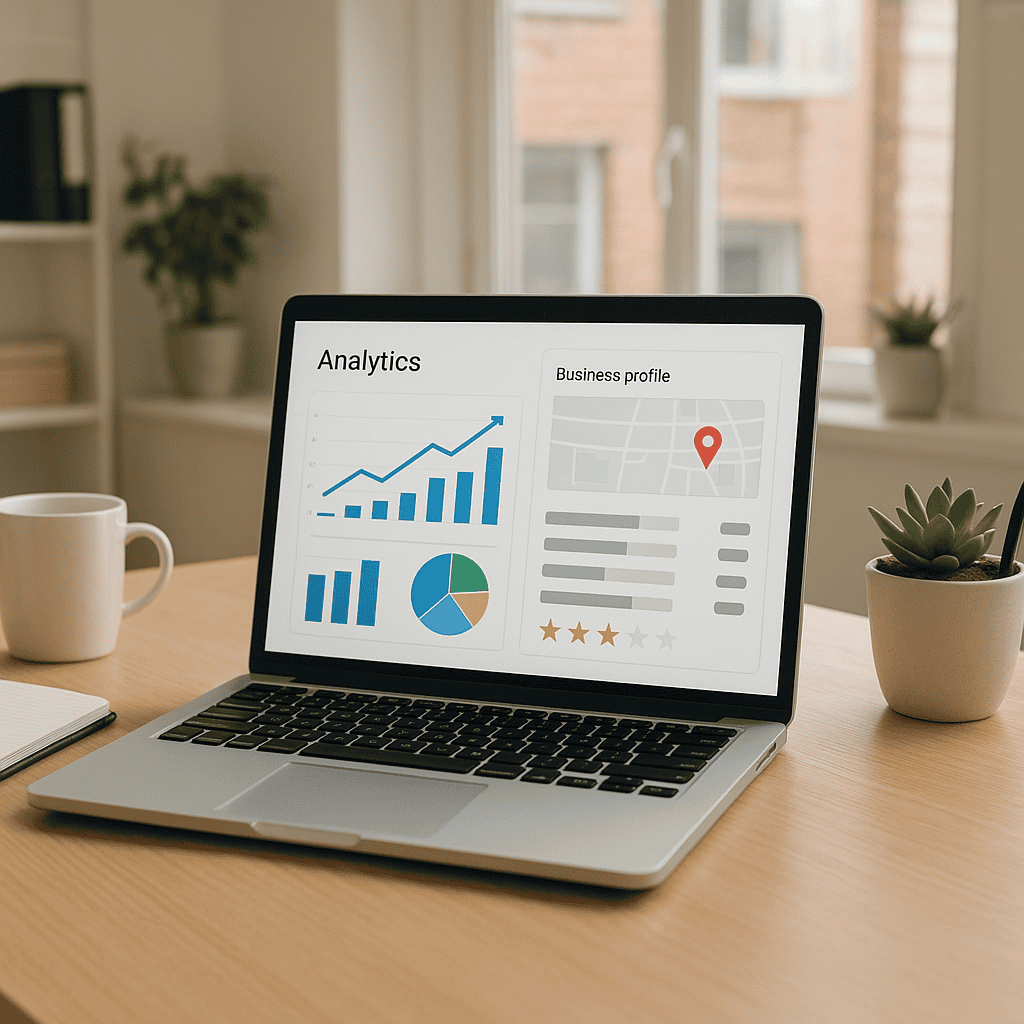
    Google Business Profile reviews - Laptop showing 5 star. reviews

    What makes a strong Google Business Profile review strategy

    Many businesses say they want more Google reviews, but very few have a proper process for getting them. They rely on the occasional happy customer taking the initiative, which leads to inconsistent results.

    A stronger approach is to build review requests into your customer journey so they happen naturally and regularly.

    Why quality and consistency matter more than volume alone

    It is easy to become fixated on total review count, but volume on its own is not the main goal. A review strategy works best when it produces relevant, authentic and recent feedback over time.

    Here is what matters more than chasing numbers:

    Consistency

    Ten genuine reviews spread across two months are often more valuable than ten arriving on the same day after months of silence.

    Specificity

    Reviews that mention what you did, how you helped and what the outcome was are more persuasive than vague one-line comments.

    Relevance

    Feedback from your real target customers is more useful than random praise with no commercial context.

    Freshness

    A profile full of reviews from three years ago does not reassure people in the same way as one with recent activity.

    A local financial adviser, for example, benefits more from a steady stream of detailed reviews mentioning professionalism, clear advice and responsive communication than from a sudden burst of generic five-star ratings.

    This is also why shortcuts are a bad idea. Buying reviews, offering incentives or using manipulative tactics can damage trust and may breach Google’s policies. Ethical review generation is slower, but it creates long-term value.

    The customer journey points where review requests work best

    Timing has a major effect on whether customers leave a review. Ask too early and they may not have experienced enough value. Ask too late and the moment has passed.

    The best time to ask depends on your business model, but strong review opportunities often happen at these points:

    After successful completion of a job

    Ideal for trades, agencies, consultants and service providers. The customer has seen the result and your value is clear.

    After a positive customer interaction

    If a client has just thanked your team, praised the service or said they are happy, that is a natural time to ask.

    After delivery or installation

    Useful for retailers, suppliers and home improvement businesses once the customer has received and used the product.

    After a milestone or measurable result

    Particularly effective for B2B services, marketing agencies, coaches and professional firms where outcomes become visible over time.

    After repeat business

    Returning customers often leave stronger reviews because they know your business well.

    For example, a solicitor might ask for a review once a property transaction completes smoothly. A physiotherapist might ask after a treatment plan has delivered clear improvement. A digital agency might ask after a successful campaign launch or reporting milestone.

    The key is to ask when the customer is most likely to feel satisfied and able to describe the experience clearly.

    Google Business Profile reviews - Agency discussing client GBP reviews

    How to ask for Google Business Profile reviews without sounding pushy

    Many businesses avoid asking because they worry it will feel awkward. In reality, most satisfied customers are happy to leave a review if the request is polite, timely and easy to act on.

    The problem is rarely the ask itself. It is usually the way the request is delivered or the amount of effort required afterwards.

    Simple scripts for email, SMS and face-to-face requests

    You do not need a complicated message. A short, direct and friendly request works best.

    Email request example

    Subject: Thanks for choosing us

    Hi [Name],

    Thank you for choosing [Business Name]. We really appreciate your business.

    If you were happy with the service, would you mind leaving us a quick Google review? It helps other people find us and gives them confidence in choosing us.

    [Insert review link]

    Thanks again,

    [Name]

    SMS request example

    Hi [Name], thanks again for choosing [Business Name]. If you have a moment, we would really appreciate a quick Google review: [short link]

    Face-to-face request example

    I am really glad you are happy with everything. If you get a minute later, a Google review would mean a lot to us. I can text or email you the link so it is easy.

    These scripts work because they are simple and respectful. They do not pressure the customer, and they explain why the review matters.

    A few practical tips:

    Ask personally where possible

    A request from the person who delivered the service often feels more genuine.

    Keep it short

    Long explanations reduce response rates.

    Do not overcomplicate the wording

    Customers do not need a sales pitch.

    Avoid asking everyone at once in a forced campaign

    A more natural flow tends to look more authentic and perform better over time.

    If you have a team, train them to recognise good moments to ask. This can make a big difference, especially in customer-facing businesses.

    How to make leaving a review quick and easy

    Even happy customers will often abandon the process if it feels inconvenient. The easier you make it, the more reviews you are likely to receive.

    Here are practical ways to reduce friction:

    Use a direct review link

    Create a direct Google review link so customers go straight to the review box rather than having to search for your business.

    Send the link on the right channel

    If most of your customers communicate by text, use SMS. If they are office-based professionals, email may work better.

    Add the link to follow-up communications

    Include it in thank-you emails, job completion emails, invoices or post-service check-ins where appropriate.

    Use QR codes in physical settings

    Shops, clinics, reception desks and event stands can use a simple QR code that links directly to the review page.

    Make the request mobile-friendly

    Most people will leave reviews on their phone. Keep the process quick and easy on mobile.

    You can also guide customers on what makes a helpful review without scripting it for them. For example, you might say:

    If you do leave a review, it is really helpful if you mention the service you used.

    That encourages useful detail while keeping the review authentic.

    For UK service businesses, this can be especially valuable. A review that says, “Steve and the team helped us improve our local visibility and enquiries through Google Business Profile optimisation” is far more persuasive than “Great service”.

    How to respond to Google Business Profile reviews professionally

    Getting reviews is only part of the job. Responding to them matters too. It shows that you value customer feedback, take service seriously and actively manage your online reputation.

    This is important for both positive and negative reviews.

    Best practice for replying to positive reviews

    A good response to a positive review does more than say thank you. It reinforces your professionalism and gives future customers another reason to trust you.

    A strong reply should be:

    Prompt

    Try to respond within a few days where possible.

    Personalised

    Use the customer’s name if appropriate and refer to the service they received.

    Professional

    Keep the tone warm but businesslike.

    Concise

    There is no need for a long message.

    Here is a simple example:

    Thanks very much, Sarah. We are really pleased you were happy with the service and communication throughout the project. It was a pleasure working with you.

    This type of response works well because it sounds genuine and reflects the customer experience.

    A few extra points to keep in mind:

    Do not copy and paste the same reply to every review

    It can look lazy and impersonal.

    Do not overdo keywords

    You can naturally reference your service, but avoid making responses sound like SEO content.

    Use responses to reinforce your values

    If customers praise reliability, expertise or responsiveness, your reply can subtly support that message.

    Positive review responses may also help future customers feel reassured that your business is active and attentive.

    How to handle negative reviews calmly and constructively

    Negative reviews can feel frustrating, especially if they seem unfair. However, your response matters just as much as the review itself. Potential customers will often judge your business by how you handle criticism.

    A good approach is to:

    Stay calm

    Do not respond emotionally or defensively.

    Acknowledge the issue

    Show that you have heard the concern.

    Take the conversation offline where appropriate

    Offer to discuss the matter directly to resolve it.

    Remain professional

    Even if the reviewer is rude, your response should not be.

    Here is a simple example:

    Thank you for your feedback. We are sorry to hear that your experience did not meet expectations. We take concerns like this seriously and would welcome the chance to look into it properly. Please contact us on [phone/email] so we can discuss this further.

    This type of response shows maturity and accountability.

    If the review is genuine, use it as a chance to improve. If it is misleading or appears fake, you can report it to Google, but still respond professionally while the issue is being reviewed.

    Avoid these common mistakes:

    Arguing publicly

    This rarely ends well and can put off future customers.

    Sharing personal details

    Never include confidential information in your reply.

    Ignoring negative reviews completely

    Silence can look like indifference.

    For many UK businesses, a well-handled negative review can actually strengthen trust. It shows that you are responsive, reasonable and willing to put things right.

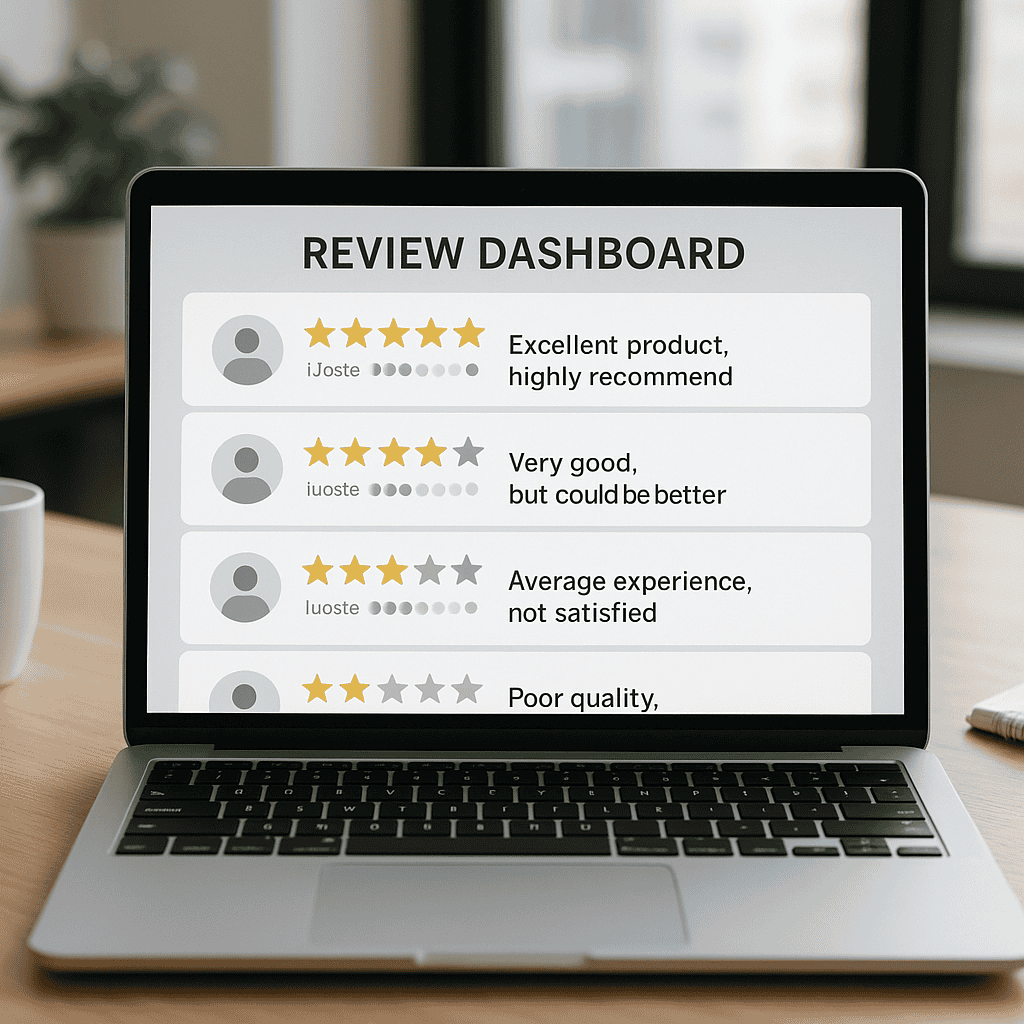
    Google Business Profile reviews - Mobile showing GBP review page

    How reviews support wider Google Business Profile optimisation

    Google Business Profile reviews are powerful, but they work best as part of a broader strategy. If your profile is incomplete, inactive or poorly managed, even a good review count may not deliver the results you want.

    Reviews should support a wider effort to improve local visibility, trust and enquiries.

    Using reviews to strengthen your local SEO signals

    Reviews can contribute to local SEO in practical ways when they are part of a well-run profile.

    They help reinforce relevance

    If customers naturally mention your services and locations, this can strengthen the context around what you do and where you operate.

    They improve engagement signals

    A profile with regular reviews and active responses looks more alive than one that has been neglected.

    They support conversion from local search

    Even if rankings improve, you still need people to click and enquire. Reviews help bridge that gap.

    They provide customer language you can reuse

    Common phrases from reviews can inform your website copy, FAQs and service messaging because they reflect what customers actually value.

    For example, if multiple customers mention fast turnaround, clear communication and local knowledge, those are strong themes to reflect elsewhere in your marketing.

    Reviews also work well alongside other local SEO essentials such as:

    • Accurate business name, address and phone details
    • Relevant categories and services
    • Strong business description copy
    • Regular Google posts or updates
    • High-quality images
    • A well-maintained website with local landing pages where relevant

    When these elements work together, your Google Business Profile becomes a stronger lead generation asset rather than just a basic listing.

    When to optimise your Google Business Profile for better results

    If you are getting some reviews but not seeing much commercial impact, the issue may not be the reviews alone. It may be that your profile needs wider improvement.

    Signs it is time to review your full setup include:

    • You have good reviews but low enquiry volume
    • You rank poorly in local search despite positive feedback
    • Your profile information is incomplete or inconsistent
    • Your services are not clearly listed
    • Your images are outdated or low quality
    • You rarely post updates or respond to reviews
    • Your competitors appear more visible and more established

    In these cases, it makes sense to look beyond review generation and improve the profile as a whole. If you want to improve your visibility as well as your review performance, it is worth taking time to optimise your Google Business Profile with a wider strategy that supports local search, trust and enquiries.

    That broader approach often produces better results than focusing on reviews in isolation. For many local businesses, the real opportunity lies in combining review generation with stronger profile management, better local SEO and clearer conversion paths.

    A well-optimised profile can help you:

    • Appear more competitive in local search
    • Build trust before the first contact
    • Increase calls, website visits and direction requests
    • Turn more profile views into real enquiries

    In short, reviews are important, but they are most effective when supported by a complete and commercially focused Google Business Profile strategy.

    Google Business Profile reviews are one of the most valuable assets a local business can build online. They influence trust, support local SEO, improve click-through rates and help turn searchers into customers. But the best results come from doing the basics well and doing them consistently.

    Ask at the right time. Make the process easy. Keep your requests natural. Respond professionally. Use reviews as part of a wider online reputation management and local SEO strategy.

    If your business wants to get more customer reviews and turn your Google presence into a stronger source of leads, now is the time to put a proper process in place. And if you want expert help improving both your reviews and your wider profile performance, Steve Welsh Marketing can help you build a Google Business Profile strategy that delivers real commercial results.

    Questions

    FAQs

    1. How do I get more Google Business Profile reviews without breaking Google policies?

      Ask real customers after a positive experience, use a direct review link and keep the request polite. Do not buy reviews, offer rewards or pressure people, as this can damage trust and may breach Google policies.

    2. When is the best time to ask for a Google review?

      The best time is when the customer has clearly experienced value. This could be after a completed job, a positive comment, delivery, a successful milestone or repeat business.

    3. Should I reply to every Google Business Profile review?

      Yes, where practical. Thank customers for positive reviews and respond calmly to negative ones. Professional replies show that you value feedback and actively manage your customer experience.

    4. Can Google Business Profile reviews help with local SEO?

      Reviews can support local SEO by showing recency, relevance and engagement. They work best alongside accurate business information, strong service descriptions, suitable categories, regular updates and wider Google Business Profile optimisation.

    5. What should I do if I receive a negative or fake review?

      For a genuine negative review, respond calmly, acknowledge the concern and invite the customer to discuss it offline. If a review appears fake or misleading, report it to Google while still keeping your public response professional.

    6. When should I optimise my full Google Business Profile instead of only asking for reviews?

      If you have good reviews but poor visibility, low enquiry volume or an incomplete profile, it is worth reviewing the whole setup. Reviews are more effective when supported by a complete and well-managed Google Business Profile.

  • 10 Google Business Profile Mistakes That Are Hurting Your Local Rankings

    Originally published: 22 October 2024
    Last updated: May 2026

    Quick answer:

    Common Google Business Profile mistakes can hurt local rankings by making it harder for Google and customers to trust your business. The biggest issues are wrong opening hours, inconsistent name, address and phone number details, weak categories, thin service information, poor review management, limited photos, inactive posts, ignored Q&A and links to the wrong website page. Start by checking your core details, choosing the most accurate primary category, adding clear services, responding to reviews and keeping the profile active with useful updates. If local enquiries matter to your business, regular Google Business Profile optimisation should be treated as part of your local SEO, not a one-time setup task.

    Intro:

    If your business relies on local enquiries, your Google Business Profile can be one of the most important assets in your digital marketing. It helps you appear in Google Maps, local search results and branded searches, often before a potential customer even reaches your website.

    Yet many businesses set up a profile once, leave it untouched, and assume it will keep working. That is where problems start. Small errors in your listing can reduce visibility, weaken trust and cost you calls, clicks and enquiries.

    In this guide, we will look at 10 common Google Business Profile mistakes that damage local rankings, explain why they matter, and show you how to fix them. Whether you run a local service business, a shop, a clinic or a multi-location company, these issues can have a direct impact on your local SEO performance.

    Google Business Profile Mistakes - Wrong opening hours

    Why Google Business Profile mistakes matter for local SEO

    Google uses a range of signals to decide which businesses to show in local search results. Your profile content, business details, reviews, activity levels and website signals all contribute to how visible you are. If your profile is incomplete, inaccurate or poorly managed, it becomes harder for Google to trust and recommend your business.

    A strong profile does more than help rankings. It also influences whether people choose to contact you. A business with clear information, recent reviews, quality photos and active updates looks more credible than one with outdated details and no signs of life.

    That is why Google Business Profile mistakes are not just technical issues. They affect visibility, trust, click-through rates and conversions.

    How GBP affects visibility in Google Maps and local search

    When someone searches for a service in their area, Google often shows a local pack and map results before standard organic listings. Your Google Business Profile plays a central role in whether you appear there.

    Google looks at relevance, distance and prominence. Relevance is about how well your profile matches the search. Distance relates to location. Prominence reflects your reputation and authority, including reviews, citations and online presence.

    A well-optimised profile helps Google understand what you do, where you operate and why your business deserves to be shown. Poor setup and weak management can limit your ability to rank, even if your service is excellent.

    For example, if a solicitor in Manchester has the wrong primary category, inconsistent contact details and no recent reviews, they may struggle to appear for valuable local searches. A competitor with a cleaner, more active profile can outrank them, even if their website is weaker.

    The business impact of poor profile management

    Poor profile management can lead to more than lower rankings. It can create friction at the exact moment a potential customer is ready to act.

    If your opening hours are wrong, people may turn up when you are closed. If your phone number is outdated, calls go nowhere. If your reviews are poor or unanswered, trust drops. If your photos are old, your business can look neglected.

    These issues affect real commercial outcomes. Lower visibility means fewer impressions. Lower trust means fewer clicks. Poor user experience means fewer calls, bookings and enquiries.

    For UK businesses competing in crowded local markets, getting the basics right is often the difference between steady lead flow and missed opportunities.

    Google Business Profile Mistakes - Consultant on zoom call

    Mistake 1 to 2: inaccurate business details and inconsistent NAP

    The most damaging Google Business Profile mistakes are often the simplest. If your core business information is wrong or inconsistent, Google may lose confidence in your listing and customers may lose confidence in your business.

    NAP stands for name, address and phone number. These details need to be accurate on your profile and consistent across your website and key directories.

    Wrong business name, address or phone number

    Your business name should reflect your real trading name, not a keyword-stuffed version designed to game rankings. Adding extra terms such as town names or services when they are not part of your official business name can breach Google guidelines and create trust issues.

    Your address must also be correct. If you serve customers at your premises, make sure the location is accurate and matches your website. If you are a service area business, set this up properly rather than displaying an address that customers cannot visit.

    Phone numbers matter too. Use a local number where possible and make sure it connects directly to the business. If you change numbers and forget to update your profile, you create a dead end for potential customers.

    How to fix it:

    • Review your core details in Google Business Profile.
    • Check your business name against signage, Companies House records and website branding.
    • Confirm your address format is correct and consistent.
    • Test your listed phone number.
    • Update opening hours, including bank holidays and seasonal changes.
    • Remove any unnecessary wording added to the business name.

    This is one of the most common Google Business Profile setup issues, and it is often overlooked because businesses assume the details are still correct years after the profile was created.

    Why consistency across your website and directories matters

    Google compares your profile details with information found elsewhere online. If your website says one phone number, your Facebook page shows another, and a directory lists an old address, that inconsistency can weaken trust signals.

    This does not mean every citation must be perfect down to punctuation, but the core details should match closely. Consistency supports local SEO by helping Google verify that your business is legitimate and established.

    Start with the places that matter most:

    • Your website contact page
    • Website footer
    • Google Business Profile
    • Bing Places
    • Apple Business Connect
    • Facebook business page
    • Yell and other relevant directories
    • Industry-specific listings

    If you have moved premises, rebranded or changed numbers, carry out a citation clean-up. This is especially important for businesses with multiple locations, where duplicate or conflicting listings are common.

    If you’d like a more structured approach, our Google Business Profile Optimisation service can help you improve visibility, accuracy, and lead generation from local search.

    Google Business Profile Mistakes - Consultant checking client reviews

    Mistake 3 to 4: weak categories, services and business description

    Once your basic details are correct, the next step is helping Google understand exactly what your business does. Weak categorisation and vague profile content reduce relevance and make it harder to rank for the right searches.

    Choosing the wrong primary and secondary categories

    Your primary category is one of the strongest Google Business Profile ranking factors. It tells Google what type of business you are and heavily influences which searches you can appear for.

    Many businesses choose a category that is too broad, too niche or simply inaccurate. For example, a company that mainly offers boiler installations might choose “Plumber” when “Heating contractor” would be more relevant. A dental clinic might fail to add secondary categories for cosmetic dentistry or emergency dental services.

    The wrong category can limit your visibility for high-intent searches. It can also attract the wrong traffic, which reduces engagement and conversion rates.

    How to improve category selection:

    • Choose the category that best reflects your core service.
    • Add secondary categories only where they genuinely apply.
    • Avoid selecting every possible option just because it exists.
    • Review competitor profiles in your area to see how top-ranking businesses are categorised.
    • Revisit categories if your services evolve.

    Your services section should support those categories. Add clear, specific services with useful descriptions where appropriate. This helps reinforce relevance and gives users a better understanding of what you offer.

    For example, a UK accountancy firm could list bookkeeping, VAT returns, payroll, self-assessment tax returns and limited company accounts instead of relying on a generic category alone.

    How to write a description that supports local relevance

    Your business description is not the place for sales hype or keyword stuffing. It should explain what you do, who you help and what makes your business a strong choice.

    A good description supports local relevance by naturally referencing your services, location and experience. It should be written for real people first, while still helping Google understand your offering.

    A strong description usually includes:

    • Your main services
    • The areas you serve
    • Your ideal customers
    • Your experience or specialisms
    • A clear, professional tone

    For example, a description for a roofing company might mention domestic and commercial roofing services, emergency repairs, flat roofs, pitched roofs and the areas covered across a specific region.

    Avoid writing something vague like:

    “We are the best local business offering high quality services at affordable prices.”

    That says very little. It does not help Google understand your relevance, and it does not help a customer decide whether to contact you.

    This is where Google Business Profile optimisation becomes commercially valuable. Better profile content improves both search relevance and conversion potential.

    Mistake 5 to 7: poor reviews, limited photos and inactive posting

    Google wants to show businesses that people trust and engage with. Reviews, photos and regular updates all contribute to that picture. If these areas are neglected, your profile can look weak compared with more active competitors.

    How reviews influence trust and click-through rates

    Reviews are one of the clearest trust signals on your profile. They influence how users perceive your business before they click, and they can affect local visibility too.

    A profile with a strong review rating, recent feedback and thoughtful responses is more likely to attract attention than one with very few reviews or a poor average score.

    Common review-related mistakes include:

    • Not asking customers for reviews
    • Only collecting reviews occasionally
    • Ignoring negative reviews
    • Using poor response templates
    • Failing to respond to positive reviews
    • Breaching guidelines by offering incentives

    The goal is not just to get more reviews. It is to build a steady flow of genuine, relevant feedback that reflects the quality of your service.

    Practical steps:

    • Ask satisfied customers soon after the job or purchase.
    • Make the process easy with a direct review link.
    • Encourage reviews that mention the service provided and location naturally.
    • Respond to all reviews professionally.
    • Address complaints calmly and constructively.
    • Use feedback to improve operations where needed.

    For example, if you are a physiotherapy clinic in Leeds and multiple reviews mention sports injury treatment, that can strengthen relevance for related searches while also reassuring prospective clients.

    Reviews also influence click-through rates. When users compare local options, star ratings and review volume often shape who gets the click.

    Why fresh photos and regular updates improve engagement

    Photos are often underestimated in Google Business Profile management. Yet they have a major effect on engagement. People want to see who you are, what your premises look like, what your work looks like and whether your business feels current.

    Profiles with few or no photos can appear untrustworthy or inactive. Poor-quality images can have a similar effect.

    Useful photo types include:

    • Exterior shots
    • Interior shots
    • Team photos
    • Products
    • Completed work
    • Vehicles
    • Before and after examples where appropriate
    • Branded imagery that reflects your business professionally

    For service businesses, job photos can be especially powerful. A landscaper, builder or salon can use images to show quality and build confidence before a prospect makes contact.

    Posting updates is another area many businesses ignore. Google Posts may not be the strongest ranking signal on their own, but they help show activity and can improve engagement. They also give you a way to highlight offers, services, events, news or seasonal messages.

    Examples of useful posts:

    • A law firm sharing updates on new services
    • A restaurant promoting seasonal menus
    • A garage reminding customers about MOT checks
    • A retailer highlighting Christmas opening hours
    • A trades business showcasing recent projects

    Fresh content helps your profile feel alive. It gives users more reasons to engage and supports the wider impression that your business is active and well managed.

    Google Business Profile Mistakes - Consultant taking notes

    Mistake 8 to 10: ignoring Q&A, website links and ongoing optimisation

    Many businesses think the work ends once the profile is verified and filled out. In reality, Google Business Profile management is ongoing. The final group of mistakes usually comes from neglect rather than setup errors.

    Using the Q&A section to answer common customer questions

    The Q&A section is often ignored, yet it can be very useful. Customers may ask about parking, accessibility, appointment availability, service areas, pricing approach or turnaround times. If these questions go unanswered, uncertainty grows and conversions can suffer.

    In some cases, members of the public may answer questions incorrectly. That creates confusion and can damage trust.

    A better approach is to monitor the Q&A section and proactively add common questions yourself where appropriate. This allows you to provide accurate, helpful answers that reduce friction.

    Examples of useful Q&A topics:

    • Do you offer free consultations?
    • Do customers need to book in advance?
    • Do you cover surrounding towns?
    • Is parking available on site?
    • Can you provide emergency call-outs?
    • Do you work with commercial clients?

    These questions can also reveal what matters most to potential customers. If the same themes keep coming up, you may want to address them on your website too.

    Another common issue is poor website linking. Your profile should point users to the most relevant page, not always just the homepage. In some cases, linking to a strong service or location page can create a better user journey and improve conversions.

    Make sure the linked page:

    • Matches the profile information
    • Loads quickly on mobile
    • Includes clear contact options
    • Reflects the service and location intent
    • Supports local SEO with relevant content

    If your website link leads to an outdated, generic or weak page, you may lose the enquiry even if the profile earns the click.

    When to get help with Google Business Profile Optimisation

    The final mistake is treating your profile as a one-off task rather than an ongoing marketing asset. Local search changes, competitors improve, customer behaviour shifts and Google updates features regularly. If you do not review and refine your profile, performance can plateau or decline.

    Ongoing optimisation includes:

    • Reviewing categories and services
    • Updating business information
    • Adding fresh photos
    • Publishing posts
    • Monitoring reviews and responses
    • Checking Q&A
    • Improving linked website pages
    • Tracking calls, clicks and direction requests
    • Comparing performance against local competitors

    For many businesses, this work slips down the priority list. That is understandable, especially when you are focused on operations, sales and customer delivery. But if local search is an important source of leads, neglecting your profile can become expensive.

    If you want a more structured approach, our Google Business Profile Optimisation service can help you improve visibility, accuracy and lead generation from local search.

    The right support can be particularly valuable if:

    • You have multiple locations
    • Your rankings have dropped
    • Your profile has inaccurate or duplicate listings
    • You are not appearing for key local searches
    • Your competitors are outranking you in Maps
    • You want more calls and enquiries without relying only on paid ads

    A proper Google Business Profile optimisation strategy is not about shortcuts. It is about building stronger relevance, trust and engagement over time.

    Many of the most damaging Google Business Profile mistakes are easy to fix once you know what to look for. Inaccurate details, inconsistent NAP, poor category choices, weak descriptions, neglected reviews, limited photos, inactive posting, ignored Q&A and poor website links all chip away at your local visibility.

    The good news is that these are practical issues, not abstract theory. They can be audited, corrected and improved. And for many UK businesses, doing so can lead to better rankings, more profile interactions and more qualified local enquiries.

    If your Google Business Profile is not delivering the visibility or leads it should, now is the time to review it properly. Fix the basics, strengthen the weak areas and treat it as an active part of your local SEO strategy.

    If you would like expert help improving your profile and turning local search into more business, get in touch with Steve Welsh Marketing today.

    Questions


    FAQs

    1. How do I know if my Google Business Profile is holding back my rankings?

      Check whether your details are accurate, categories match your main services, reviews are recent, photos are current and the linked page supports the search intent. If competitors with stronger profiles appear above you in Maps, an audit is a sensible next step.

    2. Which Google Business Profile mistake should I fix first?

      Start with the basics: your business name, address, phone number, opening hours and primary category. These are core trust and relevance signals, so errors here can affect both visibility and customer confidence.

    3. Do reviews really affect local SEO performance?

      Reviews can influence trust, engagement and local visibility. A steady flow of genuine reviews, plus professional responses, helps potential customers compare you with competitors and gives Google more context about your services.

    4. Should my Google Business Profile link to my homepage or a service page?

      Use the page that gives the searcher the clearest next step. For some businesses, that is the homepage, but a relevant service or location page can work better if it matches the profile, loads quickly and has clear contact options.

    5. How often should I update my Google Business Profile?

      Review your profile at least monthly, and update it whenever hours, services, photos, staff, offers, or locations change. Regular management helps keep information accurate and shows customers that the business is active.

    6. When should I get professional help with Google Business Profile optimisation?

      Consider help if your rankings have dropped, you manage multiple locations, your details are inconsistent, competitors outrank you in Maps, or your profile gets views but few calls or enquiries.

  • Google Business Profile: The Complete UK Guide to Better Local Visibility

    Google Business Profile: The Complete UK Guide to Better Local Visibility

    Originally published: 22 October 2024
    Last updated: May 2026

    Quick answer:

    A Google Business Profile is the listing that appears in Google Search and Google Maps when people look for your business, services, or local providers. To make it work well, keep every detail accurate, choose the most relevant categories, add clear services, upload genuine photos, collect and respond to reviews, and keep posts and opening hours up to date. This helps Google understand what you do and helps customers decide whether to contact you. For UK businesses, an optimised profile supports local SEO, improves Google Maps visibility, and can turn high-intent local searches into calls, website visits, direction requests, and enquiries.

    Intro:

    If you want to be found by local customers, your Google Business Profile needs to work hard for your business. It is often the first thing people see when they search for your company name, your services, or businesses like yours in a specific area. Before they visit your website, call your office, or request a quote, they are likely to judge your business based on what appears in Google Search and Google Maps.

    That makes your Google Business Profile far more than a simple directory listing. It is a key part of your local SEO, your online reputation, and your lead generation. A well-optimised profile can help you appear more prominently in local results, attract more relevant enquiries, and give potential customers confidence that your business is active, credible, and easy to deal with.

    For UK businesses, this matters across almost every sector. Whether you run a service business, a retail shop, a consultancy, a trades company, a healthcare practice, or a multi-location brand, your Google Business Profile can influence visibility, clicks, calls, and conversions.

    In this guide, we will cover what a Google Business Profile is, why it matters, how to optimise it properly, what content and activity improve performance, which mistakes to avoid, and how it fits into a wider local SEO strategy.

    Google Business Profile - Updating business profile

    What a Google Business Profile is and why it matters

    A Google Business Profile is the business listing that appears in Google Search and Google Maps when people search for a company, a service, or a local category. It typically includes your business name, address, phone number, website, opening hours, reviews, photos, services, and other useful details.

    It is designed to help users make quick decisions. If someone searches for a local accountant, dentist, plumber, solicitor, café, or marketing agency, Google may show a map pack with several business profiles. Those listings often receive a large share of attention because they are visible before many standard website results.

    For that reason, your Google Business Profile is one of the most important local visibility assets you have.

    How Google Business Profile supports local search visibility

    Google uses a range of signals to decide which businesses to show in local results. While the exact algorithm is not public, Google Business Profile ranking factors generally relate to relevance, distance, and prominence.

    Relevance means how closely your profile matches what the user is searching for. If your categories, services, business description, and website content clearly align with the search, you are more likely to appear.

    Distance refers to how close your business is to the searcher or the location included in the search query.

    Prominence reflects how established and trusted your business appears online. Reviews, website authority, local mentions, and profile activity can all contribute.

    A properly managed Google Business Profile helps with all three. It gives Google clearer information about what you do, where you operate, and why your business deserves visibility. It also improves your Google Maps visibility, which is especially important for businesses targeting customers in specific towns, cities, or service areas.

    When your profile is complete and active, it can support:

    • More appearances in local map results
    • Better visibility for branded and non-branded searches
    • More website clicks, phone calls, and direction requests
    • Stronger trust signals before a customer contacts you
    • Improved local SEO performance alongside your website

    Why UK businesses should treat it as a core marketing asset

    Many businesses still treat their Google Business Profile as something to set up once and forget. That is a missed opportunity.

    Your profile is often one of the highest-visibility pieces of digital real estate you own. It can influence first impressions more quickly than your website because users can see your reviews, photos, business details, and recent updates immediately.

    For UK businesses, this is particularly valuable in competitive local markets where customers compare several providers before making contact. A strong profile can help you stand out even if your website is not yet ranking at the top organically.

    It is also commercially useful because it supports intent-driven traffic. People using local search are often close to taking action. They may be ready to call, book, visit, or request a quote. That means your Google Business Profile can generate leads from people who are already actively looking.

    If you rely on local customers, location-based searches, or trust-led buying decisions, your Google Business Profile should be treated as a core marketing asset, not an afterthought.

    Google Business Profile - Consultant taking business photograph for profile

    H2: How to optimise your Google Business Profile properly

    Google Business Profile optimisation is about making your listing as accurate, complete, relevant, and trustworthy as possible. It is not about stuffing keywords into every field. It is about helping Google understand your business and helping customers choose you with confidence.

    A strong profile combines complete information, the right categories, useful service details, quality images, regular updates, and active review management.

    Completing every key profile field for stronger relevance

    The first step is to complete every relevant field properly. Incomplete profiles send weak signals to both Google and potential customers.

    Start with the basics:

    Business name

    Use your real trading name only. Do not add extra keywords or locations unless they are genuinely part of your business name. Keyword stuffing here can lead to suspensions or reduced trust.

    Business category

    Your primary category is one of the strongest relevance signals in your profile. Choose the most accurate main category for your core service.

    Address or service area

    If customers visit your premises, use your full business address exactly as it appears elsewhere online. If you are a service area business, define the areas you cover clearly and accurately.

    Phone number

    Use a local or main business number that is monitored consistently. Make sure it matches your website and other listings.

    Website URL

    Link to the most relevant page, usually your homepage or a location-specific page if appropriate.

    Opening hours

    Keep these accurate, including bank holiday and seasonal changes where possible. Incorrect hours create frustration and can lead to poor reviews.

    Business description

    Write a clear, natural description of what your business does, who you help, and where you operate. Focus on clarity and relevance rather than keyword repetition.

    Attributes

    Add relevant attributes such as accessibility features, appointment options, payment methods, or service-specific details where available.

    Services and products

    Use these sections to explain what you offer in practical terms. This helps users understand your business and can strengthen relevance for related searches.

    The goal is to remove uncertainty. A customer should be able to view your profile and quickly understand what you do, where you are, whether you are open, and how to contact you.

    Choosing the right categories, services and business details

    Category selection is one of the most important parts of Google Business Profile SEO. Your primary category should reflect your main commercial focus. Secondary categories should support that focus without diluting it.

    For example, if you are a family solicitor, your primary category should not be simply legal services if solicitor is available and more accurate. If you are a kitchen fitter, choose the category that best reflects that service rather than a broad home improvement label if a more precise option exists.

    Be selective. Adding loosely related categories can confuse relevance rather than improve it.

    The same applies to services. List your key services in a way that reflects how customers search and how you sell. If you are an accountant, separate bookkeeping, tax returns, payroll, and year-end accounts if those are distinct services. If you are a digital agency, list SEO, PPC, web design, and Google Business Profile optimisation only if you genuinely provide them.

    Business details should also support consistency. Your name, address, and phone number should match your website and major citations as closely as possible. Small variations may not cause major issues, but consistent information helps Google trust your data and helps users avoid confusion.

    If you want a more detailed service-led approach, see our Google Business Profile Optimisation page for support with setup, management and ongoing improvements.

    Google Business Profile - checking profile on tablet

    Content and activity that improve performance

    A complete profile is the foundation, but ongoing activity can improve engagement and strengthen trust. Google wants to show businesses that appear active, helpful, and relevant. Customers do too.

    That does not mean posting for the sake of it. It means using content and profile features in a way that supports decision-making.

    Using photos, posts and updates to build trust

    Photos are one of the most underused parts of a Google Business Profile. Yet they can have a strong impact on trust and conversion.

    For a UK business, useful photo types may include:

    • Exterior shots so customers can recognise your premises
    • Interior photos that show professionalism and atmosphere
    • Team photos that make the business feel more credible and approachable
    • Product images or completed project examples
    • Before and after images where relevant
    • Branded vehicles, equipment, or workspace photos
    • Images of your process, not just the final result

    Use high-quality, current images. Avoid stock photography where possible. Real photos help customers feel they are dealing with a genuine, established business.

    Google Posts can also support visibility and engagement. While they may not directly transform rankings on their own, they help keep your profile fresh and give users more reasons to engage.

    Useful post ideas include:

    • New service announcements
    • Seasonal offers
    • Case studies or recent project highlights
    • Event participation
    • Business updates such as changed hours or new team members
    • Helpful tips related to your service

    Keep posts concise and practical. Focus on what matters to the customer. Include a clear call to action where relevant, such as learn more, call now, or book an appointment.

    Regular updates also signal that your business is active. A neglected profile with old photos and no recent activity can make users question whether the business is still operating properly.

    How reviews, questions and answers influence engagement

    Reviews are one of the most powerful parts of your Google Business Profile. They influence click-through rates, trust, conversion, and local SEO signals.

    A strong review profile does not just mean a high average rating. It also means:

    • A steady flow of recent reviews
    • Detailed comments that mention your services and customer experience
    • Responses from the business
    • A balanced, authentic review history

    Encourage reviews from genuine customers as part of your normal process. Ask at the right time, usually after a successful job, completed purchase, or positive service interaction. Make it easy by sharing your review link directly.

    Do not offer incentives that breach Google guidelines, and do not use fake reviews. Short-term gains are not worth the long-term risk.

    Responding to reviews matters too. Thank customers for positive feedback and reply professionally to negative reviews. A thoughtful response can show prospective customers that you care about service and handle issues well.

    The questions and answers section is another useful but often neglected area. People may ask about parking, service areas, turnaround times, booking requirements, or product availability. Monitor this section and answer clearly. If common questions arise repeatedly, use them to improve your profile content and website FAQs.

    Together, reviews and Q&A improve engagement by making your profile more informative, trustworthy, and conversion-friendly.

    Common Google Business Profile mistakes to avoid

    Even businesses with strong services can undermine their local visibility through avoidable profile mistakes. Google Business Profile optimisation is not just about what you add. It is also about what you stop doing.

    Inconsistent business information and weak category choices

    One of the most common problems is inconsistent business information across the web. If your address, phone number, or business name varies between your profile, website, and other directories, it can weaken trust signals and confuse users.

    This often happens after a rebrand, office move, phone number change, or website update. Businesses update one platform but forget the others.

    Review your core business details regularly and keep them aligned across:

    • Your Google Business Profile
    • Your website
    • Major directories
    • Social media profiles
    • Industry listings

    Another common issue is weak category selection. Choosing categories that are too broad, too vague, or not commercially aligned can reduce your relevance for the searches that matter most.

    For example, a specialist service business that uses a generic category may struggle to appear for specific local searches, even if it is highly qualified. The right category choices help Google understand your niche and match you to better-intent users.

    Ignoring reviews, duplicate listings and outdated details

    Ignoring reviews is a major mistake. If your profile has unanswered negative reviews or no business responses at all, it can make your company appear disengaged. Review management should be part of your routine, not something you only address when there is a problem.

    Duplicate listings are another issue. These can split reviews, confuse Google, and create inconsistent signals. If multiple profiles exist for the same business location, you may need to request removal, merge duplicates, or claim and manage them properly.

    Outdated details are equally damaging. Common examples include:

    • Old opening hours
    • Former addresses
    • Inactive phone numbers
    • Services you no longer offer
    • Out-of-date photos
    • Broken website links

    These issues hurt user experience and can directly cost you leads. If a customer calls the wrong number or visits during incorrect opening hours, that is not just an SEO problem. It is a commercial problem.

    A good rule is to review your Google Business Profile monthly and after any significant business change.

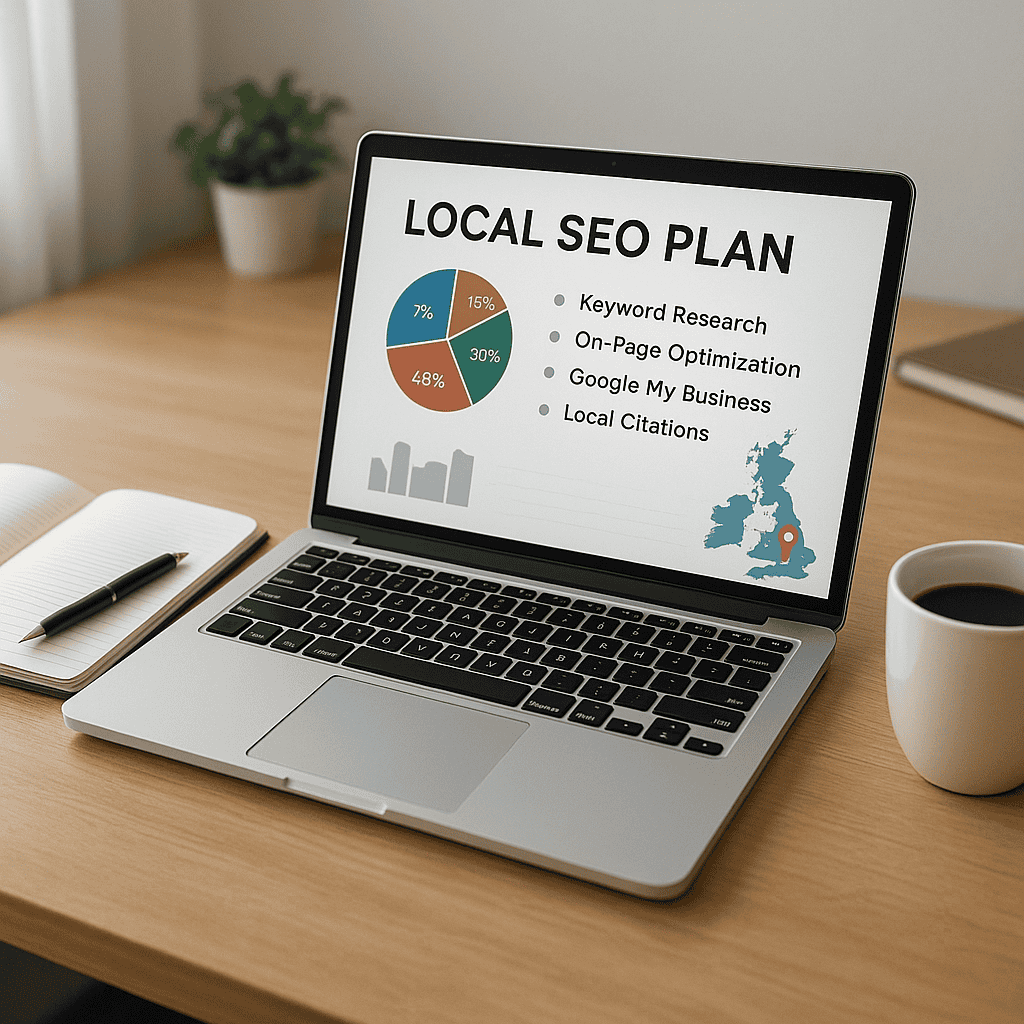
    Google Business Profile - Local SEO plan

    How Google Business Profile fits into your wider local SEO strategy

    Your Google Business Profile is powerful, but it works best as part of a broader local SEO strategy. It should not sit in isolation from your website, your content, your reviews, and your local authority signals.

    When these elements support each other, your visibility becomes stronger and more sustainable.

    Connecting your profile with your website and location pages

    Your website and your Google Business Profile should reinforce the same local relevance signals.

    If your profile says you offer specific services in a certain area, your website should back that up with clear service pages, location pages where appropriate, and consistent contact information.

    This means:

    • Your business name, address, and phone number should match
    • Your website should clearly state your services and target locations
    • Location pages should provide useful local information, not thin duplicate content
    • Your contact page should be easy to find and accurate
    • Schema markup and embedded maps can support local clarity where relevant
    • Reviews, case studies, and testimonials on your site should align with your local positioning

    For multi-location businesses, each location should ideally have its own profile and corresponding website page. This helps Google connect each branch with the right local searches and gives users a better experience.

    Local SEO also extends beyond your own assets. Citations, backlinks from relevant local websites, local PR, and community involvement can all support prominence. Google looks for evidence that your business is real, active, and recognised in its area.

    A strong Google Business Profile can improve your local presence, but it performs best when supported by a technically sound website and a clear local content strategy.

    When to invest in professional Google Business Profile support

    Some businesses can manage their profile in-house, especially if they have a single location, a clear service offering, and someone responsible for marketing. But many businesses benefit from professional support when the stakes are higher or the profile is underperforming.

    You may want expert help if:

    • You are not appearing in local map results for important searches
    • Your profile has been suspended or verification has become difficult
    • You have duplicate listings or inconsistent business information
    • You operate in a competitive local market
    • You have multiple locations to manage
    • Your reviews are weak or unmanaged
    • Your website and profile are not aligned
    • You want better reporting and a clearer return from local SEO

    Professional support can help with setup, optimisation, category strategy, service structuring, review processes, content planning, issue resolution, and ongoing performance improvements.

    It can also save time. Many businesses know their profile matters but do not have the internal resource to manage it properly. In those cases, outsourcing can be more efficient and more commercially effective than leaving opportunities untapped.

    A good Google Business Profile strategy should not just aim for more views. It should aim for more qualified enquiries, better conversion rates, and stronger local market presence.

    Your Google Business Profile is one of the most important tools available for improving local visibility in the UK. It helps customers find you, assess your credibility, and take action quickly. When it is fully optimised and actively managed, it can support stronger local SEO, better Google Maps visibility, and more valuable enquiries.

    The businesses that get the best results are usually the ones that treat their profile as an ongoing marketing asset. They keep information accurate, choose categories carefully, add useful services, publish fresh content, gather reviews consistently, and connect the profile to a wider local SEO strategy.

    If your profile is incomplete, outdated, or simply not delivering the visibility it should, now is the time to improve it. And if you want expert help to get better results from your Google Business Profile, Steve Welsh Marketing can support you with practical, results-focused optimisation tailored to your business and location. Get in touch to discuss how to turn your profile into a stronger source of local leads.

    If you want a more detailed service-led approach, see our Google Business Profile Optimisation page for support with setup, management and ongoing improvements.

    Questions


    FAQs

    1. What is a Google Business Profile?

      A Google Business Profile is the listing that appears for your business in Google Search and Google Maps. It can show your address, phone number, website, opening hours, reviews, photos, services, posts, and other useful details that help local customers decide whether to contact you.

    2. How do I optimise my Google Business Profile?

      Start by completing every relevant field accurately, including your business name, category, address or service area, phone number, website, opening hours, description, services, attributes, and photos. Then keep the profile active with updates, review responses, and accurate information whenever your business changes.

    3. Does a Google Business Profile help local SEO?

      Yes, it can support local SEO by helping Google understand what your business does, where you operate, and how relevant you are to local searches. It works best when your profile, website, reviews, citations, and location information are consistent and well-managed.

    4. How often should I update my Google Business Profile?

      Review your Google Business Profile at least monthly and whenever anything changes, such as opening hours, services, photos, phone numbers, locations, or seasonal information. Regular updates help customers get accurate information and show that your business is active.

    5. What are the most common Google Business Profile mistakes?

      Common mistakes include using the wrong categories, adding keywords to the business name, leaving old opening hours in place, ignoring reviews, having duplicate listings, using poor-quality photos, and showing business details that do not match your website or other listings.

    6. When should I get professional help with my Google Business Profile?

      Consider professional support if your profile is not appearing for important local searches, you have duplicate listings, your reviews are unmanaged, your details are inconsistent, or you manage multiple locations. Steve Welsh Marketing can help with setup, optimisation, issue resolution, and ongoing improvements.