

Updated October 2025
Your customers are searching right now. If your Google Business Profile (GBP) isn’t the one they find in the local 3-pack, you’re handing enquiries to competitors. This step-by-step guide shows you how to get your Google Business Profile to the top of search using practical Google Business Profile optimisation tactics that work in Kilmarnock, Ayrshire and Glasgow.
Why Your Google Business Profile Matters
When someone searches “best [service] near me,” Google often shows a map with three highlighted businesses—the local 3-pack. These listings attract the lion’s share of clicks because they’re fast, relevant, and built for action (call, directions, website).
A well-optimised GBP makes you visible above standard organic results and builds instant trust with reviews, photos, and complete business info.
Bottom line: if you want more local leads in Kilmarnock, Ayrshire, Glasgow (and across the UK), your GBP must be complete, fresh, and consistent.
Example Scenario
Example (illustrative):
A local trades business in Kilmarnock had a basic listing and few photos. We set the right primary category, added service descriptions, posted weekly updates, and started a simple review routine (3–4 new reviews/month). Within eight weeks they moved from no 3-pack visibility to showing for “[service] Kilmarnock” and saw a lift in calls and direction requests from GBP. The takeaway: completeness + consistency beats sporadic big pushes.
Extra tip: Local intent on mobile keeps rising. Listings with clear services, current photos, and genuine reviews win the click—even against bigger brands.
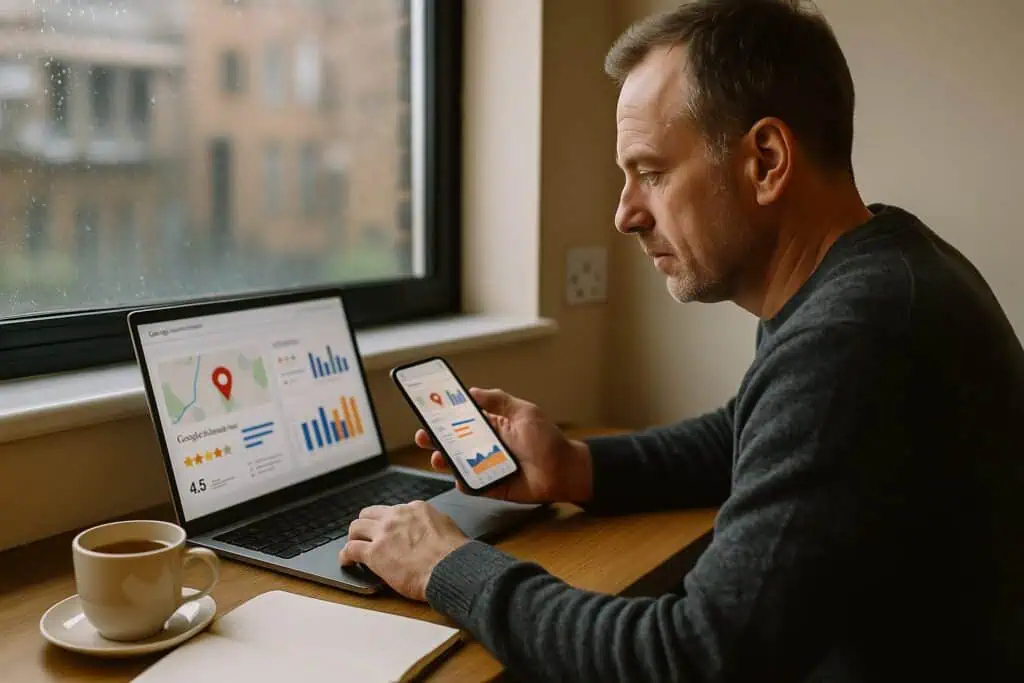
How to Optimise Your Google Business Profile (Step-by-Step)
Do these first for fast gains:
- Pick the most specific primary category; prune any irrelevant secondaries.
- Add 5–7 core services with short descriptions (and price/price range if suitable).
- Upload 10+ recent photos (team at work, premises, results). Add helpful captions.
- Publish 1 Google Post per week (update/offer/case study with a CTA).
- Request at least 3 new reviews/month; reply to all reviews within 48 hours.
- Check NAP (Name, Address, Phone) on your website and top directories—make it identical.
- Link your GBP website field to the best converting local service page.
- Add opening hours, holiday hours, and applicable attributes (e.g., appointment required).
- Seed Q&A with three common questions and answers; pin the most useful.
- Track Calls, Directions, Website clicks in GBP Insights monthly and act on the data.
Complete Your Profile 100%
Fill every field you can: business name, categories, services, opening hours, phone, website, booking link, accessibility/amenities, and attributes. Google rewards completeness because it helps searchers act with confidence.
Go further: double-check your primary category and add only relevant secondary categories. Add Services with short, plain-English descriptions and (where appropriate) prices or price ranges—these boost relevance and conversions.
Helpful links within your site:
- Talk to a specialist about Google Business Profile optimisation →
- Improve your local 3-pack visibility with ongoing GBP management →
Choose Categories That Match Buyer Intent
Your primary category is one of the strongest ranking signals. Pick the most specific, high-intent option (e.g., Roofing Contractor rather than Contractor). Add 2–4 secondary categories that reflect real services—not wish-lists.
Why it matters: categories steer which searches you can appear for. A mismatched category quietly throttles visibility, even if everything else looks fine.
How to choose categories:
- Start with buyer intent: What am I most often hired for?
- Set 1 primary category that matches that core intent.
- Add 2–4 secondary categories you truly fulfil. Avoid wish-list padding.
- Re-check quarterly—competitors and Google’s list change.
Services to add under your categories:
- Use plain names customers use (e.g., “Roof repair” not “Residential pitched roof remediation”).
- Add a 40–80 word description: what it is, who it’s for, one benefit, optional price/range.
- Mirror the naming found on your website service pages for consistency.
See the ultimate optimisation checklist →
Add Services (and Products if relevant)
The Services area helps Google and customers understand what you actually do. Add your core services with short descriptions, benefits, and any pricing guidance. If you sell fixed offerings (e.g., maintenance packages), consider Products with clear photos and calls to action.
Pro tip: mirror your website’s service pages and use the same naming. Consistency strengthens both GBP and organic rankings.
Earn & Respond to Reviews
Reviews drive prominence (a ranking factor) and conversions. Build a simple routine: request a review after every successful job via email/SMS with your short GBP link. Aim for steady, ongoing growth—a few new reviews every month beats occasional bursts.
Respond to every review within 48 hours. Thank happy customers; address negatives politely and offer solutions. Use service + location naturally (e.g., “Thanks for trusting us with your SEO in Ayrshire”)—never keyword-stuff.
Build Local Authority with UK Citations
Consistency of your Name, Address, Phone (NAP) across trusted UK directories helps Google verify your business. Start with the essentials and keep the same format you use on your site and GBP.
Priority citations to add/refresh: Google Business Profile, Bing Places, Apple Business Connect, Yell, Thomson Local, Scoot, 192.com, Facebook Page, LinkedIn Company Page, Yelp UK.
Tips:
- Use the same business name, phone and homepage URL everywhere.
- Copy your services and a shortened version of your GBP description into each listing.
- Upload your logo and 3–5 real photos.
- If you change hours or phone later, update GBP first, then mirror it across all listings.
Clean, consistent citations won’t rocket you overnight, but they reinforce trust—especially in competitive areas like Kilmarnock, Ayrshire and Glasgow.
Perfect the Local Landing Page Your GBP Links To
Your GBP’s “Website” button should point to a high-converting local service page, not just the homepage. Use this mini-checklist:
- Clear H1 stating the service and area (e.g., SEO Services in Glasgow).
- Trust signals above the fold: brief value prop, review stars, logos/testimonials.
- Service packages or bullet benefits with a simple “Book a Consultation” CTA.
- Local proof: recent project examples, neighbourhoods served, or a short case study.
- NAP block matching GBP exactly; add opening hours if relevant.
- Internal links to related guides (this post + your GBP cluster) and one contact link in every section.
A strong landing page improves conversions and sends the relevance signals that help your GBP rank.
Review Request Templates
Email (copy/paste):
Subject: Quick favour about your recent [service]
Body:
Hi [First name], thanks for choosing us for [service] in [town]. Would you mind leaving a quick Google review? It helps local customers find us.
➡️ [Insert your short GBP review link]
Really appreciate it — Steve, Steve Welsh Marketing
SMS (≤160 chars):
Thanks for using us for [service] in [town]. A quick Google review helps others find us: [short GBP review link] — Steve
Response pattern (negative reviews):
“Thanks for the feedback, [name]. We’re sorry this missed the mark. I’ve DM’d you to fix it. We aim to resolve within 24h and will update here. — Steve”
Useful post: How to generate fantastic GBP customer reviews
Publish Regular Google Posts
Weekly Updates, monthly Offers, and occasional Event posts keep your listing fresh and persuasive. Share before/after stories, seasonal tips, or mini case studies and always add a call to action (Call, Learn More, Book).
Why it matters: freshness signals activity; posts also convert on the spot for people who don’t click through to your website.
Add Fresh Photos & Short Videos
Authentic images of people at work, recent projects, storefront, vehicles, team outperform stock shots. Add a steady cadence of new photos and 10–20-second vertical clips.
Important: you don’t need EXIF geotagging. Instead, support images with clear captions and nearby text that mention the service and location (e.g., “New flat-roof installation in Glasgow”). Google reads the context.
Optimise Attributes, Q&A and Messaging
Complete relevant Attributes (wheelchair access, women-led, appointment required) to match searcher filters. Seed your Q&A with common questions from real customers and answer them succinctly. If you can staff it, enable Messaging for quick pre-sales questions—fast replies win jobs.
Extra: pin your most helpful Q&A so it’s visible without expanding.
Connect Website Signals (they support GBP rankings)
Your GBP doesn’t rank in a vacuum. Create strong, local service pages on your website (e.g., SEO Services in Glasgow), ensure NAP (Name, Address, Phone) consistency sitewide, and add internal links to your GBP-focused content.
Track Insights & Use Simple Automation
Review GBP Insights monthly: calls, website clicks, direction requests, and top queries. Double down on what drives actions.
Use light automation (e.g., Make.com) to remind you to:
- Request reviews after completed jobs
- Publish weekly posts
- Pull monthly Insights into a sheet for action
Small, consistent actions outperform sporadic sprints.
Common GBP Mistakes to Avoid
Inconsistent NAP Across the Web
Mismatched business name/phone/URL across directories confuses Google and dilutes trust. Audit and fix your top citations (website, GBP, Bing Places, Apple Business Connect, Yell, Scoot, Facebook, LinkedIn).
Extra tip: lock a single Name–Phone–URL format and re-use it everywhere.
Avoid common GBP mistakes →
Wrong or Bloated Categories
One wrong primary category can tank visibility; too many secondaries can blur relevance. Revisit categories quarterly and prune anything that isn’t driving enquiries.
Neglecting Reviews or Responding Poorly
Silence signals indifference. Reply to every review with warmth and specifics. For negatives, take the heat out, propose a solution, and invite follow-up offline.
Duplicate or Suspended Listings
Duplicates split ranking signals. Merge or remove them through Google support. If suspended, fix eligibility/policy issues (categories, address, service-area setup), then appeal with evidence.
If you’re stuck: here are 5 key reasons your GBP isn’t ranking and what to fix.
Troubleshooting: Not Ranking or Suspended?
- Not verified: complete verification—unverified listings don’t rank.
- Distance problem: proximity matters; combat it with stronger reviews, photos, posts, and a better local landing page.
- Duplicate listing: request a merge/remove via support; duplicates split signals.
- Suspension: fix policy issues (eligibility, categories, address setup). Submit a clear appeal with evidence (utility bill, signage, invoices).
A simple 30-minute/month routine:
- Week 1 (10 mins): Post one update (tip, seasonal advice, mini case study).
- Week 2 (10 mins): Add 3–5 photos or one short (10–20s) video.
- Week 3 (5 mins): Request reviews from that month’s happy customers; reply to all reviews.
- Week 4 (5 mins): Check Insights (Calls, Directions, Website clicks, top queries) and adjust the next post/image accordingly.
Optional: review categories/services quarterly and prune anything off-target.
For full rules, see the official Google Business Profile guidelines
Conclusion & Next Steps
A top-ranked Google Business Profile is built on clarity, completeness, and consistency: correct categories, real services, steady reviews, fresh posts/photos, and a supportive website. Do the basics well, repeat them each month, and you’ll earn more calls and enquiries—especially in competitive areas like Kilmarnock, Ayrshire, and Glasgow.
Ready to appear in the local 3-pack?
Get a free mini-audit of your Google Business Profile. We’ll identify your 3 biggest quick wins and set you up with a simple monthly plan.
FAQs
How long does it take to rank a Google Business Profile?
How long does it take to rank a Google Business Profile?
Most businesses see movement within 2–8 weeks after completing categories, services, photos, and reviews. Competitive city terms can take longer—consistency wins.
What are the biggest GBP ranking factors?
Category relevance, quality and volume of reviews, accurate services, proximity, fresh photos/posts, consistent NAP, and supportive website signals.
Should I post on my Google Business Profile?
Yes. Weekly posts keep your profile active, help conversions, and nudge visibility. Promote offers, case studies, and new services with a clear call to action